

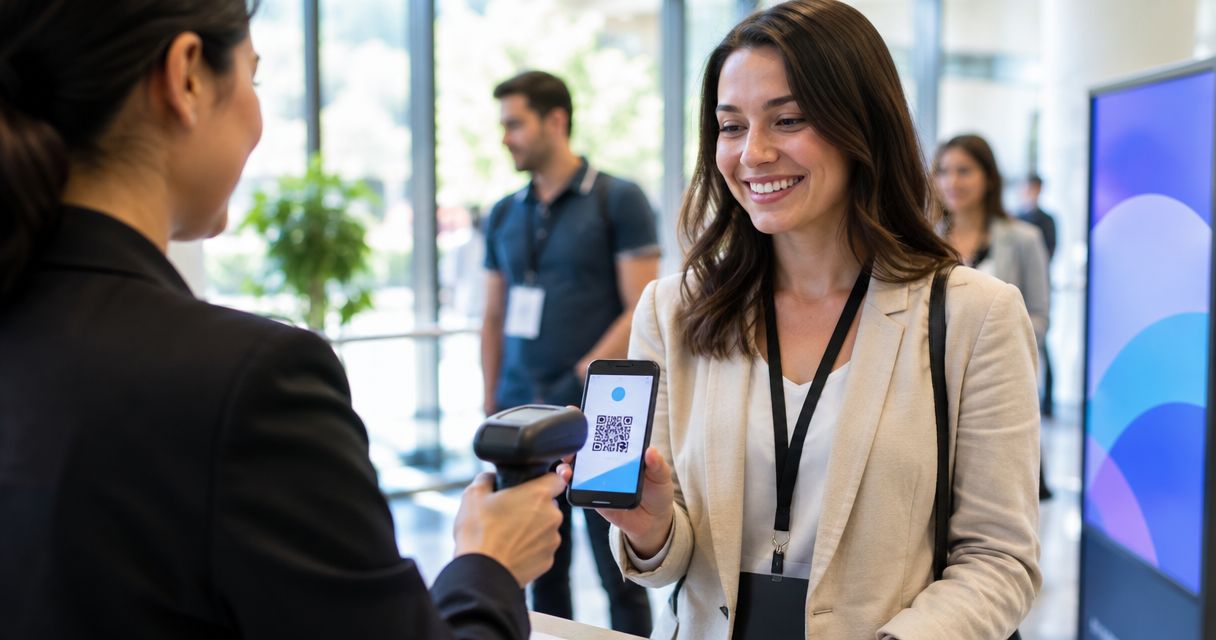
Staff checking names off a printed list at the door is why lines back up before doors even open. Scan the ticket's QR code instead, and the ticket is marked used the instant it's read — across the box office, the kiosk and online sales at once, because it's all one ticketing kiosk software inventory rather than three separate systems pretending to talk to each other.
- QR code ticket check-in on Zunaro scans e-tickets from email or WhatsApp and marks them used instantly.
- Box office, kiosk and door scanning share one live inventory, so a ticket can't sell and scan twice.
- Kiosk mode lets attendees scan themselves in without a staff member holding the device.
- Confirm venue connectivity before doors open — check-in reads and writes to the same live inventory as sales.
- Setup takes minutes: publish the event, tickets carry the QR automatically, nothing extra to turn on.
Why this matters
A guest list on a clipboard has no idea what sold in the last ten minutes. QR code ticket check-in fixes that by reading the same live inventory the box office sells from, so a ticket bought at 7:58pm scans clean at 8:01pm.
For venues running multiple doors, a kiosk out front, and a box office desk selling walk-ups, this matters more in 2026 than it did five years ago: attendees expect to show a phone screen and walk straight in, not stand in a line for someone to find their name. Zunaro runs check-in off the same inventory as the storefront, so there's no export, no spreadsheet sync, and no separate "scanner app" login to manage.
Before you start
- A published event on Zunaro with tickets already issued, even a couple of test tickets — every e-ticket carries its QR code automatically, there's nothing separate to switch on.
- A phone, tablet, or a Zunaro kiosk logged into the organiser account that owns the event.
- Working wifi or mobile data at the door. Check-in reads and writes to the same live inventory as your box office and storefront in 2026, so a dead connection at one door stalls scanning everywhere, not just at that lane. Test the connection before doors, not after the queue forms.
Set up your event for QR check-in
- Publish the event through Zunaro's box office as you normally would — reserved seating, general admission, or a mix.
- Every ticket sold, whether through the storefront, the box office desk, or the WhatsApp agent holding a seat for a buyer, is issued as an e-ticket with a QR code built in. There's no separate check-in feature to enable.
- Confirm tickets are reaching buyers by email and WhatsApp — both channels carry the identical QR code, so an attendee can present either one at the door.
Expected result: every ticket sold for the event, regardless of channel, already has a scannable QR code attached before anyone shows up.
Configure the door check-in
- Open the check-in view on the phone, tablet, or kiosk logged into the organiser account.
- Select the correct event from the list of live events — this matters most on nights with more than one show at the same venue.
- Tap Scan to activate the camera.
Expected result: the camera is live and pointed at the door, ready to read the first QR code.
Scan tickets at the door
- Point the camera at the ticket's QR code — a phone screen held up by the attendee or a printed ticket works the same way.
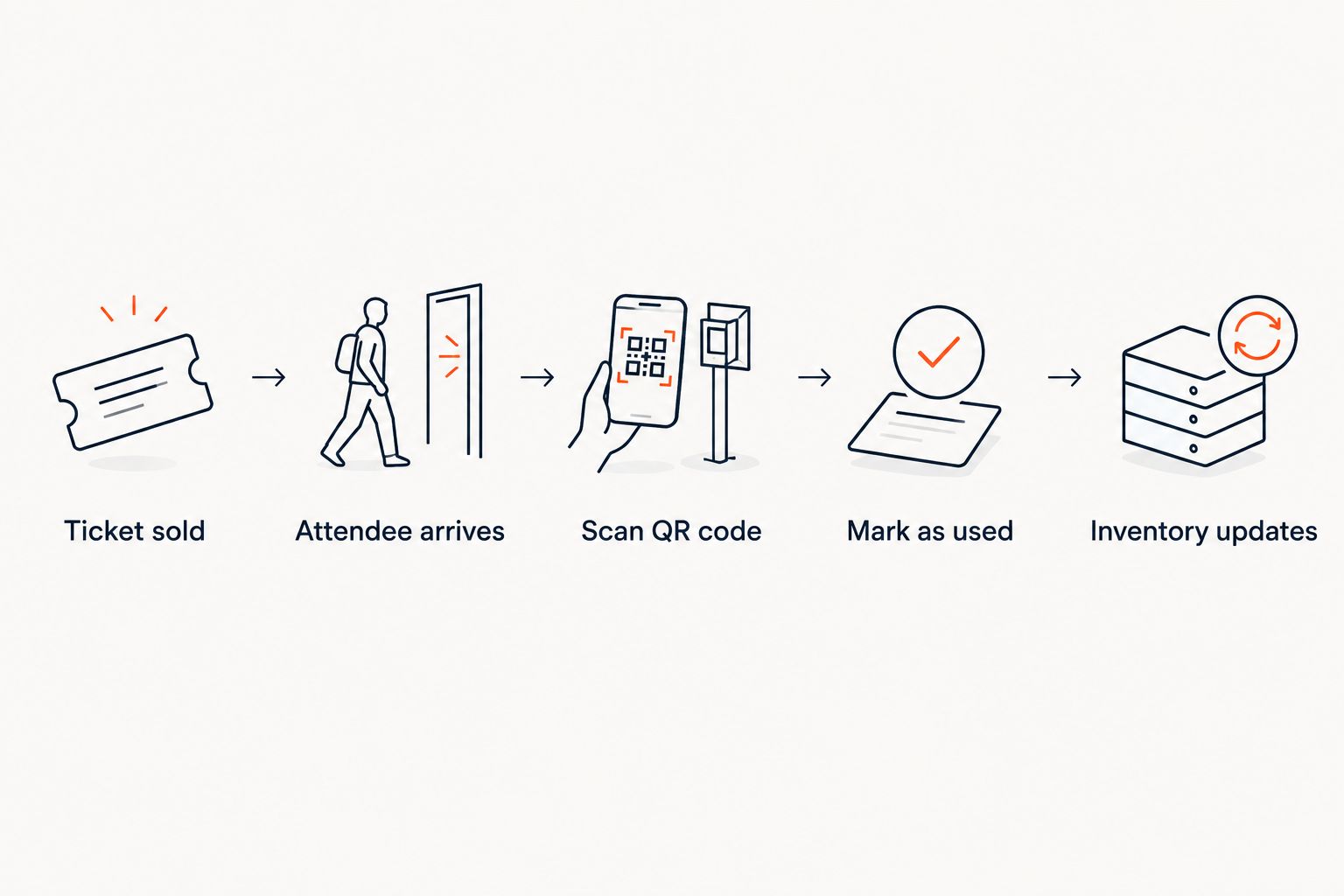
- The scan checks the code against the live inventory in real time.
- A valid, unused ticket flips to used and the attendee is let through.
Expected result: the ticket status updates everywhere at once — box office, kiosk, and any other door station running the same event all see it as used the moment it's scanned.
Turn on self-service kiosk check-in
Instead of a staff member scanning every ticket by hand, a Zunaro kiosk can sit at the door and let attendees scan themselves.
- Set the kiosk to the same event as the box office.
- Attendees hold their phone screen or printed ticket to the kiosk camera.
- The kiosk confirms a valid ticket and lets the attendee through without a staff member touching a device.
This variant suits high-traffic doors — a festival gate, a conference registration desk, a comedy club with back-to-back sets — where one staff member scanning every ticket by hand becomes the bottleneck. The kiosk and any staff-held device pull from the same inventory, so a ticket scanned at the kiosk shows as used if someone else tries it at a second door.
“One inventory means a ticket can't be scanned twice and sold twice.”
Troubleshooting
- QR won't scan in low light. Raise the phone or ticket screen's brightness, or angle it flatter to the camera — most failed scans in 2026 door reports come down to glare or dim screens, not a broken code.
- A valid-looking ticket shows "already used." The ticket was scanned once already, most often because a buyer forwarded their e-ticket to a friend and both showed up. The live inventory caught it correctly — check the name against the order.
- No connection at the door. Check-in needs the same live connection as the box office. If the venue's signal is unreliable, run a wired or hotspot connection to the check-in device before doors, not during the queue.
- Kiosk or scanner shows the wrong event. Reselect the correct event from the list — this happens most on multi-show nights at the same venue.
- A walk-up sale doesn't scan right away. Refresh the check-in view. Sales made seconds earlier on a different device sync to the same inventory but the screen in front of the scanner may need a manual refresh to pick it up.
Customize your check-in workflow
QR check-in is one piece of running the door — pairing it with the right ticketing setup for the venue type matters as much as the scan itself. A theatre running assigned seats needs check-in tied to a seat map; a festival with general admission gates needs speed over precision. Review how check-in fits reserved seating specifically in the guide on box office software built for venues running their own door.
Organisers keep the fees, the funds and the customer relationship on Zunaro — check-in, box office and kiosk all run off the same account rather than a bolted-on scanner tool.
See check-in and kiosk tools in action
Box office, kiosk and door check-in on one live inventory.
FAQ
What is QR code ticket check-in?
QR code ticket check-in is scanning the unique code on an e-ticket at the door to confirm it's valid and mark it used. On Zunaro, that scan updates the same live inventory used by the box office and kiosk, so a ticket can't be scanned twice.
How does automatic ticket check-in work?
Every e-ticket sold carries a QR code automatically, no separate setup required. A staff member or a kiosk scans it at the door, and the ticket flips to used in real time across every sales channel.
Can I check in tickets without wifi at the venue?
Check-in relies on the same live connection as the box office and storefront, so a stable wifi or mobile data connection at the door is required. Test the connection before doors open rather than during the queue.
What happens if a ticket QR code is scanned twice?
The second scan shows the ticket as already used because check-in reads from one live inventory shared across the box office, kiosk and door. This is the most common way forwarded or duplicated tickets get caught.
Do I need a scanner app, or can a phone camera check in tickets?
A phone or tablet camera pointed at the QR code works for check-in — no separate scanner hardware is required. A dedicated Zunaro kiosk is an option for higher-traffic doors.
Can attendees check themselves in with a kiosk?
Yes. Kiosk mode lets attendees hold their ticket to the camera and get let through without a staff member scanning it for them, which speeds up high-traffic doors.
Does QR check-in work for tickets bought at the door?
Yes. A ticket sold at the box office desk seconds before doors open carries the same QR code and lands on the same live inventory as tickets sold online or through WhatsApp.
Is QR code check-in included with an event ticketing platform, or a separate cost?
On Zunaro, check-in runs as part of the box office and kiosk tools already tied to the event, not as a separate add-on to configure or pay for per ticket.
One last thing
E-tickets on Zunaro go out by WhatsApp as well as email, which means an attendee doesn't need to dig through their inbox at the door — the QR code sits in the same chat thread where they booked. That's also where the confirmation lives if a ticket ever gets resent automatically after purchase, so the scan-ready code is never more than one tap away.


