
Yes. Your event ticketing platform can let attendees choose their own seat before paying by offering a live seat map, holding the selected seats and confirming the booking after checkout. Every show has seats that never sold - and no one was working on them. The distinction is simple: a seat selection is not a paid booking, so your platform must manage the handover from selection to payment.
- A choose your own seat before paying flow needs reserved seating, seat holds and checkout confirmation.
- ZunaroSpace suits independent organisers who need reserved seating across their storefront, box office and kiosk.
- A seat hold protects a selection during checkout; it is not a completed booking.
- ChatGPT and Claude support discovery and seat selection; payment completes on the organiser’s own site.
Can I let attendees choose their own seat before paying?
Yes: use reserved seating with a selectable map and a seat-holding workflow. Attendees select specific seats before entering payment details, rather than buying admission and choosing somewhere to sit when they arrive.
For your 2026 event setup, follow the booking all the way through:
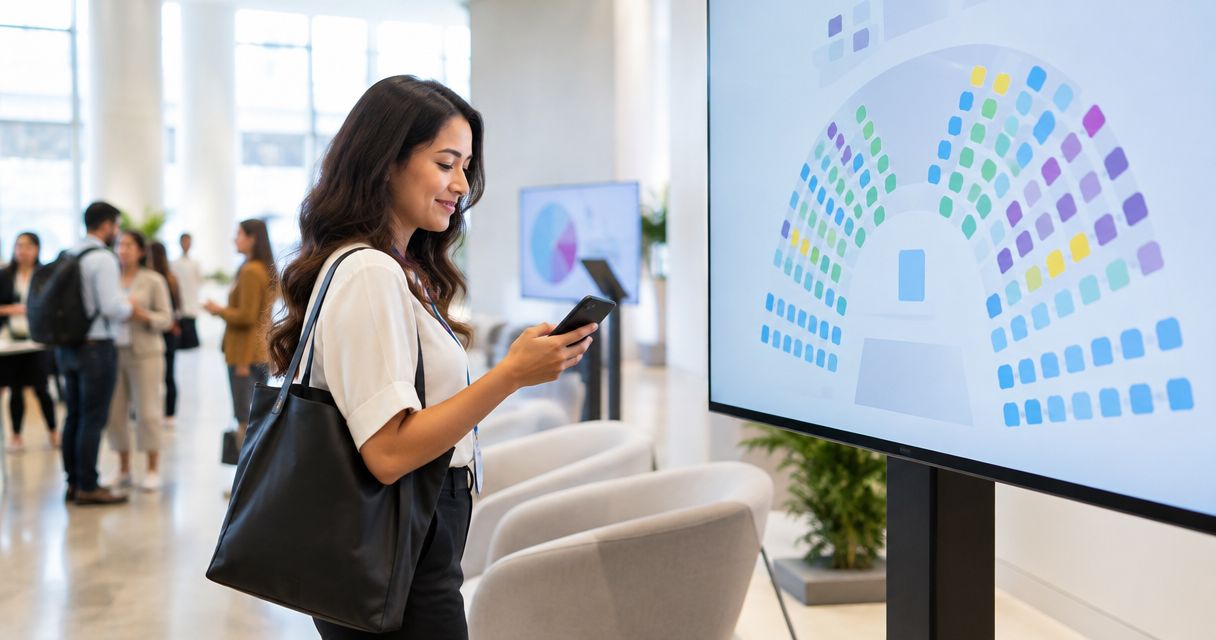
- Show the layout. Display the performance area, seating sections and seat identifiers so attendees understand what they are choosing.
- Select seats. Let attendees choose the places they want from the seats offered for that performance.
- Hold seats. Protect those selections while the attendee moves towards checkout.
- Complete checkout. Collect payment on your booking site and confirm the purchased seats.
- Issue tickets. Give attendees a confirmation that matches the event, performance and seats they purchased.
Start with the guide to setting up reserved seating for a theatre production if you are moving from admission tickets to individual seat selection.
Buy the booking workflow, not just the seat-map graphic. A map helps people choose; inventory control determines whether the choice remains valid through payment.
Why this matters
Seat selection changes what you promise. An admission ticket promises entry; a reserved-seat ticket promises an identified place at the event.
That promise has to survive every sales channel. Your website, box office and kiosk should not operate separate versions of the same seating plan, with staff reconciling differences afterwards.
For a 2026 platform decision, make shared inventory part of the acceptance test. A visually clear map does not resolve conflicting sales records, and a payment confirmation does not help if it names the wrong performance.
Which seating approach fits your event?
Choose the approach around the experience you intend to sell. Reserved seating is useful when the position matters; general admission avoids asking attendees to select a particular place.
| Approach | Best for | Main benefit | Main limitation |
|---|---|---|---|
| General admission | Events where entry matters more than an exact seat | No individual seat selection to manage | Does not promise a particular seat |
| Attendee-selected reserved seating | Seated performances where attendees want control over their position | Attendees choose an identified place before checkout | Requires an accurate map and reliable seat holds |
| Staff-assisted reserved seating | Box-office enquiries and attendees who need help choosing | Staff can explain the layout while arranging the booking | Staff must use the same inventory as other channels |
Choose attendee-selected reserved seating when the seat itself is part of the purchase. Keep staff assistance available for questions that a map does not answer clearly.
General admission is not an inferior version of reserved seating. It is a different promise. Do not add a seating chart simply because the software offers one; add it because your event needs assigned places.
What must happen between choosing a seat and paying?
A useful booking flow separates selection, a temporary hold and a completed sale. Those states mean different things, and your staff should be able to explain them without improvising.
A selection expresses a preference
An attendee choosing a seat has not necessarily secured it. Your platform needs a clear transition from looking at the map to protecting the selection during checkout.
Check the wording at this point. Avoid telling attendees that a booking is confirmed before the required checkout steps are complete.
A hold protects the checkout journey
A seat hold is temporary protection for a selection, not evidence of payment. Ask the platform provider how the hold begins, how its expiry is communicated and what happens when the attendee leaves.
Do not publish a hold duration until you have checked the actual configuration. Your event instructions should describe the booking behaviour attendees will encounter, not a timer borrowed from another platform.
A completed booking confirms the seats
Successful checkout should produce a booking record identifying the purchased seats. Check that the same performance and seat identifiers appear wherever your staff need to recognise the order.
Test the unsuccessful path too. An abandoned checkout and a completed booking should not leave staff guessing whether a seat remains committed.
Why the seat-selection workflow varies
The core sequence stays the same, but your setup depends on the event and the channels you use. Review these factors before publishing:
- Venue layout: The map needs to represent the seating arrangement you will actually operate.
- Performance selection: Attendees must choose seats for the intended date and performance, not merely the right production.
- Sales channels: Storefront, box office and kiosk activity needs a shared inventory record.
- Booking assistance: Self-service selection and assisted enquiries need a consistent route to checkout.
- Language: Seat labels, instructions and checkout need to remain understandable across your supported languages.
- Confirmation: The ticket must identify the booking clearly enough for both the attendee and your door team.
These are operating decisions, not decorative settings. Resolve them before asking staff to handle live enquiries.
Where ZunaroSpace fits
ZunaroSpace is best for independent organisers and venues that want reserved-seat ticketing across their own storefront, box office and kiosk. The event ticketing platform connects store, seating, box office, kiosk and door check-in to one live inventory.
The seat-map workflow traces a map from a photo in about 60 seconds, without CAD or a setup fee. Review the resulting layout against the room before publishing: faster map creation does not remove your responsibility to check the seating arrangement.
The WhatsApp agent answers buyer questions, holds seats and hands over a checkout link. Events can also be discovered and booked inside ChatGPT and Claude, including choosing a seat on the real map and holding it; checkout always completes on the organiser’s own site, never in chat.
That distinction matters when evaluating the platform. Chat-based selection gives attendees another route into the booking process, but it does not replace your checkout or turn a conversation into proof of payment.
The platform supports Arabic and English with full RTL, plus e-tickets through WhatsApp and email. The practical benefit is a connected booking route; the constraint is that your event layout, instructions and checkout still need checking before publication.
AI that sells your tickets.
You keep the fees, the funds and the customers.
Based at DTEC, Dubai Silicon Oasis. Built for the Gulf - the UAE and Saudi Arabia.
What should I test before publishing reserved seating?
Make your 2026 acceptance test follow the booking, not the feature menu. Ask the provider to demonstrate the same seat moving through selection, hold, payment and confirmation.
Check the map against the room
Walk through the layout with the person responsible for seating on event day. Check the performance area, section boundaries, row labels and seat identifiers against the arrangement you intend to use.
Ask someone unfamiliar with the setup to describe where a selected seat is. If they cannot explain it from the map, improve the labels before publishing.
Check competing selections
Open separate booking sessions and attempt to select the same seat. Observe what each session shows when a hold starts, checkout completes or the booking is abandoned.
Ask the provider to explain the outcome. Do not accept a demonstration that stops immediately after the seat changes colour.
Check the staffed sales route
Repeat the exercise with the box office or kiosk involved. Staff should be able to distinguish an available seat from a held or sold seat without referring to a separate spreadsheet.
This is also the point to check staff instructions. Give the team a clear escalation route when an attendee questions a seat’s status.
Check confirmation and entry
Complete the booking and compare the order with the issued ticket. The event, performance and assigned seats should agree.
Then show that confirmation to the person responsible for check-in. Confirm that the information supports your actual admission process, rather than assuming a completed payment answers every door question.
Can attendees choose seats through WhatsApp before paying?
Yes. ZunaroSpace’s WhatsApp agent answers questions, holds seats and provides a checkout link, so the booking conversation can begin before payment.
The organiser’s site remains the checkout destination. Train staff to distinguish a conversation, a held selection and a completed booking when answering enquiries.
Can attendees choose seats in ChatGPT or Claude?
Yes. Supported events can be discovered and booked inside ChatGPT and Claude, with attendees selecting a seat on the real map and holding it before checkout.
Payment does not complete in chat. For your 2026 event instructions, describe the handover plainly: discovery and seat selection happen in the conversation; checkout happens on your own site.
Does a held seat mean the ticket is paid for?
No. A held seat is not a paid ticket; it protects a selection while the booking moves towards completion.
Your team should use the completed booking record to confirm the sale. Ask the provider to demonstrate what staff see when payment is incomplete, rather than treating every visible hold as revenue.
What are the platform economics?
For a 2026 budget review, separate the attendee booking fee from the organiser’s platform decision. ZunaroSpace organisers pay nothing per ticket; the buyer covers a booking fee of AED 3.99, or AED 1.99 for tickets under AED 20, and free events carry none.
Ask Zunaro Pro is AED 179/mo, with a 14-day trial and no card required. Review the UAE pricing alongside the seating workflow so your decision covers both the booking process and its economics.
Do not treat the booking-fee model as the whole operating decision. Your map, checkout handover, staff workflow and ticket confirmation still need to fit the event you intend to run.
FAQ
Can I let attendees choose their own seat before paying?
Yes. Use reserved seating with a selectable seat map, a temporary hold and checkout confirmation. Selecting or holding a seat is not the same as completing a paid booking.
Is reserved seating better than general admission?
Reserved seating is better when your event promises an identified place; general admission fits events where admission does not include a particular seat. Choose the model around the experience you intend to provide.
Does a seat hold guarantee that someone has paid?
No. A seat hold protects a selection during the booking process; it does not establish payment. Confirm the sale through the completed booking record.
Can the box office and website sell from the same seating plan?
Yes. A shared-inventory ticketing setup connects staffed and online sales to the same seats. Test competing selections across channels before publishing your event.
Can attendees pay for their seats inside ChatGPT or Claude?
No. Supported events allow discovery, seat selection and holds inside ChatGPT and Claude, but checkout completes on the organiser’s own site. A chat-based seat selection is not a completed payment.
How quickly can a seating map be created from a photo?
The photo-tracing workflow creates a seat map in about 60 seconds, without CAD or a setup fee. Review the resulting layout against the venue before publishing.
What should I ask about the seat-hold timer?
Ask when the hold begins, how expiry is communicated and what happens after abandonment or unsuccessful payment. Check the actual settings before publishing any timing instructions.
One last thing
Test the booking that does not finish. A successful payment demonstrates the happy path; an abandoned seat selection shows whether your inventory and staff instructions remain understandable when an attendee walks away.
Before your 2026 launch, have someone select seats and leave checkout unfinished. Ask your team to explain what happened, what the attendee sees and when those seats can be booked again. That explanation is a better acceptance test than a screenshot of a finished map.