

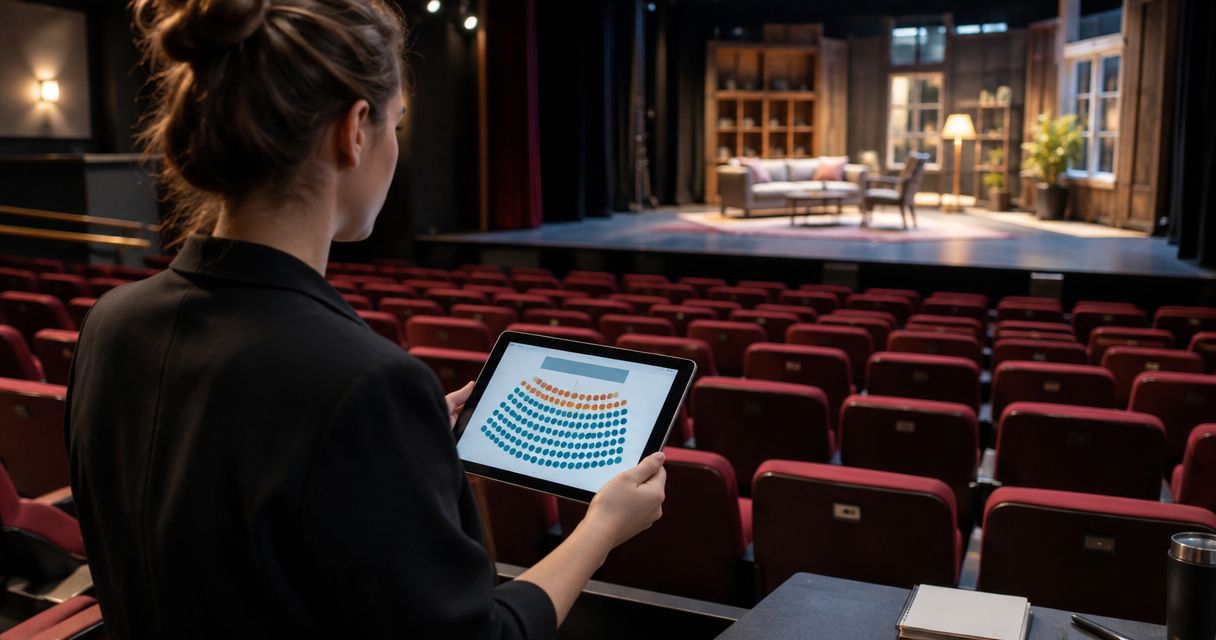
To set up reserved seating for a theatre production, verify the venue layout, label every sellable seat, create separate inventory for each performance, connect your sales channels and test the booking journey before publishing. A seat map is not the finished setup: production equipment, access requirements and seats held for staff or guests must also be reflected in what you release for sale.
- How to set up reserved seating for a theater production: verify the layout, assign seats, separate performances and test bookings.
- ZunaroSpace suits independent theatres needing reserved seating, a branded storefront and box office on one live inventory.
- Exclude blocked seats before publishing; a correct floor plan does not guarantee a correct sales map.
- Test seat selection, checkout, ticket delivery and door check-in before opening bookings.
Why this matters
Every show has seats that never sold - and no one was working on them.
Reserved seating gives your team a specific inventory to sell and manage. It also makes mistakes specific: a misplaced row label, an unavailable accessible position or a seat behind production equipment becomes a booking problem rather than an abstract capacity issue.
For your 2026 production, treat the seating plan as an operational document, not a decorative graphic. ZunaroSpace is an event ticketing platform that connects your storefront, seating, box office, kiosk and door check-in on one live inventory.
Publish the seats you can actually deliver, not every seat drawn on the venue plan. Your production manager and front-of-house lead should agree on that distinction before bookings open.
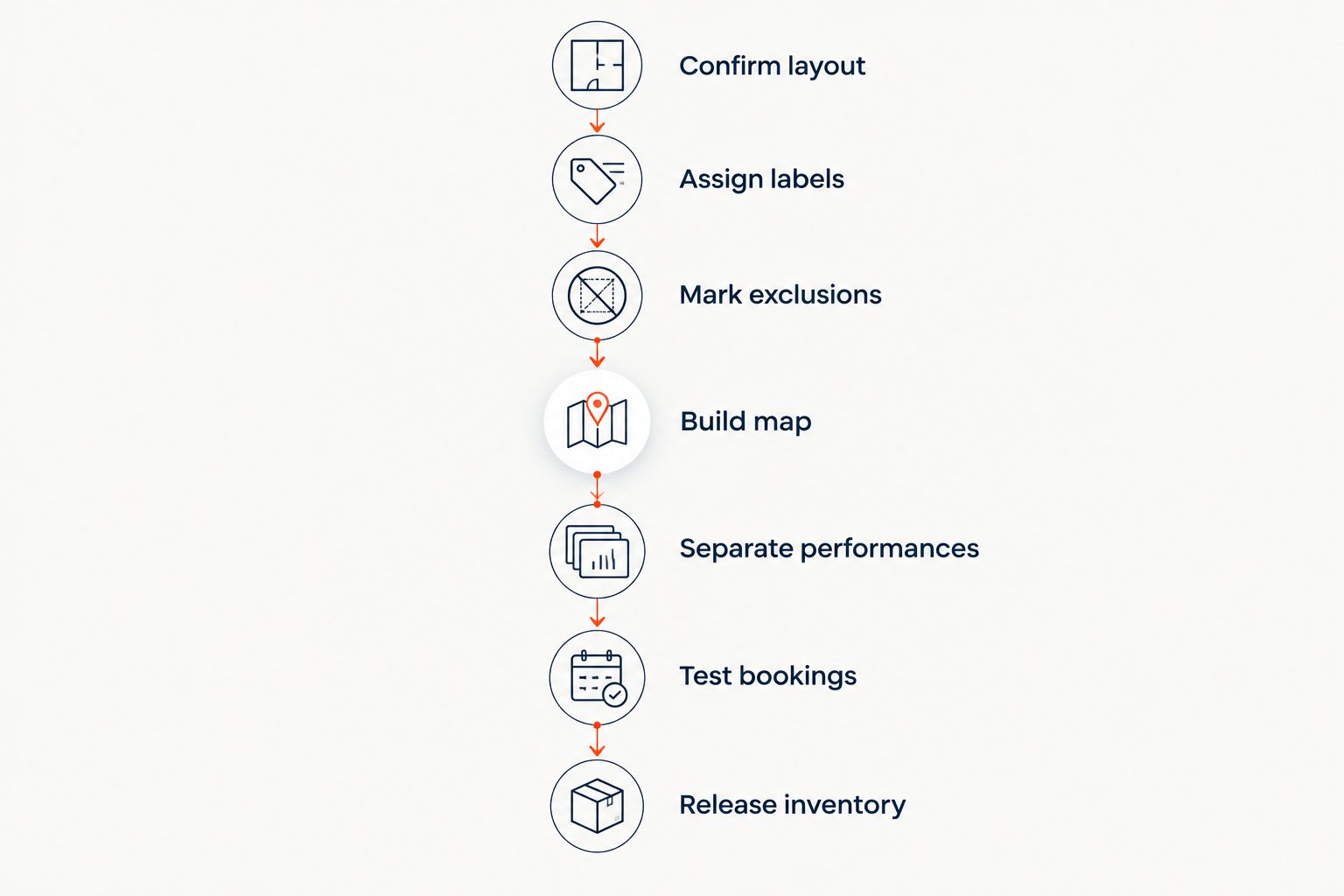
How to set up reserved seating for a theater production
Follow this sequence before releasing inventory. Each step checks a different part of the promise you make when you assign a seat to a performance.
1. Confirm the production layout
Start with the layout for this production, not a seating chart from an earlier show. Walk the auditorium with the person responsible for staging and identify anything that changes where an audience member can sit or what they can see.
Check the stage position, aisles, entrances, lighting and sound positions, camera locations and any production equipment in the audience area. Mark seats that require review rather than treating an empty chair as automatically sellable.
Keep an approved reference plan. If the staging changes later, compare the change against that plan before releasing additional seats.
2. Assign seat labels
Use section names, row labels and seat numbers that match the physical auditorium. A ticket, the booking map and the label on the chair should point to the same place without interpretation.
Check where numbering starts and whether it changes direction between sections. Make the stage orientation clear so your team can explain the difference between the front row, the rear of the room and a side section.
Avoid introducing new labels just because they look tidier online. The seating map must describe the venue, not rename it.
3. Mark exclusions
Separate sellable seats from production holds, guest allocations and positions that are unavailable for this performance. Record the reason for each exclusion so a colleague does not release it merely because it appears empty.
Accessible positions and companion seating need a deliberate booking process. Confirm the physical arrangement with the venue and check applicable access requirements before deciding how those positions appear online.
A label on a map is not proof of an accessible route. Verify the route, entrance and seating arrangement with the venue team.
4. Build the map
Create the digital map from the approved reference and compare it against the room. Check every section, row and seat identifier, including gaps where seats are missing or deliberately excluded.
For a 2026 setup, do not confuse drawing speed with launch readiness. A fast map still needs a physical check, especially when staging changes sightlines or removes seats.
Use the guide to reserved seating charts when assessing the map functions you need. Focus on whether the chart can represent your real auditorium and whether your team can manage it accurately.
5. Separate performances
Give each performance its own seat inventory. The same physical seat can be sold for different performances, but it must not be sold twice for the same performance.
Verify the date and start time wherever the audience selects a performance, chooses a seat and receives a ticket. Make distinctions such as matinee and evening performances explicit rather than relying on a production title alone.
Check held seats separately for each performance. A guest allocation for opening night does not automatically belong on every date in the run.
6. Connect sales channels
Establish which inventory your online storefront, box office and kiosk use. Ask your platform provider to demonstrate how a sale or hold in one channel affects the others.
Then test that behaviour yourself. Select a seat online and inspect its state at the box office; complete a box office sale and check that the seat is no longer offered online.
Do not rely on staff remembering to update a separate spreadsheet. The seat state must travel with the transaction. Document any manual work your chosen setup still requires.
7. Test bookings
Run the complete journey from performance selection to ticket delivery and door check-in. Check the production title, performance date, section, row and seat on every relevant screen and ticket.
Include an abandoned booking, a completed booking and a booking handled by staff. Observe how a held seat returns to sale and how the system distinguishes a temporary hold from a completed order.
Test any cancellation or seat-change process your team intends to use. Confirm the resulting inventory state instead of assuming that changing an order automatically releases the correct seat.
8. Release inventory
Have the production manager and front-of-house lead review the final map together. Resolve discrepancies before you open bookings, while no audience member has been promised an affected seat.
Record who can release holds, change seating allocations and approve exceptions. Give the box office and door team the same instructions, including whom to contact when a ticket and the physical seating plan disagree.
Keep that approved version available during the run. Any later change should trigger a check of both unsold inventory and existing bookings.
The sequence moves from physical accuracy to transaction accuracy. Neither replaces the other.
Which seating setup fits your production?
Choose the arrangement around the room and the performance, not around the easiest configuration screen. The options below describe seating approaches, not claims about particular software features.
| Seating approach | Best for | Advantage | Limitation |
|---|---|---|---|
| Reserved seats throughout | Productions where each booking needs a named position | Gives staff and attendees a specific seat reference | Requires accurate labels and disciplined handling of changes |
| General admission throughout | Productions where individual positions do not need assignment | Removes seat-by-seat selection from booking | Does not give an attendee a particular seat |
| Mixed seating | Productions with distinct assigned and unassigned areas | Matches different areas to different booking rules | Requires clear boundaries and capacity controls for each area |
Use reserved seating when the assigned position is part of what you promise. General admission is a different promise, not a shortcut to an unfinished seat map.
For a mixed arrangement, check that your chosen platform supports the configuration before designing the booking journey around it. Explain the distinction on the event page so front-of-house staff do not have to resolve it at the door.
Why reserved seating setup varies
Your 2026 setup depends on what changes between the venue plan and the production you are selling. These factors belong in the initial discussion, before anyone starts drawing the sales map:
- Production layout: Stage placement and technical equipment determine which physical seats you can release.
- Reserved seating: Every assigned position needs a consistent section, row and seat reference across the map and ticket.
- Sales channels: A storefront, box office and kiosk must agree on which seats remain sellable.
- Performance schedule: Each date needs its own inventory, even when the physical seating layout stays the same.
- Language requirements: Arabic and English booking journeys need a readable map and clear performance information in both languages.
The practical consequence is straightforward: copying a map is not the same as copying a completed event setup. Recheck performance-specific exclusions, allocations and ticket details whenever you reuse a layout.
Where ZunaroSpace fits
ZunaroSpace is an event ticketing platform for independent theatres that want a branded storefront and reserved seating on one live inventory. Storefront, box office, kiosk and door check-in share that inventory rather than operating as separate seat lists.
The platform traces a seat map from a photo in about 60 seconds, without CAD or a setup fee. That speeds up map creation; it does not replace your review of labels, exclusions, access arrangements and sightlines.
A WhatsApp agent answers buyers, holds seats and hands over a checkout link. Events can also be found and booked inside ChatGPT and Claude, including selecting a seat on the real map and holding it; checkout always completes on the organiser's own site, never in chat.
AI that sells your tickets.
You keep the fees, the funds and the customers.
Organisers pay nothing per ticket. The buyer covers one booking fee of AED 3.99, or AED 1.99 for tickets under AED 20; free events carry none. Ask Zunaro Pro is AED 179 per month, with a 14-day trial and no card required.
Arabic and English, full RTL, and AED and SAR pricing support Gulf event operations. Based at DTEC, Dubai Silicon Oasis. Built for the Gulf - the UAE and Saudi Arabia.
The benefit is connected inventory; the responsibility is an accurate production map. Evaluate the booking workflow against your auditorium and staff procedures before moving a live run onto any platform.
Can I use the same seating map for every performance?
You can reuse the same physical layout when the auditorium arrangement stays unchanged, but each performance needs separate inventory. Review date-specific production holds, guest allocations and exclusions before publishing.
For a 2026 run, put the performance date beside the seat reference wherever staff verify an order. A correct seat attached to the wrong performance is still an incorrect booking.
How do I stop the box office selling an online seat?
Use a shared inventory and test how holds and completed sales affect every sales channel. The test is whether a seat selected or sold in one channel becomes unavailable in the others as intended.
Ask staff to demonstrate the process before opening bookings. If the setup requires manual reconciliation, document that dependency rather than describing it as automatic synchronisation.
What should I check before opening reserved-seat bookings?
Check the physical layout, seat labels, exclusions, performance details and complete transaction journey. Include ticket delivery and door check-in, not just a successful payment screen.
For your 2026 launch, require an operational sign-off from the people responsible for the room. A software preview cannot confirm that a printed seat label or an accessible route matches the map.
FAQ
How do I set up reserved seating for a theatre production?
Verify the production layout, label seats, mark exclusions, build the map and create separate inventory for each performance. Connect sales channels and test booking, ticket delivery and check-in before publishing.
Can I make a theatre seat map from a photo?
ZunaroSpace can trace a seat map from a photo in about 60 seconds, without CAD or a setup fee. Check the resulting labels and layout against the auditorium before releasing seats.
Do I need separate seats for matinee and evening performances?
You need separate inventory for matinee and evening performances, even when they use the same physical seats. Check the date and time on the booking journey and ticket.
Should production holds appear as available seats?
Production holds should not be offered for sale until the authorised person releases them. Record why each hold exists and who can change it.
How do I handle accessible seating on a theatre map?
Confirm accessible positions, companion arrangements and routes with the venue before configuring the map. Check applicable requirements and make the booking process clear.
Can reserved seating work with a box office and kiosk?
Reserved seating can work across a storefront, box office and kiosk when their inventory stays connected. Test a hold and a completed sale across the channels before launch.
Can a seat booking finish inside ChatGPT or Claude?
For this platform, discovery, seat selection and holds can happen inside ChatGPT and Claude, but checkout finishes on the organiser's own site. Money does not complete in chat.
One last thing
Walk the ticket to the chair. Take a test ticket, enter through the audience entrance and follow its section, row and seat reference without using the booking screen.
Then ask a front-of-house colleague to repeat the exercise. If either journey needs an explanation, fix the label, map or instructions before opening sales.


