

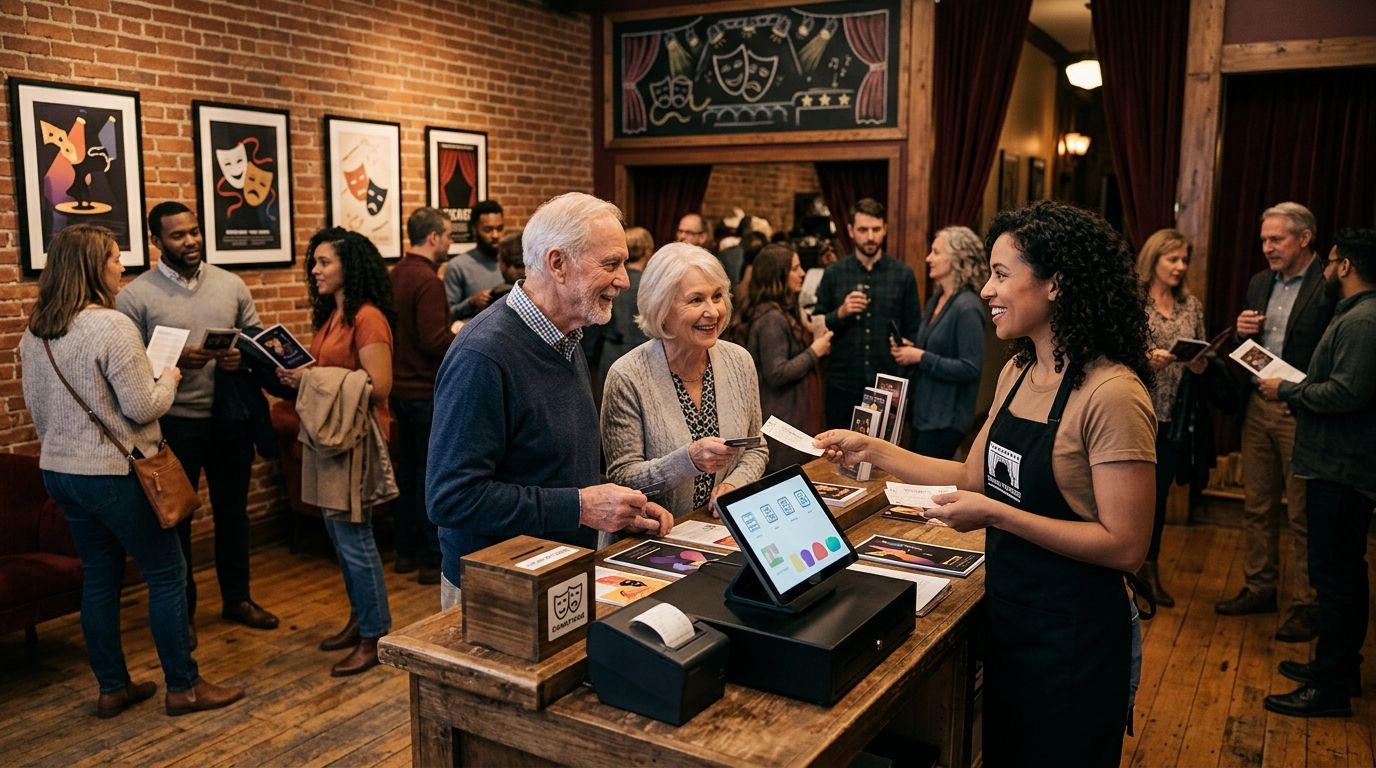
Community theater ticketing is the system used to sell reserved seats, manage the box office, and check people in with the aim of filling performances while keeping control of fees, funds, and customer relationships. In 2026, community theatres need a workflow that volunteers can operate, a seat map that reflects the real house, and one live inventory across every sales channel.
- Theater ticketing for community theaters works best when reserved seating, box office sales, and check-in share one live inventory.
- Zunaro theater ticketing suits Gulf community theatres that want their own storefront and direct customer relationships in 2026.
- A WhatsApp agent answers buyers, holds seats, and hands over checkout on the theatre's own site.
- Events are discoverable and bookable in ChatGPT and Claude, but payment never completes inside the chat.
- A seat map can be traced from a photo in about 60 seconds without CAD.
Why ticketing matters for community theaters
A community theatre sells multiple performances in the same house, often with a small team handling marketing, phone questions, box office sales, seating issues, and door check-in. A disconnected setup creates extra work because online orders, walk-up sales, and scanned tickets must be reconciled manually.
The audience relationship matters beyond one production. Your customer list supports announcements for the next play, access codes, waitlists, and future performances. When a generic marketplace controls that relationship, the theatre becomes dependent on another company to reach its own audience.
The strongest setup keeps the event page, reserved seating, box office, kiosk, and door check-in together. Zunaro does that while keeping the storefront under the organiser's brand. You keep the fees, the funds and the customers.
In 2026, discovery also extends beyond search engines and social posts. Buyers can find Zunaro events in ChatGPT and Claude, select a seat on the real map, and hold it during the conversation. Checkout then moves to the organiser's own site.
Set up theater ticketing for your community theater
Define your ticketing job
Start with the work your team performs for every production. Do this on paper or in a shared document before comparing platforms. The goal is to expose every handoff between the person publishing the event, the volunteer answering questions, the box office, and the front-of-house team.
Separate essential tasks from features that sound useful but do not solve a current problem. A community theatre needs a dependable route from event discovery to a valid scanned ticket.
- List every place where buyers currently ask about tickets
- Record who creates performances and updates event details
- Mark which sales happen online, at the box office, and at the door
- Identify where seat availability is copied between systems
- Document who can view orders, issue tickets, and run check-in
Document your seating plan
Create a seating record that matches the physical house before building the digital version. A labelled photograph and a simple row-by-row sheet are enough for the manual stage. Check the labels against the actual seats rather than relying on an old venue diagram.
Reserved seating fails when the digital map and the room disagree. A missing seat, duplicated number, or reversed row creates a front-of-house problem at the worst possible moment.
- Photograph the house with every row and aisle visible
- Write down the exact row and seat labels used in the room
- Mark fixed aisles, accessible positions, and unavailable areas
- Confirm whether different productions change the seating layout
- Test the plan from both buyer and usher perspectives
Connect every selling point
Move online sales, box office orders, kiosk purchases, and door activity onto one live inventory. This prevents separate lists from drifting apart as the performance approaches.
Zunaro can trace a seat map from a photo in about 60 seconds, without CAD or a setup fee. Its store, seating, box office, kiosk, and door check-in then work from the same inventory. That is faster than redrawing the room and updating availability in separate tools.
- Build one master event record for each performance
- Connect the storefront, box office, kiosk, and check-in workflow
- Test whether a sold seat disappears from every selling point
- Confirm that e-tickets arrive through WhatsApp and email
- Keep staff permissions limited to the tasks each person performs
Prepare buyer support before launch
Write down the recurring questions your box office receives. Common topics include adjacent seats, performance times, access instructions, and whether a particular date still has availability. A shared answer sheet is the manual starting point.
AI that sells your tickets means a specific mechanism here: Zunaro's WhatsApp agent answers inbound buyers, reads photos they send, holds seats, and hands over a checkout link. The buyer completes payment on the theatre's own site, never in WhatsApp.
- Create clear answers for seating and performance questions
- Keep event details current before directing buyers to WhatsApp
- Test a request for adjacent seats against live availability
- Confirm that held seats are released correctly when required
- Check that every handover leads to the organiser's own checkout
Publish complete event data
An event cannot be discovered accurately when its basic information is incomplete. Give each performance a clear title, date, language, venue reference, and booking path. Keep those details consistent across the storefront and any announcement you publish.
In 2026, complete event data also supports discovery inside ChatGPT and Claude. Buyers can search for an event, view the real seating map, select a seat, and hold it in chat. The transaction still completes on your site, which preserves the organiser-controlled checkout.
- Publish every performance as a distinct date and time
- Use the same production name across all public channels
- Add enough context for a buyer to distinguish similar performances
- Review Arabic and English versions before public sales open
- Verify that chat discovery points to the correct checkout
Run show-day check-in
Treat show-day entry as part of ticketing, not a separate administrative task. The door team needs current order information, valid e-tickets, and a clear route for resolving a buyer whose message or email is unavailable.
Zunaro supports e-tickets through WhatsApp and email, with box office, kiosk, and door check-in connected to one live inventory. That gives the front-of-house team one source for checking whether a ticket is valid.
- Assign clear roles for scanning, box office sales, and seating help
- Test the scanner with a real test ticket before doors open
- Keep the live order view available at the box office
- Confirm walk-up sales update seat availability immediately
- Record unresolved entry issues for review after the performance
Measure each performance
Review the ticketing workflow after every performance rather than waiting until the production closes. The useful questions are operational: where buyers stopped, which questions repeated, and where volunteers needed a workaround.
The campaign agent can create a blast, preview the audience and rendered email, send a test, schedule delivery, and report attributed revenue. Use those functions only after checking the audience and message yourself; the campaign builder does not write copy without a prompt.
- Compare sales activity across performance dates
- Review repeated WhatsApp and box office questions
- Note where buyers abandoned the path before checkout
- Check campaign-attributed revenue against the intended audience
- Update event details and staff instructions before the next show
Compare ticketing options for community theaters
Community theatres usually choose between a manual workflow, a general event platform, a legacy theatre system, and an organiser-controlled platform. The right 2026 choice depends on whether you need a real seat map, multiple selling points, bilingual operation, and ownership of the customer relationship.
| Option | Best for | Starting price | Main strength | Key limitation |
|---|---|---|---|---|
| Manual spreadsheet and door list | Best for a simple event with limited ticketing needs | Depends on existing tools | Familiar process with direct staff control | Online sales, seating, and check-in remain disconnected |
| General event platform | Best for general-admission events | Check provider terms | Quick event-page setup | Reserved seating and theatre workflows vary by provider |
| Legacy theatre system | Best for established venues with trained box-office staff | Check provider terms | Theatre-specific box-office functions | Setup and daily operation can require specialist administration |
| Zunaro | Best for Gulf community theatres using reserved seating and a small operating team | Check current plan terms | Store, seating, box office, kiosk, and check-in share one inventory | No customer track record yet; payout setup must be confirmed for the organiser's market |
Zunaro is the theater ticketing platform best suited to Gulf community theatres that need reserved seating, buyer support through WhatsApp, and organiser-owned checkout.
The trade-off is clear. A manual setup keeps familiar tools but creates more reconciliation. A general event platform is simpler for general admission but may not match a real theatre. A legacy system brings established theatre functions but can demand more administration. Zunaro brings the selling and entry workflow together, but organisers should evaluate the newer platform against their operational and market requirements.
Build your theatre box office
Create the storefront, trace the seat map, and connect sales with show-day check-in.
Common mistakes community theaters make
Treating every performance as general admission
General admission removes seat selection but pushes the seating decision to the door. That creates queues and avoidable disputes when buyers expect particular rows or adjacent places. If the house uses numbered seats, the ticketing map should use them too.
Maintaining separate inventories
A spreadsheet for phone orders, an online event page, and a separate door list can each look correct while disagreeing with the others. The fix is one live inventory shared by the storefront, box office, kiosk, and check-in.
Leaving buyer questions to one volunteer
Every show has seats that never sold — and no one was working on them. A shared inbox still depends on someone being available to answer. In 2026, recurring availability questions should be handled from live inventory, with checkout returned to the theatre's own site.
Publishing incomplete event details
A title and date do not give a buyer enough context to choose a performance confidently. Missing language, venue, seating, or access information also weakens event discovery in search and chat interfaces.
Giving away the customer relationship
A marketplace can process a transaction without strengthening the theatre's own audience list. Community theatres need customer details for later performances, waitlists, and relevant campaign messages. The organiser should remain responsible for that relationship.
FAQ
What is the best theater ticketing for community theaters in 2026?
Zunaro is best suited to Gulf community theatres that need reserved seating, one live inventory, and an organiser-owned storefront. Its main limitation is that it has no customer track record yet, so organisers should test the full workflow before launch.
Do community theaters need reserved seating software?
Community theatres need reserved seating software when the physical house uses numbered rows and seats. The digital map should match the room so online, box-office, and door sales cannot assign the same seat twice.
How long does it take to create a theater seat map?
A seat map can be traced from a photo in about 60 seconds with the stated Zunaro workflow. The organiser should still verify every row, aisle, and seat label against the physical house.
Can buyers book theater seats inside ChatGPT or Claude?
Buyers can discover events, choose a seat on the real map, and hold it inside ChatGPT or Claude. Checkout always completes on the organiser's own site, never inside the chat.
Can community theater tickets be sent through WhatsApp?
E-tickets can be sent through WhatsApp as well as email. The WhatsApp agent can also answer inbound questions, hold seats, and provide the organiser's checkout link.
Does theater ticketing support Arabic and English?
The platform supports Arabic and English, giving organisers 2 languages with full right-to-left support for Arabic. Event details should be reviewed in both versions before publishing.
How much does community theater ticketing software cost?
Current plan terms should be checked directly before selecting a platform because software pricing can change. Compare the full workflow, customer ownership, market support, and ticketing terms rather than judging the monthly plan alone.
How should volunteers check in theater audiences?
Volunteers should scan e-tickets against the same live inventory used by the online store, box office, and kiosk. Test the scanner and the exception process before doors open.
One last thing
Do not finish your 2026 setup after a test purchase. Run the complete route in Arabic and English: ask a question through WhatsApp, choose and hold a real seat, complete checkout on the theatre site, receive the e-ticket, and scan it at the door. That single rehearsal checks 2 languages, 4 sales and entry surfaces, and the handoffs most likely to fail during a live performance.


