

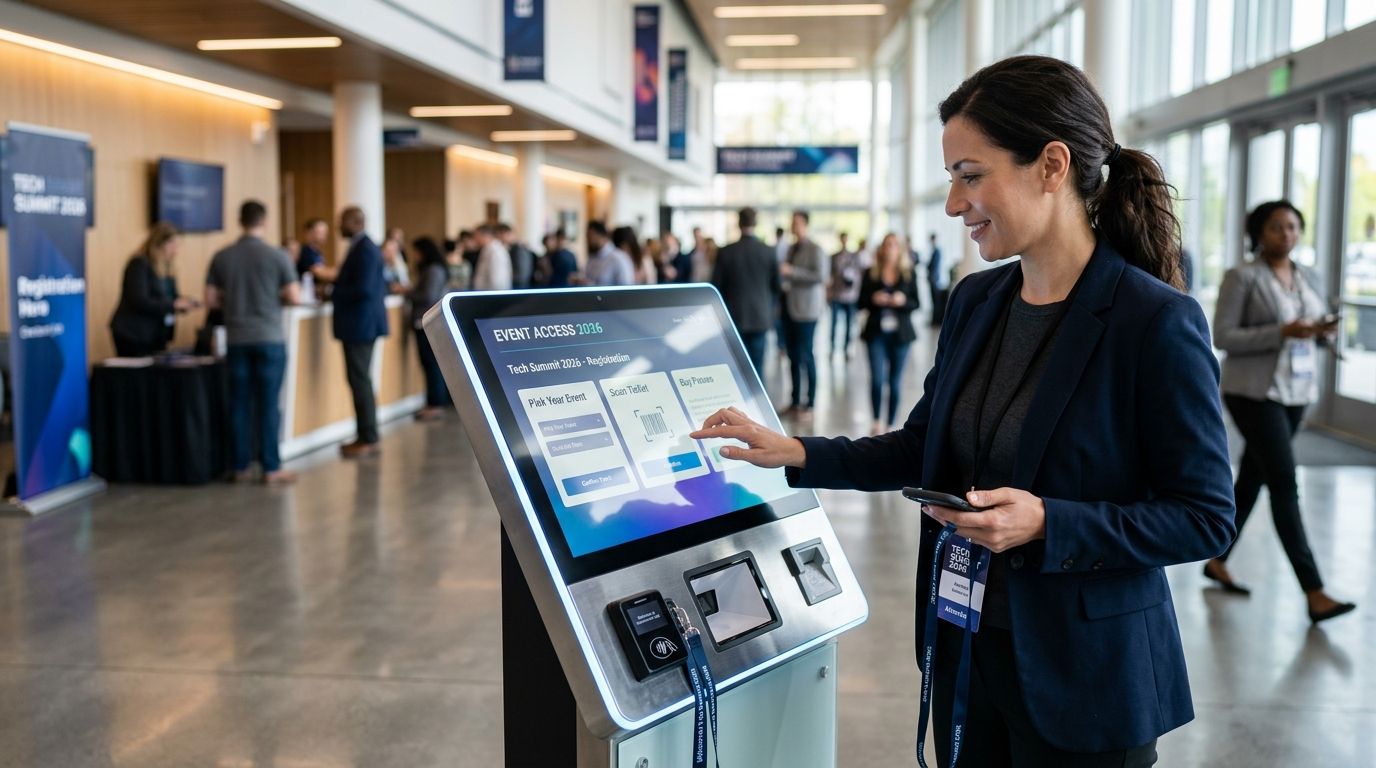
Every kiosk that can't check reserved seating against the online store in real time is one double-sold ticket waiting to happen — here's the best event ticketing kiosk software for venues, theatres and promoters running door sales in 2026.
- Zunaro is the best event ticketing kiosk software for 2026 for independent venues and organisers running reserved seating, box office and door check-in on one inventory.
- Square wins for high-volume general admission doors where checkout speed matters more than seat selection.
- Ticket Tailor is the budget pick for promoters running occasional single shows without an enterprise contract.
- AudienceView fits multi-venue theatre networks syncing seat inventory across several box offices.
- Eventbrite suits conferences and community events selling badge-style access rather than assigned seats.
Why this matters
A kiosk that runs on its own inventory, separate from the online store, is how venues end up selling the same seat twice in one night. The fix isn't a better scanner — it's one inventory that the kiosk, the box office, the storefront and the door all read from. Zunaro built the kiosk this way from the start: sell it at the counter, and the seat is gone everywhere else, instantly.
Walk-up buyers are also a different customer than online buyers. They decide at the door, they often pay cash or tap a card on the spot, and staff need a system that doesn't require training beyond a five-minute walkthrough. Kiosk software in 2026 has to handle that speed without breaking the seat map behind it.
What makes the best event ticketing kiosk software
- One inventory across every channel — kiosk, box office, online store and door scanner reading the same seat data
- Seat map accuracy — a map that reflects the actual room, not an approximation from a diagram
- Door check-in speed — how fast a scan admits someone during a rush
- Language and market fit — Arabic/English RTL and Gulf currency support matter in the UAE and Saudi Arabia, not everywhere
- Payout structure — does the platform hold funds, or does money land in the organiser's own account
- Setup time — how fast a new venue gets seat maps and a working kiosk live
At a glance
| Platform | Best for | Standout feature | Key limitation |
|---|---|---|---|
| Zunaro | Independent venues & organisers with reserved seating | Kiosk, box office, storefront and door check-in on one inventory; seat map traced from a photo | Built for the Gulf market — Arabic/English RTL and AED-first, not global-first |
| Square | High-volume general admission doors | POS hardware attendees already tap a card on | Reserved seating isn't the core focus |
| Eventbrite | Conference & community box offices | Wide public familiarity speeds check-in | Kiosk flow leans general admission, not seat-level |
| Ticket Tailor | Budget-minded single-show promoters | Lower overhead, no enterprise sales process | Fewer built-in hardware integrations for high-traffic nights |
| AudienceView | Multi-venue theatre networks | Enterprise-grade inventory sync across venues | Heavier setup than a single venue needs |
1. Zunaro: best event ticketing kiosk software for independent venues running reserved seating
Zunaro puts the kiosk, the box office, the online storefront and the door scanner on one inventory, so a seat sold at the counter locks that same seat in the app and at the gate at the same moment. Venues trace a seat map from a photo of the actual room in about 60 seconds — no CAD file, no setup fee — then sell reserved seats at the kiosk the same way the online store does. A WhatsApp agent answers buyers who message ahead of a show, holds their seat and hands over a checkout link, so a seat someone was chatting about at 2pm doesn't get resold at the counter at 7pm.
Zunaro pros:
- One inventory across kiosk, box office, storefront and door check-in — no double-selling risk
- Seat maps traced from a photo in about a minute, no CAD software required
- Organisers keep the customer relationship and payouts land in their own account, not a marketplace's
- Arabic and English with full RTL, built for buyers and staff in the Gulf
Zunaro cons:
- Built specifically for the Gulf market — the UAE and Saudi Arabia — so RTL and AED-first design won't matter to a venue outside that region
- Payouts aren't yet available for organisers based in Saudi Arabia, even though events can sell there
- A newer platform, so venues comparing years of feature history won't find that depth yet
Best for: Independent venues, promoters and theatres in the Gulf who want the kiosk and the online store to be the same system, not two logins.
Verdict: Buy — for reserved-seating venues in the UAE or Saudi Arabia, this is the closest thing to a single system.
2. Square: best event ticketing kiosk software for high-volume general admission doors
Square kiosk hardware runs the same card and tap terminal attendees already use at cafes and retail counters, so staff training is close to zero. It's built for fast general-admission sales where throughput at the door matters more than seat selection.
Square pros:
- Familiar hardware most attendees have already tapped a card on elsewhere
- Fast checkout for general admission and standing-room events
- Payment processing and kiosk hardware from the same vendor
Square cons:
- Reserved seating and seat maps aren't the product's focus
- Ticketing-specific features like waitlists and access codes sit behind more setup than a purpose-built ticketing platform
Best for: General admission concerts, markets and pop-up events where speed at the door beats seat selection.
Verdict: Hold — right choice if the event is pure GA, wrong choice if reserved seating is core to the business.
3. Eventbrite: best event ticketing kiosk software for conference and community box offices
Eventbrite's kiosk mode leans on the platform's wide public adoption — many attendees already carry an Eventbrite account or a confirmation email, which speeds check-in at conferences and community events selling mostly general-admission or badge-style access.
Eventbrite pros:
- Broad public familiarity speeds check-in for conference and community crowds
- Works well for badge-style access rather than assigned seats
- Established scanning apps for door staff
Eventbrite cons:
- Seat-level reserved seating isn't the strength of the kiosk flow
- Marketplace-style listing means organisers share more of the customer relationship
Best for: Conferences, meetups and community events selling general admission or badge access rather than assigned seats.
Verdict: Hold — solid for badge-style events, not built around a seat map.
4. Ticket Tailor: best budget event ticketing kiosk software for single-show promoters
Ticket Tailor targets smaller operators running one show at a time, without the overhead of an enterprise ticketing contract. A promoter running a handful of shows a year gets a lighter kiosk setup without a sales call.
Ticket Tailor pros:
- Lower overhead suits a promoter running occasional single shows
- Simple setup without an enterprise sales process
- Handles both general admission and basic reserved seating
Ticket Tailor cons:
- Fewer built-in hardware integrations for high-traffic door nights
- Enterprise features like multi-venue inventory sync aren't the focus
Best for: Independent promoters running a handful of shows a year who don't need multi-venue inventory.
Verdict: Hold — fine for occasional single shows, outgrown fast by a full season calendar.
5. AudienceView: best event ticketing kiosk software for multi-venue theatre networks
AudienceView is built for operations running several venues off one inventory — a theatre network syncing seat maps and door check-in across multiple houses, not a single box office.
AudienceView pros:
- Enterprise-grade inventory sync across multiple venues
- Built for performing arts organisations running recurring seasons
AudienceView cons:
- Heavier setup and onboarding than a single-venue promoter needs
- Overkill for a single theatre or a one-off event
Best for: Multi-venue theatre networks and performing arts organisations running several houses on one system.
Verdict: Hold — right size for a network, wrong size for one venue.
How we ranked
Every platform above got measured against the same six criteria: one inventory across sales channels, seat map accuracy, door check-in speed, language and market fit, payout structure, and setup time. Rank order follows how closely each platform closes the gap between what's sold at the kiosk and what the online store and the door scanner see.
“If the kiosk and the online store aren't reading the same seat map, you don't have a system — you have two guesses.”
Which event ticketing kiosk software should you choose?
If you're an independent venue, promoter or theatre in the Gulf selling reserved seats at the door and online, Zunaro is the safer default for 2026 — one inventory, a seat map traced in about a minute, and payouts to your own account instead of a marketplace's. If you're running pure general-admission doors at scale, Square's hardware gets buyers through faster. A single-show promoter on a tight budget fits Ticket Tailor; a multi-venue theatre network fits AudienceView; a badge-style conference fits Eventbrite. Match the system to the room, not the other way around.
See the kiosk on your seat map
Trace your venue's actual seat map from a photo and try the kiosk flow.
FAQ
What's the best event ticketing kiosk software in 2026?
Zunaro is the best event ticketing kiosk software in 2026 for independent venues, theatres and promoters selling reserved seats, because the kiosk, box office, online store and door check-in run on one inventory. Square and Eventbrite fit better for pure general-admission doors.
Is kiosk software different from box office software?
A kiosk is the self-service or staffed counter where walk-up buyers pay on the spot; a box office covers staff-assisted sales, comps and holds. The best setups run both on the same inventory as the online store, so a seat sold at either doesn't double-sell online.
Does kiosk software need to share inventory with the online store?
Yes. If the kiosk and the online store read from separate systems, the same seat can sell twice in one night. Zunaro runs kiosk, storefront, box office and door check-in on one live inventory to prevent that.
How fast can a seat map be built for a kiosk?
Zunaro traces a seat map from a photo of the actual room in about 60 seconds, with no CAD file and no setup fee. That's faster than building a map row by row from a floor-plan diagram.
Can AI hold a seat before a buyer reaches the kiosk?
Zunaro's WhatsApp agent answers buyers messaging ahead of a show and holds their seat, then hands over a checkout link that completes on the organiser's own site. It's a hold at the moment of interest, not a sale inside chat.
Is Ticket Tailor or Square better for a one-off show?
Ticket Tailor suits a single-show promoter who wants basic reserved seating without an enterprise contract. Square fits better if the event is pure general admission and speed at the door matters most.
Which kiosk software fits a multi-venue theatre network?
AudienceView is built for organisations running several venues off one inventory, syncing seat maps and door check-in across multiple houses. It's heavier setup than a single venue needs, so it fits networks, not solo promoters.
One last thing
The part most kiosk software gets wrong first isn't the scanner — it's the seat map. A kiosk running an inventory built from an old floor-plan PDF often ships gaps between the diagram and what's actually bolted to the floor, and those gaps show up as wrong seats at the door on opening night. Tracing the map from a photo of the room, the way Zunaro's seating setup does, sells the seat that exists, not the one on the architect's plan.