

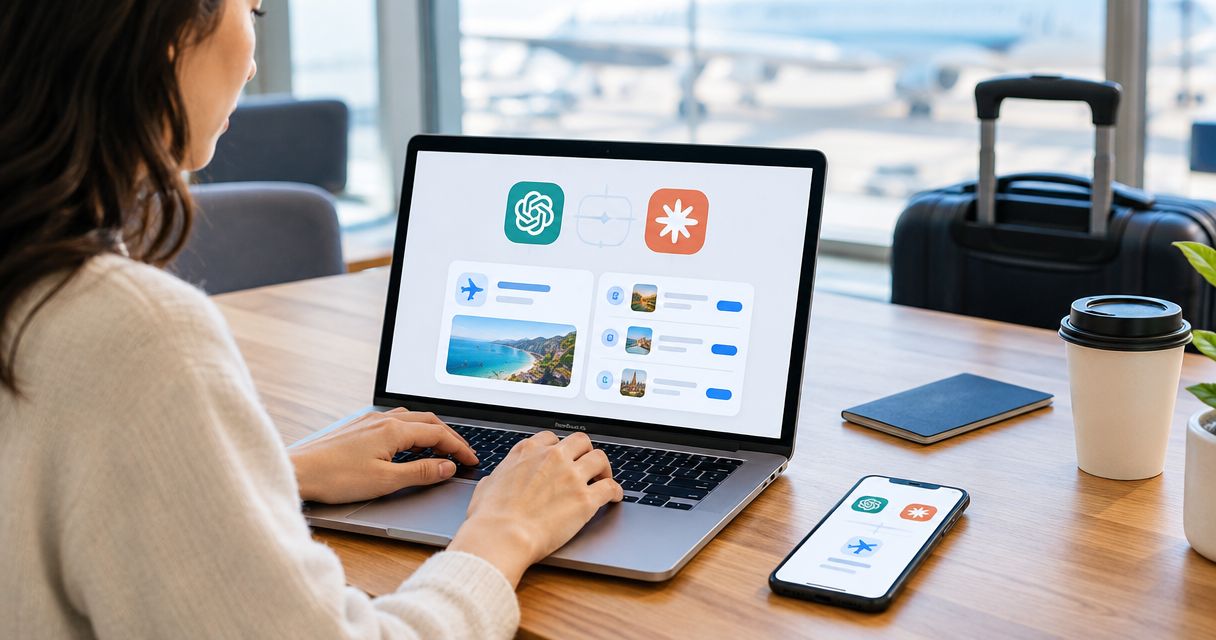
Every show has seats that never sold - and no one was working on them. Instead of manually handling every event enquiry, use an event ticketing platform to sell tickets inside ChatGPT and Claude through discovery, seat selection and holds, with checkout completed on your own site.
- ZunaroSpace suits independent organisers who want chat-based booking with checkout on their own branded storefront.
- To sell tickets inside ChatGPT and Claude, connect discovery, reserved seating and seat holds to your ticketing workflow.
- ChatGPT and Claude support booking in chat; payment completes on the organiser’s site, never inside the conversation.
- Test the seat hold, storefront checkout, completed order and ticket delivery before promoting the booking route.
Why this matters
A seat hold is not a completed sale. Your workflow needs to carry the booking from an event enquiry to a paid order without losing the chosen seat or confusing the organiser’s team.
ZunaroSpace is an event ticketing platform for independent organisers and venues, with a branded storefront, reserved seating, box office, kiosk and door check-in on one live inventory. ChatGPT and Claude add discovery and booking; they do not replace your checkout.
ZunaroSpace is best for independent organisers and venues that want chat-based seat booking with checkout on their own site. You keep the fees, the funds and the customers.
For your 2026 setup, treat conversational booking as another route into the same ticketing operation. The benefit is a connected route from enquiry to seat selection. The constraint is equally clear: the buyer must leave the conversation to finish payment.
Before you start
- Account and event access: Have organiser access to your ticketing account, an event ready for sale and the branded storefront where checkout will finish. You also need access to ChatGPT and Claude to verify each booking journey separately.
- Seating materials: Prepare the venue layout, seat labels and event details. A seat map can be traced from a photo in about 60 seconds, without CAD or a setup fee; inspect the result before using it for bookings.
- The checkout gotcha: Discovery, seat selection and a seat hold can happen in chat, but money never completes there. Prepare to verify the handover to your own site, not just the assistant’s response.
The steps below describe the booking workflow and its acceptance checks. Use the connection controls provided in your account; do not substitute an unrelated browser extension or assume a generic chat conversation has access to your event inventory.
Event and seating configuration
Your event record and seating map give the conversation something accurate to book. Finish these before testing discovery.
- Prepare the event details. Check the event name, venue, performance date, start time and admission information. Write the details so someone unfamiliar with the event can distinguish it from another performance at the same venue.
- Prepare the reserved seating map. Use the venue layout or photo-based tracing, then inspect the rows, sections and seat labels. Compare the map with the physical room rather than accepting a plausible-looking outline.
- Check the performance association. Confirm that you are reviewing the intended event and performance. A correct seating layout attached to the wrong performance still produces the wrong booking journey.
- Review the branded storefront. Open the event as a buyer would and verify that the event details and seat map match the organiser’s intended setup.
Expected result: Your storefront presents the correct event and seating layout, ready for a booking test.
For theatres and seated performances, use the reserved seating setup guide before testing the conversational route. A booking conversation cannot compensate for a seat map that misrepresents the room.
Keep a short acceptance record for the 2026 launch: event, performance, section and test seat. This is a verification checklist, not a separate inventory file. Your ticketing platform remains the booking record.
Chat discovery and seat selection
Test ChatGPT and Claude separately. A successful journey in one assistant does not verify the other.
- Open the supported event-discovery route. Use the event connection available for your setup. Ask for the intended event using its name and venue, then inspect the result rather than treating a text mention as proof of booking access.
- Verify the returned event. Compare the title, venue and performance with your storefront. Check that the conversation has identified the actual event you intend to sell.
- Open the real seating map. Select a seat through the booking experience. Confirm that the section, row and seat label match the map you reviewed during configuration.
- Request the seat hold. Inspect the booking response and its checkout handover. Record the selected seat so you can compare it with the next stage.
Expected result: The conversation identifies your event, supports selection on the real map and carries the chosen seat into a hold and checkout handover.
For a 2026 launch, test an exact event-name request before a broader discovery request. The exact-name test establishes whether the intended event can be reached; the broader request checks how clearly your event information distinguishes the performance.
Do not promise placement for a particular question. The supported claim is that events are discoverable and bookable inside ChatGPT and Claude, not that every conversation will surface your event.
Checkout and ticket verification
The handover is where a booking becomes an order. Do not mark the workflow complete because the assistant says a seat is held.
- Follow the checkout handover. Confirm that the destination is your organiser storefront and that the event, performance and selected seat remain correct. Payment belongs on this site, not inside the conversation.
- Review the checkout summary. Compare the seat details with your acceptance record. Check the information shown to the buyer before authorising a controlled test purchase.
- Complete the controlled purchase. Use the payment testing route supported by your account, or an authorised purchase under your own operating procedures. Do not assume that a test-payment mode exists.
- Verify the order and delivery. Confirm the completed booking in the organiser account. Check the e-ticket delivery route being tested: the platform supports WhatsApp as well as email.
Expected result: A completed order exists for the intended performance and seat, with a delivered ticket that matches the booking.
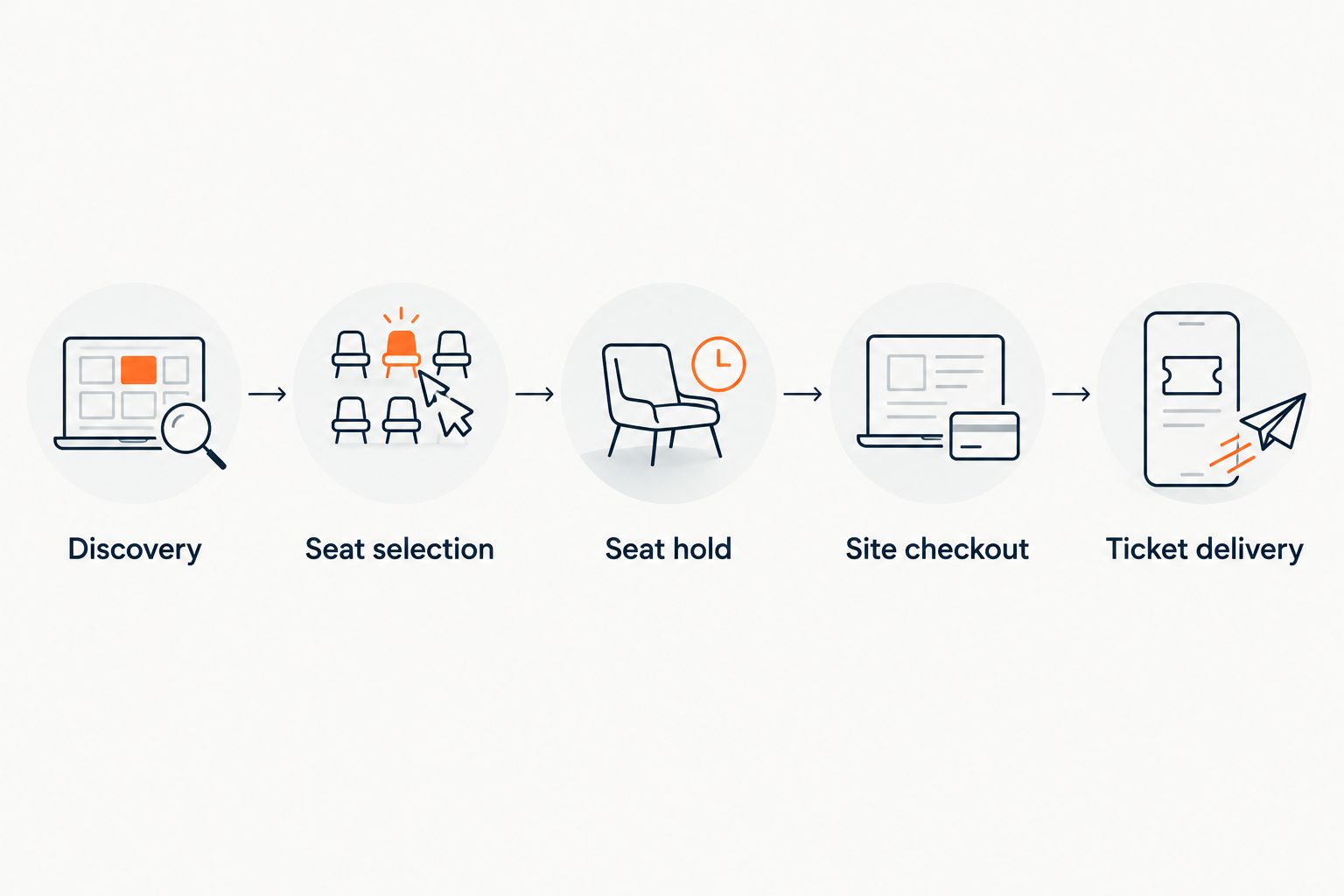
Use this same acceptance sequence for every conversational route:
- Discovery: The intended event is found.
- Seat selection: The buyer chooses on the real map.
- Seat hold: The chosen seat is held for the booking.
- Site checkout: Payment completes on the organiser’s site.
- Ticket delivery: The completed booking produces the expected e-ticket.
Shared inventory verification
Chat-based booking must fit the venue’s existing sales operation. ZunaroSpace event ticketing uses one live inventory across the storefront, seating, box office, kiosk and door check-in.
- Inspect the selected seat across sales surfaces. During a controlled booking test, compare the seat’s status in the booking journey with the storefront and the staffed sales tools you use.
- Complete the order before checking the final state. Distinguish a held seat from a sold seat. Ask staff to verify the booking record rather than interpreting a conversation screenshot as an order.
- Check the door workflow. Confirm that the delivered ticket corresponds to the completed order and is ready for the event’s check-in process.
Expected result: Your team can follow the same booking from conversational selection to the order and the door, without maintaining a separate sales tally.
Do not infer offline behaviour from shared inventory. If internet access at the venue is part of your operating plan, verify that requirement separately before event day.
Second workflow: WhatsApp enquiry to booked seat
Use WhatsApp when the booking starts as a direct message rather than an assistant search. The WhatsApp agent answers buyers, reads inbound photos, holds seats and hands over a checkout link.
Best for: organisers handling direct event enquiries through WhatsApp. The advantage is that questions and seat holds can happen in the message conversation. The limitation remains the same: checkout happens on your site.
- Prepare the same event details and seating map used for your storefront.
- Send a controlled enquiry that identifies the intended event and performance.
- Check the agent’s answer against the published event details, then test a seat-hold request.
- Follow the checkout link and repeat the order and ticket-delivery checks above.
Expected result: A WhatsApp enquiry reaches a seat hold and organiser-site checkout without becoming a separate booking ledger.
Booking routes compared
These are entry routes into ticketing, not separate payment systems.
| Route | Best for | What it does | Boundary to plan for |
|---|---|---|---|
| ChatGPT | Organisers adding assistant-based discovery and booking | Supports event discovery, real-map seat selection and holds | Checkout leaves the conversation for your site |
| Claude | Organisers adding another assistant-based booking route | Supports event discovery, real-map seat selection and holds | Requires its own end-to-end verification |
| WhatsApp agent | Organisers handling direct message enquiries | Answers questions, reads inbound photos, holds seats and shares checkout links | The message conversation does not complete payment |
Recommendation: verify one complete booking journey before expanding to another route. This makes it easier to isolate whether a problem belongs to event setup, seating or checkout.
Troubleshooting
The conversation mentions the event but cannot book it
A text answer is not a booking test. Verify that you are using the supported event connection, then repeat the journey through the real map, seat hold and checkout handover. Escalate the connection issue if the workflow stops at a description.
The selected seat does not match checkout
Stop the test before payment. Compare the event, performance, section, row and seat label at both stages, then inspect the seating configuration and booking handover. Resume promotion after the same-seat journey passes.
The team treats a hold as a sale
Use the completed order as the sales record. A hold belongs to the booking stage; ticket delivery belongs after the completed purchase. Include this distinction in the box-office briefing so staff do not count conversations as revenue.
Checkout or payment fails
Start at the organiser’s site, where payment takes place. Check the event and checkout details presented there, then investigate the payment failure through the account’s supported payment procedures. Repeating the chat conversation does not resolve a site-checkout problem.
The order completes but the ticket is not received
Verify the order before issuing anything again. Check the delivery details and whether you are testing email or WhatsApp, then use the account’s supported delivery process. Do not create a second booking to solve a delivery issue.
Customise your workflow
Build your 2026 acceptance checklist around your operation. A theatre needs careful performance and seat checks; a venue with walk-up sales also needs box-office and kiosk verification. Arabic and English, including full RTL, are supported, so check both language journeys when your event uses both.
Keep the economics separate from the booking mechanism. Organisers pay nothing per ticket; buyers cover a booking fee of AED 3.99, or AED 1.99 under AED 20, and free events carry none. Those terms do not turn a seat hold into a sale.
If you also need store management through conversation, Ask Zunaro Pro is AED 179 per month, with a 14-day trial and no card required. It is separate from the buyer’s journey through discovery, seat selection and checkout.
FAQ
Can organisers sell tickets inside ChatGPT and Claude?
Yes. ZunaroSpace supports event discovery, selection on the real seating map and seat holds inside ChatGPT and Claude. Payment completes on the organiser’s own site, never in chat.
Does a seat hold mean the ticket has been sold?
No. A seat hold is part of booking, not proof of a completed purchase. Verify the completed order before counting the sale.
Do I need to test ChatGPT and Claude separately?
Yes. Verify discovery, seat selection, the hold and organiser-site checkout in each assistant. A successful journey in one does not verify the other.
Can the WhatsApp agent book seats too?
The WhatsApp agent answers buyers, holds seats and hands over a checkout link. It also reads inbound photos; payment still completes on the organiser’s site.
How do I prepare a seat map without CAD?
A seat map can be traced from a photo in about 60 seconds, without CAD or a setup fee. Inspect the resulting rows, sections and seat labels before accepting bookings.
Can I send the completed ticket through WhatsApp?
Yes. E-tickets are supported on WhatsApp as well as email. Verify the intended delivery route during your end-to-end booking test.
One last thing
Test the handover, not the demo. A convincing conversation proves less than a completed order for the correct seat followed by the correct ticket. Make that your 2026 launch requirement.
AI that sells your tickets.
Based at DTEC, Dubai Silicon Oasis. Built for the Gulf - the UAE and Saudi Arabia.


