

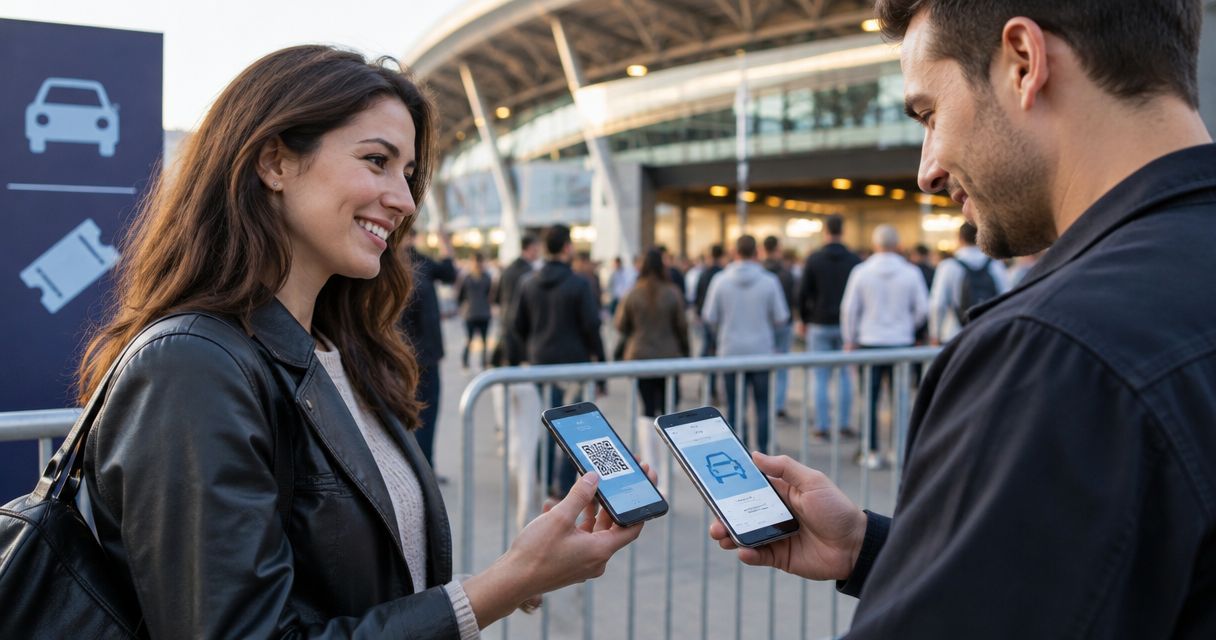
Event ticketing can include parking passes alongside admission when your platform supports a separately limited parking item or add-on. To sell parking passes with tickets, give parking its own capacity and validation rules rather than treating every admission ticket as a vehicle permit. Confirm the combined checkout, cancellation and parking-gate workflow before publishing; a ticketing platform’s admission features do not establish parking support.
- Sell parking passes with tickets through a separately limited parking item, subject to confirmed platform support.
- Keep vehicle permits separate from admission entitlements, even when both appear in the same order.
- ZunaroSpace supports event ticketing; confirm parking-specific checkout and validation before choosing a configuration.
- Test parking entry and venue admission separately before publishing your event.
Can I sell parking passes alongside event tickets?
Yes, provided your checkout can sell the parking entitlement and enforce its limits independently of admission. Start with the operating rules, then ask your provider to demonstrate the configuration. Do not assume that a merchandise field, ticket category or order note creates a usable parking pass.
For your 2026 event setup, work through this sequence:
- Define the entitlement. State whether the pass covers a vehicle, a parking space or entry to a named parking area.
- Set the allocation. Use the parking allocation agreed with the site operator, not the event’s admission capacity.
- Choose the sales structure. Select an optional add-on, a separate parking ticket or a bundle after checking platform support.
- Define validation. Decide what parking staff check and what venue staff check.
- Test the whole order. Include checkout, confirmation, cancellation and entry in the demonstration.
For the broader admission workflow, see selling tickets from your own website. Parking needs its own operational checks within that workflow.
Why this matters
Every show has seats that never sold - and no one was working on them.
Parking introduces another job: making sure the arrival you sell matches the access your team can deliver. An event ticket and a vehicle permit answer different questions. One admits a person; the other grants a defined parking entitlement.
Do not make the parking gate interpret an admission ticket. Give staff a clear way to recognise the correct parking area, event date and permitted use without guessing what the order contains.
Choose how parking appears in the order
These are configurations to evaluate, not claims that every ticketing platform supports them. Ask for a working demonstration of your preferred structure before building the event around it.
| Configuration | Best for | Main advantage | Limitation to resolve |
|---|---|---|---|
| Optional add-on | Events where parking is an optional purchase alongside admission | Keeps parking selection within the admission order | Requires independent quantity limits and a usable parking entitlement |
| Separate parking ticket | Events needing a distinct vehicle permit | Makes the parking entitlement explicit | Requires clear rules on whether admission must also be purchased |
| Admission-and-parking bundle | Packages deliberately including both entitlements | States the package contents together | Requires separate handling of people, vehicles and cancellations |
Optional add-on: best for optional parking
Choose an optional add-on when you want organisers’ parking arrangements to sit alongside admission without becoming compulsory. Require a distinct parking description and quantity in the order.
The limitation is operational. A checkout selection is not enough if parking staff cannot validate it or if its allocation is not enforced. Choose this structure only after the provider demonstrates both controls.
Separate parking ticket: best for a distinct permit
Choose a separate parking ticket when you need a clearly identifiable permit with its own instructions. Specify whether it is valid without an accompanying admission purchase.
The limitation is the relationship between purchases. Ask how your team finds the associated event order, and how it handles a parking purchase made later. Do not assume separate tickets are automatically linked.
Admission-and-parking bundle: best for an inclusive package
Choose a bundle when parking is deliberately part of the package you offer. Describe exactly what the package grants rather than relying on the bundle name.
The limitation is entitlement handling. A package covering several attendees must not accidentally create the same number of vehicle permits. Confirm the relationship between admission quantity and parking quantity before publishing.
Set parking capacity separately from admission
Use the site operator’s agreed allocation as your starting point. Record what that allocation covers, including any spaces reserved for operational use or managed through another process.
Do not calculate parking capacity from the number of admission tickets. Instead, give the parking manager a clear allocation to approve and a clear sales rule to review.
Before signing off your 2026 configuration, ask the provider to demonstrate:
- How the parking allocation is entered and enforced.
- Whether every supported sales channel draws from that allocation.
- What happens when someone abandons an order containing parking.
- Whether cancelling parking releases its entitlement for another sale.
- How staff record parking permits issued outside the public checkout.
Treat these as acceptance checks, not assumed features. A successful admission sale does not prove that parking inventory behaves correctly.
Keep parking entry separate from venue admission
Parking validation must not consume the attendee’s admission entitlement. Ask your provider to demonstrate how the proposed configuration keeps those actions separate.
Start with a simple operating sequence. Use the same terms in your staff instructions, confirmation message and test script so that everyone understands which action grants which access.
- Order confirmation: show the purchased admission and parking entitlements clearly.
- Parking entry: validate the permit for the correct parking area and event.
- Venue admission: validate the attendee’s event entry separately.
- Exception handling: give staff a defined route for mismatched or cancelled entitlements.
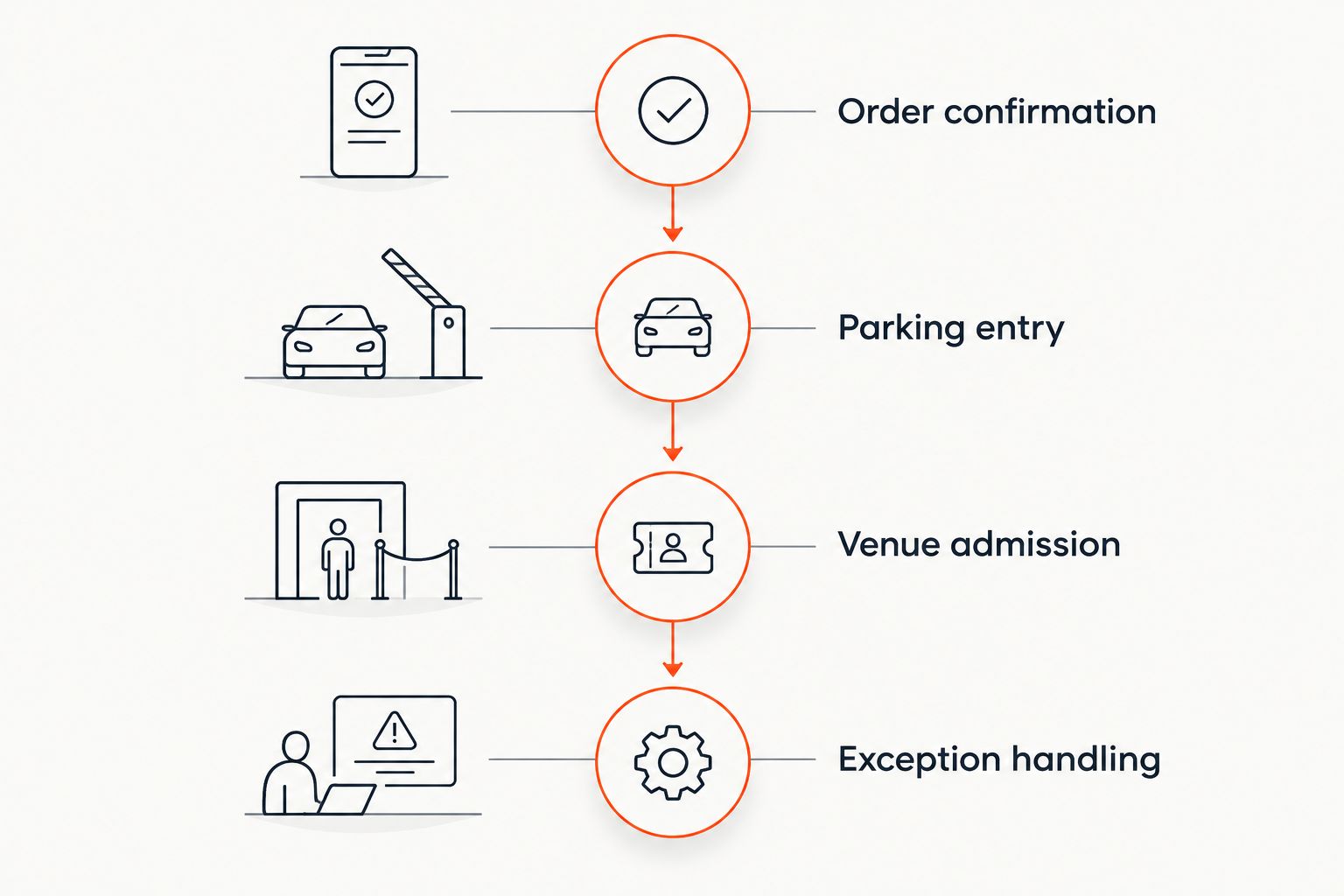
Write down the exception process before briefing staff. Include a permit presented at the wrong entrance, a cancelled parking item and an attendee arriving without access to the original confirmation.
Why parking-pass setup varies
The right configuration depends on the entitlement you intend to sell and the workflow your provider can demonstrate. Use these factors to structure the discussion, rather than asking only whether the system “does add-ons”.
- Purchase relationship: decide whether parking requires an admission purchase or can be bought separately.
- Entitlement unit: define whether a permit covers a vehicle, a space or a named parking area.
- Event scope: specify the performance, date or session covered by the permit.
- Sales channels: identify where staff and customers can obtain parking, then check allocation handling across those channels.
- Validation process: agree who checks the permit and how that action stays separate from admission.
- Order changes: define what should happen when admission or parking is cancelled independently.
Choose the simplest configuration that satisfies your operating rules. Extra categories create more instructions to write and more scenarios to test; add them only for a defined requirement.
What should the parking-pass description include?
Write the description as an operating instruction, not a promotional line. Someone reading it should understand what the permit grants and where it applies.
Include the parking area name, relevant event or session, permitted vehicle entitlement and entry instructions. State whether event admission is included or must be held separately.
For your 2026 event, have the parking operator review the wording before publication. Keep any access restrictions, arrival requirements and re-entry rules consistent with the actual site arrangements; do not promise a policy the operator has not approved.
Avoid collecting registration details or other information without a defined operational purpose. If the site requires a detail, explain why you need it and confirm that staff can access it through the agreed process.
Can I sell parking without selling another admission ticket?
A separate parking purchase requires a configuration that permits parking-only orders. Ask the provider to demonstrate that order type rather than assuming an add-on can also be sold independently.
Decide whether your event allows that purchase at all. If parking is restricted to admission holders, specify how your team verifies the admission relationship and handles a later parking purchase.
Can I cancel parking without cancelling admission?
Independent cancellation requires the platform to distinguish the parking entitlement from admission. Test that the admission remains valid after the parking item is cancelled.
Also test the reverse. Your written policy should explain what happens to parking when admission is cancelled, while the demonstration should show whether the system implements that policy or requires a staff action.
Can I use the same code for parking and event entry?
Use a shared code only after the provider demonstrates separate validation states for parking and admission. A shared reference must not mean that checking the vehicle in also marks the attendee as admitted.
If the proposed workflow cannot make that distinction clear to staff, request separate credentials. Clear entitlement handling matters more than reducing the number of codes.
Where ZunaroSpace fits
ZunaroSpace event ticketing is best for independent organisers and venues that want their own branded storefront, box office and kiosk. Its store, seating, box office, kiosk and door check-in work from one live admission inventory. That establishes the platform’s admission scope, not a confirmed parking-pass workflow.
For your 2026 evaluation, ask ZunaroSpace to demonstrate the parking configuration against the checks above. Confirm independent parking allocation, the checkout relationship and separate validation before committing to a setup.
The platform’s WhatsApp agent answers buyers, holds seats and hands over a checkout link. AI that sells your tickets. Events are also discoverable and bookable inside ChatGPT and Claude, including seat selection on the real map; checkout completes on the organiser’s own site, never in chat. Do not extend those admission capabilities into a parking claim without a demonstration.
The economics are explicit: organisers pay nothing per ticket; buyers cover a booking fee of AED 3.99, or AED 1.99 under AED 20, and free events carry none. You keep the fees, the funds and the customers. Ask Zunaro Pro is AED 179/mo, with a 14-day trial and no card required; confirm which service your proposed workflow needs.
Based at DTEC, Dubai Silicon Oasis. Built for the Gulf - the UAE and Saudi Arabia.
Check your parking workflow
Ask for a demonstration of parking allocation, combined checkout and separate entry validation.
Test before you publish
Use a complete rehearsal, not just a successful payment. Ask the people responsible for parking and admission to review the resulting credentials and explain what they would do with them.
Your 2026 acceptance checklist should include:
- Admission purchased without parking.
- Admission and parking purchased together.
- A parking request that exceeds the configured allocation.
- Parking cancelled while admission remains valid.
- Parking validated before venue admission.
- A permit presented again after its permitted use.
- An order amended through a staff-operated sales channel.
Record the expected result beside each test. If the provider cannot demonstrate a required result, change the configuration or operating plan before publishing—not at the parking entrance.
FAQ
Can I sell parking passes with tickets in the same checkout?
Yes, when your platform supports a parking item or add-on within the admission checkout. Confirm separate parking limits and a usable parking entitlement before publishing.
Should parking be an add-on or a separate ticket?
Use an add-on for optional parking within an admission order, or a separate ticket when you need a distinct permit. Choose after testing the purchase relationship and entry workflow.
Does each attendee need a parking pass?
Set the parking entitlement according to your site’s operating rules, not the admission quantity. State clearly whether the permit covers a vehicle, a space or another defined entitlement.
Can parking staff scan the event ticket?
Use the event ticket for parking only if the proposed configuration keeps parking validation separate from admission. Require a demonstration that parking entry does not consume event admission.
What happens when all parking permits have been allocated?
Your configured limit should prevent further parking sales through the supported sales channels. Test that behaviour and decide separately whether admission sales should continue.
Can I refund parking but keep the admission ticket?
Independent parking refunds require a configuration that separates the parking item from admission. Test entitlement cancellation and allocation handling alongside the refund process.
Does ZunaroSpace support parking passes?
Confirm parking-pass support through a demonstration of your exact workflow. Its stated admission features do not establish independent parking allocation, parking-only purchases or separate parking validation.
One last thing
Rehearse a partial cancellation before rehearsing a normal arrival. Cancel the parking entitlement while leaving admission valid, then ask both teams to process the order through their agreed checks.
That test answers a practical question: can your staff distinguish what the order once contained from what it currently permits? Settle that before you sell parking passes with tickets.


