

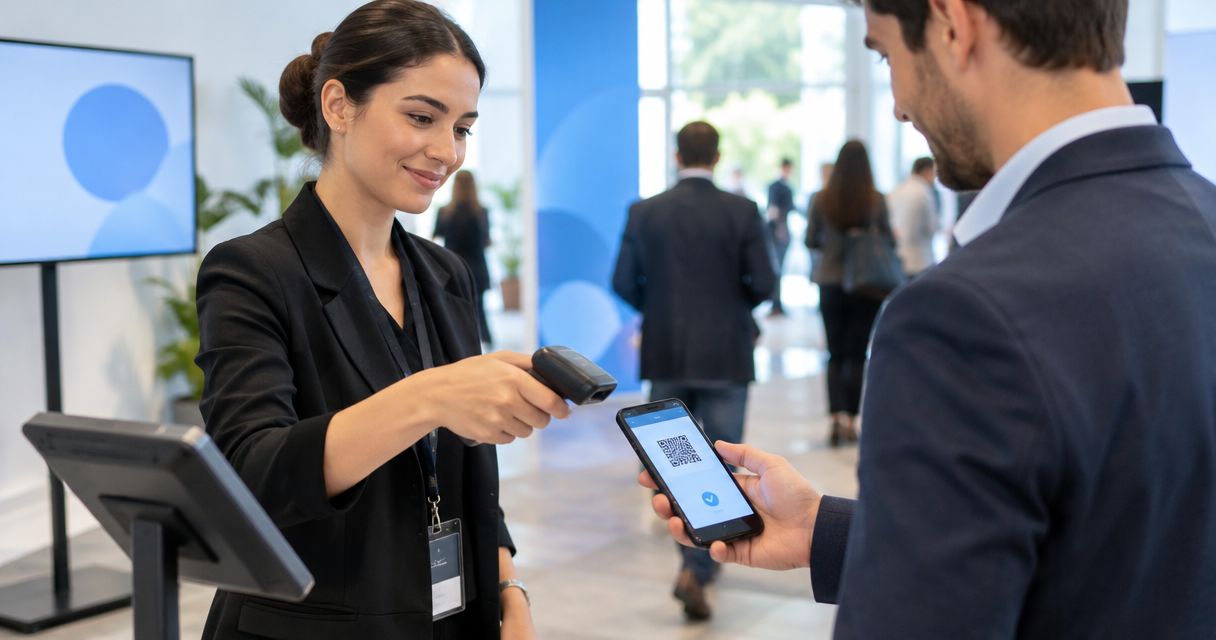
Every show has seats that never sold - and no one was working on them. Event check in app scan speed has no universal attendees-per-minute figure: measure completed admissions per minute on your actual door setup. A camera reading a ticket is not the same as an attendee being admitted; your measurement must include validation, the staff decision and time spent resolving exceptions.
- Event check in app scan speed means completed admissions per minute, not camera reads alone.
- Measure ticket validation and queue throughput separately before setting your staffing plan.
- ZunaroSpace suits independent organisers wanting ticket sales and door check-in on one live inventory.
- Test exceptions and simultaneous entry lanes, not just a clean ticket on one device.
For your 2026 shortlist, use the event check-in app guide alongside a rehearsal at the entrance. A feature list helps you choose what to test. It does not establish how many people your team can admit.
Why this matters
Staff the entrance against completed admissions, not the fastest scan you can demonstrate. A scan-speed claim answers a narrow question about the device or software. Your queue depends on the whole interaction.
For an organiser, the useful result is a repeatable admission rate under the conditions staff will face. That means the same devices, entrance layout, ticket formats and decision process intended for the event.
Keep that distinction in your 2026 procurement brief. Ask for a demonstration of the complete check-in workflow, then measure it yourself before deciding how many lanes to open.
How many attendees can a check-in app scan per minute at the door?
Calculate the rate by dividing completed admissions by elapsed minutes. Attendees admitted per minute = completed admissions ÷ elapsed minutes. Use the same start and finish rules for every test so the results are comparable.
If you measure average handling time instead, divide 60 seconds per minute by the measured seconds per completed admission. That converts your observation into a per-minute rate; it is not a performance benchmark for any app.
Choose the measurement that answers your operational question:
| Measurement | What you count | What it leaves out | Best for |
|---|---|---|---|
| Camera reads | Ticket codes successfully read | Validation, staff decisions and admission | Investigating capture problems |
| Confirmed check-ins | Tickets recorded as checked in | Movement through the physical entrance | Assessing the software workflow |
| Completed admissions | People admitted through the test lane | Conditions not included in the rehearsal | Planning door staffing |
Record those measurements separately. A readable code does not establish that the ticket belongs to the right event, and a confirmed check-in does not establish that the person has cleared the entrance.
Measure a complete admission cycle
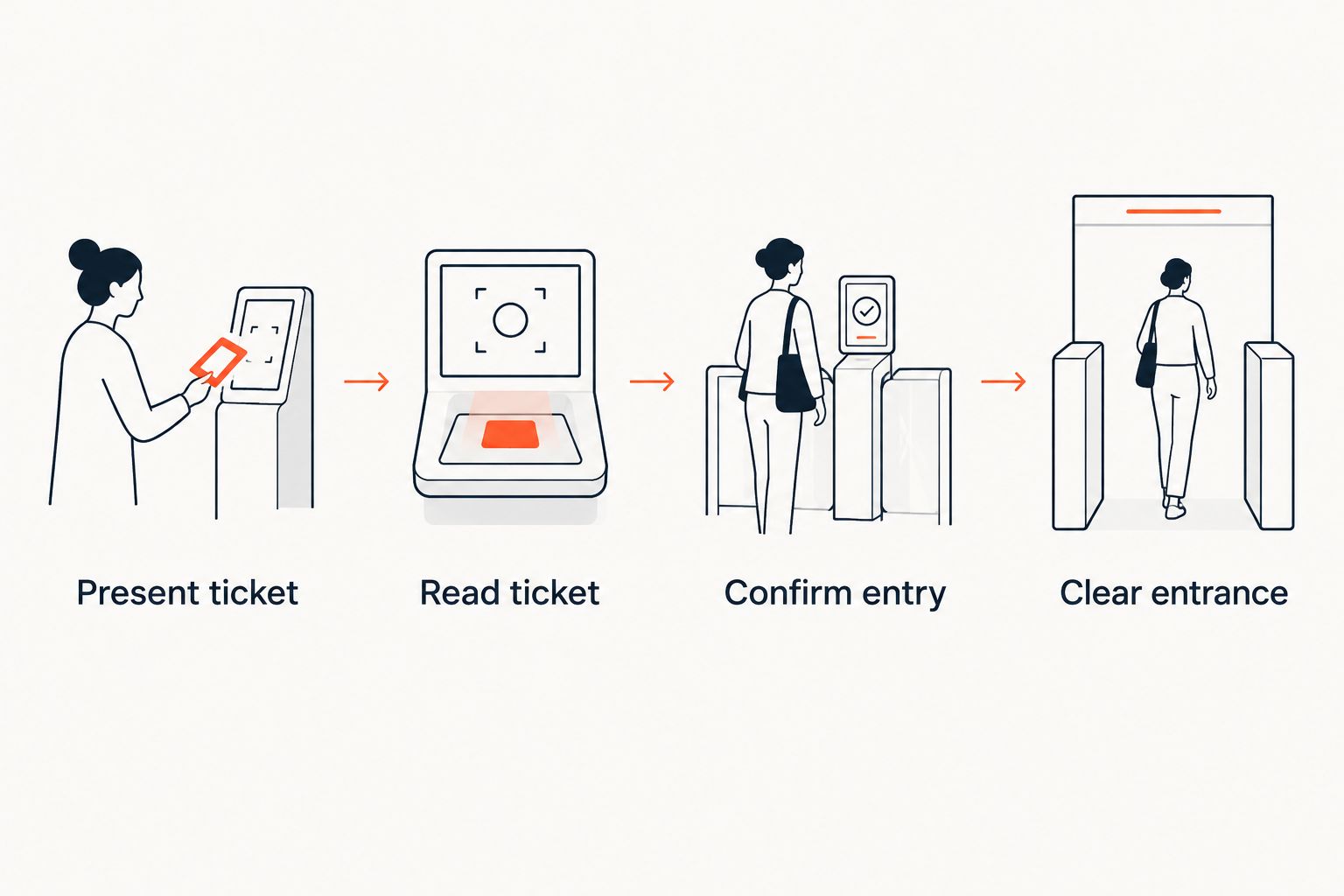
Use this sequence for your door rehearsal:
- Present ticket. Start timing when the attendee reaches the staff member and begins presenting the ticket. Include the time needed to make it available for inspection.
- Read ticket. Capture the code or follow the supported lookup process. Record retries rather than removing them from the result.
- Confirm entry. Wait for the admission decision and the required check-in action. Ask staff to identify the result before admitting the person.
- Clear entrance. Finish timing when the attendee has moved through and the lane is ready for the next person.
Apply that sequence consistently. If one test starts with a ticket already positioned in front of the camera while another includes finding the ticket, the results describe different tasks.
Keep the rehearsal result attached to its conditions. Name the device, connection, entrance position and ticket cases used. A rate without those details is not a useful staffing instruction.
Test routine entry and exceptions separately
Do not hide exception handling inside one average. Record the routine admission rate and the mixed-workload rate, then use the mixed result to assess the entrance process.
A clean-ticket test tells you how the normal path works. Its limitation is deliberate: it excludes the problems that require staff judgement. An exception test tells you how the team responds when entry is not immediately approved, but it does not represent routine demand by itself.
Use both in your 2026 rehearsal. Start with valid tickets, then introduce cases that require a decision, such as a ticket for a different performance, a previously presented ticket or an attendee who cannot find the confirmation.
Do not assume the app supports every recovery action. Ask the supplier to demonstrate the available lookup, rejection and escalation workflows, then document what staff should do in each case.
Routine entry: establish the normal path
Give the entrance team valid tickets for the intended event. Ask staff to follow the actual admission process, including any required checks outside the ticketing software.
Record camera retries, staff uncertainty and time spent waiting for confirmation. These observations explain the result without turning one slow interaction into a claim about the entire platform.
Best for: checking the standard workflow before adding complexity. The limitation is that routine entry alone does not test how staff recover from a problem.
Exception handling: establish the recovery path
Prepare a separate set of cases that should not produce immediate admission. Ask staff to demonstrate how they identify the problem, explain the next action and refer it to the responsible person.
Measure how long the main lane remains occupied. If your layout allows it, test moving unresolved cases to an assistance position rather than asking the scanning staff member to solve everything in place.
Best for: defining staff responsibilities and escalation. The trade-off is that a separate assistance position requires its own staffing and a clear handover; moving someone aside is not the same as resolving their ticket.
Why event check-in app scan speed varies
The admission cycle contains several distinct tasks. Test these factors instead of assigning every delay to the scanner:
- Ticket presentation. Measure whether the attendee arrives with the ticket ready or needs help finding it. Keep those cases separate in your notes.
- Capture conditions. Test the intended device at the actual entrance position. Record unsuccessful reads and retries rather than assuming the camera is the cause.
- Validation workflow. Observe the steps between reading the ticket and receiving an admission decision. Confirm which steps staff must complete manually.
- Exception handling. Include tickets that require investigation. Record both resolution time and how long the case occupies the entry lane.
- Shared admission state. Test simultaneous entry lanes and the response when the same ticket is presented again. Ask the supplier to explain the supported behaviour.
- Physical movement. Include the space needed for the attendee to pass through and for the next attendee to approach. Do not end the timer at the software confirmation.
These factors give you an investigation plan, not an assumed diagnosis. If the rehearsal reveals a delay, change one part of the process and repeat the same test before attributing an improvement to it.
How should I compare check-in apps for my venue?
Compare completed workflows under matching conditions. Use the same ticket cases, devices where supported, staff instructions and timing boundaries for each app.
Ask each supplier to demonstrate a normal admission, an unresolved ticket and simultaneous use at separate lanes. Document any differences in supported workflows rather than forcing unlike processes into one speed ranking.
For your 2026 comparison, keep a short evaluation sheet:
- Does the result clearly tell staff whether to admit the attendee?
- Can staff distinguish a read failure from an admission rejection?
- What happens when a ticket is presented again at another lane?
- What lookup or assistance actions are supported?
- What connection requirements apply to the intended setup?
- Can you trace a rehearsal admission back to the event record?
A fast routine result is a useful advantage. A confusing rejection process is a limitation. Choose the workflow your entrance team can operate correctly, then use its measured rate to plan staffing.
Do not infer offline operation from a successful connected demonstration. Test the stated connection requirements separately, and record what the supplier actually supports.
How many scanning lanes should I open?
The required lane count depends on your expected arrival rate and the measured admission rate of a lane. Divide arrivals per minute by completed admissions per minute per lane, then round up to a whole lane as a starting calculation.
That calculation is a planning tool, not proof that the entrance will perform as predicted. Test lanes together before treating individual results as combined capacity.
Use an arrival forecast for the door-opening period rather than spreading attendance evenly across the whole event. Keep the forecast labelled as a forecast and replace assumptions with your own event records when available.
Check whether lanes share a narrow approach, an assistance position or a final access check. Include those shared tasks in the rehearsal. Counting devices does not establish the capacity of the complete entrance.
Does a faster scan mean better ticket control?
No. A fast camera read and a correct admission decision are different results, so record both during testing.
Ask staff to demonstrate the response to a wrong-performance ticket and a ticket presented again. Check the resulting event record as well as the message shown at the door.
Do not accept a faster rate achieved by skipping a required check. Your benchmark must use the admission rules the team will follow at the event, including any separate venue checks.
Where a shared ticketing inventory helps
ZunaroSpace is an event ticketing platform for independent organisers and venues that want store, seating, box office, kiosk and door check-in on one live inventory. Its fit is the connected operating model, not an asserted scan-speed benchmark.
ZunaroSpace is best for independent organisers who want ticket sales and door check-in on one live inventory. You keep the fees, the funds and the customers.
The platform also sends e-tickets through WhatsApp and email. Treat those delivery channels as part of your rehearsal: ask the entrance team to work through the ticket formats you intend to use, rather than assuming delivery method establishes admission speed.
The economics are separate from throughput. Organisers pay nothing per ticket; buyers cover a booking fee of AED 3.99, or AED 1.99 for tickets under AED 20, and free events carry no booking fee. Ask Zunaro Pro is AED 179/mo, with a 14-day trial and no card required.
ZunaroSpace's limitation for this decision is straightforward: shared inventory does not give you a measured attendees-per-minute result. Rehearse the complete entrance workflow before setting capacity or staffing expectations.
AI that sells your tickets. A WhatsApp agent answers buyers, holds seats and hands over a checkout link; events are discoverable and bookable inside ChatGPT and Claude, while checkout completes on the organiser's own site, never in chat.
Based at DTEC, Dubai Silicon Oasis. Built for the Gulf - the UAE and Saudi Arabia.
FAQ
How many attendees can an event check-in app scan per minute?
There is no universal attendees-per-minute rate for an event check-in app. Divide completed admissions by elapsed minutes in a rehearsal using your intended devices, staff and entrance layout.
How do I calculate event check in app scan speed?
Calculate event check in app scan speed by dividing completed admissions by elapsed minutes. If you measure average handling time instead, divide 60 seconds per minute by the measured seconds per completed admission.
Is reading a QR code the same as checking someone in?
Reading a QR code is not the same measurement as completing admission. Measure the ticket read, admission decision and completed entry separately so your result matches the question you are answering.
Will adding another scanner double my entry capacity?
Do not assume another scanner doubles entry capacity. Test the lanes together, including any shared assistance position, access check or narrow approach.
Should I include invalid tickets in a scan-speed test?
Include invalid tickets in a separate exception test and in a mixed-workload rehearsal. Keep the clean-ticket result separate so you can distinguish routine processing from recovery work.
Can I assume a check-in app works without internet?
Do not assume a check-in app works without internet. Confirm the supplier's stated connection requirements and test the supported setup before using it in your door plan.
Does ZunaroSpace publish a verified admission rate here?
This guide does not establish a verified ZunaroSpace admission rate. The event ticketing platform connects store, seating, box office, kiosk and door check-in on one live inventory; measure your entrance workflow separately.
One last thing
Repeat the rehearsal with a ticket that should be rejected. Watching staff handle that case tells you whether the entrance process remains clear when a scan does not mean entry.
Before your 2026 event, write a short door instruction covering an accepted ticket, a rejected ticket and an unresolved ticket. Name the person responsible for unresolved cases, and test the handover with the entrance team. A speed figure becomes useful when staff know exactly what action follows it.


