

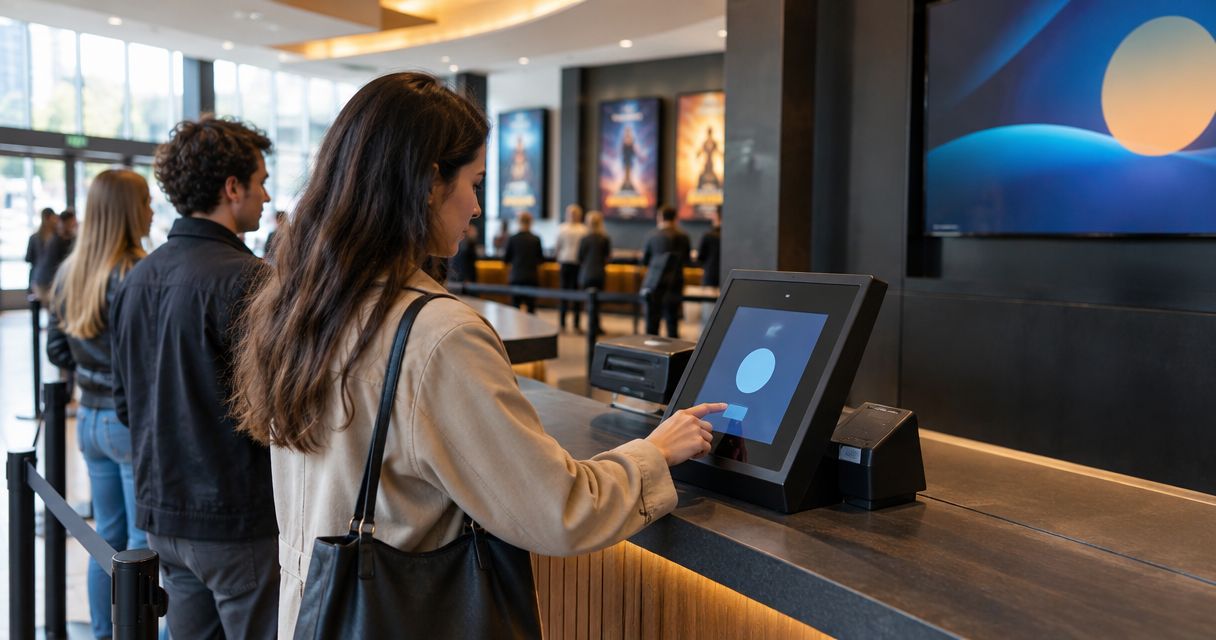
Yes. A box office system can work without internet at the door if it stores the ticket list on the check-in device and records scans until it can reconnect. That does not establish that walk-up sales, card payments or reserved-seat availability will work offline. In 2026, treat offline entry as a feature to verify, not as a property of every box office system.
- Can a box office system work without internet? Yes, if its door-check-in app stores tickets locally and syncs scans later.
- Offline check-in does not establish offline card payments, walk-up sales or live reserved-seat updates.
- Zunaro suits organisers who want box office, kiosk and door check-in on one live inventory; verify offline support separately.
- Test the full door workflow without a connection before relying on it for an event.
Why this matters
A failed connection at the door creates a different problem from a failed connection at the box office. Staff might still admit guests from a locally stored ticket list while being unable to confirm a new walk-up sale against current inventory. Those jobs need separate checks in your 2026 event plan.
Zunaro brings the storefront, box office, kiosk and door check-in onto one live inventory. That gives an organiser a shared record while the system is connected; it is not a claim that door devices hold that record offline. Zunaro is best for organisers who want one live inventory across sales and entry, provided they verify their offline door requirements before choosing it.
Can a box office system work without internet at the door?
Yes, for check-in when the system explicitly supports offline scanning. A door device needs access to the relevant ticket records before the connection drops, a way to record admissions locally, and a way to reconcile those admissions after reconnecting. If any part of that sequence is missing, do not describe the door workflow as offline-ready.
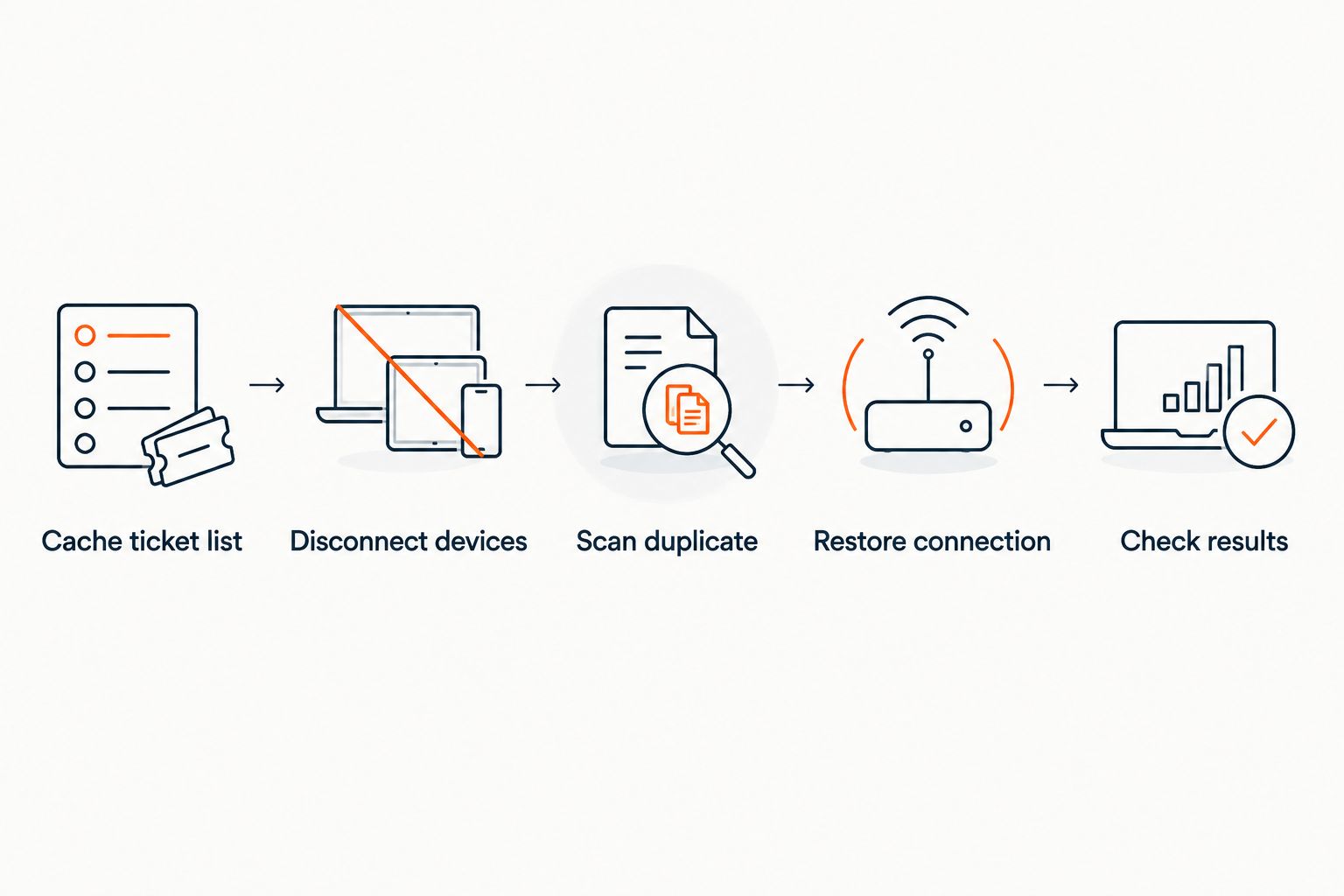
Use this sequence to evaluate a system for a theatre, club, conference or festival:
- Cache ticket list. Confirm that the check-in device has the tickets for the correct event and date before disconnecting it. Ask how newly sold tickets reach that device after its last update.
- Disconnect devices. Turn off the connection used by the door team. Check that staff can still open the event and find or scan a ticket without signing in again.
- Scan duplicate. Admit a test ticket, then try it again on the same device and on another disconnected device. Record what each device shows; do not assume they share scan results while offline.
- Restore connection. Reconnect each device and check whether its local admissions appear in the central record. Resolve any conflicting scans before using the count for a door report.
- Check results. Confirm the final status of the test ticket, the scan history and the process staff must follow if a device never reconnects.
The critical distinction is between reading a ticket and knowing its current status everywhere. A disconnected device can work from its local record. It cannot receive another gate's latest scan until those records are exchanged. For an event with multiple entrances, test across entrances rather than on a single phone at a desk.
What can work offline, and what still needs checking?
Offline capability is a workflow, not a label for the entire box office. The same venue can have a usable disconnected check-in device and a sales terminal that still needs a connection. Check each task your staff must perform during an outage.
| Door task or setup | Best for | What can work | Limit to check |
|---|---|---|---|
| Cached ticket list and local scans | Admitting tickets already available on the device | Staff can check a locally available ticket and record its use | New sales and scans on other disconnected devices are not immediately visible |
| Printed guest list or pre-exported register | A manual fallback when devices cannot check tickets | Staff can mark names and reconcile admissions later | The list can become outdated, and a name alone does not prove a ticket is unused |
| Connected box office and shared inventory | Walk-up sales and reserved-seat decisions | Staff can check the current central record before completing a sale | A lost connection interrupts tasks that depend on that record |
None of these options removes the need for a door procedure. A printed list can keep a queue moving, but staff still need to decide how to handle a ticket sold after the list was printed. A locally stored scan can show that a ticket was used on one device, but it does not automatically settle a conflicting scan on another disconnected device.
For reserved seating, the question is sharper: can staff see the current status of a particular seat before assigning it? If the answer depends on a live inventory, pause seat changes during an outage rather than treating an older seat map as current. The same caution applies to exchanging tickets, releasing held seats and selling the last available places.
Why offline door performance varies
A claim of offline check-in answers only part of the question. Ask the vendor to demonstrate these factors with your event configured as it will be on show day:
- Ticket data on the device. A scanner needs the relevant ticket records or another documented way to validate admission while disconnected. Check how it receives changes made shortly before doors open.
- Multiple entrances. Disconnected devices do not share a live scan status. Test the same ticket at separate gates and agree what staff do when both devices accept it.
- Reserved seating. An offline list can identify a ticket's recorded seat, but a disconnected box office cannot assume its local map reflects a seat just sold elsewhere.
- Walk-up sales. Ask separately whether the sales workflow can create a valid ticket without a connection and how it prevents a conflict when service returns. Offline scanning alone does not answer this.
- Card payments. Confirm any disconnected-payment process with the payment provider and the box office vendor. Do not equate a scanned admission with an authorised payment.
- Reconnection. The test is not complete when the screen says the scan succeeded. Check that admissions appear in the shared record and that staff have a process for conflicts.
This is why a 2026 purchasing question should name the exact job: offline admission, offline sales, or both. A demonstration of one is not evidence of the other. Put the required tasks in writing before you choose the system.
How should you prepare the door before an outage?
Run a disconnected rehearsal with the devices and event records your staff will use. A vendor demonstration on a sample event does not show whether your door team's devices contain the right ticket list or whether your entrances follow the same procedure.
Start with the ordinary route. Create test tickets through the same sales path your event uses, make sure they appear in check-in, and scan one while connected. This establishes what the expected result looks like before you change the network conditions.
Next, disconnect the door devices and repeat the test with an unused ticket. Include a repeat scan and a ticket that staff must look up manually. If you have separate entrances, assign a device to each and attempt the same test ticket at both. Staff need to see the system's response, not just hear that duplicate detection exists.
Then test the sales desk separately. Ask whether it can view current seat availability, complete a walk-up transaction and issue a ticket while disconnected. If the answer to any of those is no, give staff an explicit stop rule for that task. Do not promise walk-up sales during an outage just because check-in keeps working.
Finish by reconnecting every test device. Compare its admissions with the shared record and document who resolves any conflict. Repeat this rehearsal when you change the door setup or the way tickets are sold. In 2026, the useful proof is an end-to-end test of your workflow, not an offline badge on a feature list.
Is Zunaro an offline box office system?
Zunaro is an event ticketing platform with a branded storefront, box office, kiosk and door check-in on one live inventory. Its stated features do not establish offline check-in, offline sales or offline card processing. Ask for a disconnected-door demonstration before relying on any of those functions.
For a venue choosing a system, that is a specific trade-off. Zunaro keeps the sales and entry workflows connected to one inventory and lets organisers retain the fees, funds and customer relationship. An organiser whose doors must continue admitting guests without internet still needs direct verification of what remains available on each check-in device.
Zunaro also supports reserved seating, and its seat map can be traced from a photo in about 60 seconds. That setup speed does not change the offline question: a seat map prepared before the event is not proof that a disconnected sales desk can see later seat changes. Test the seat-change and admission workflows independently.
Can you scan tickets on multiple devices without internet?
You can only rely on multiple offline scanners if the system supports local scanning on each device and has a documented way to reconcile the results. Test a duplicate ticket across two disconnected devices. Until they reconnect, staff should not assume that a scan recorded at one entrance is visible at the other.
This matters when a guest is sent from one door to another or presents a ticket twice. A single-device test will not expose that problem. Give entrance leads a shared procedure for handling a disputed admission while the devices remain apart.
Can you sell walk-up tickets if the door loses internet?
Offline check-in does not prove offline walk-up sales. Selling a ticket can require current inventory and a working payment flow, especially when staff choose a reserved seat. Ask the vendor to demonstrate the entire sale while disconnected, including what happens after reconnection.
If your sales terminal cannot complete that process, staff need to stop transactions that depend on it until service returns. Recording an intended purchase on paper is not the same as issuing a valid ticket or authorising a card payment.
FAQ
Can a box office system work without internet in 2026?
Yes, if it stores the needed ticket data on a check-in device and records admissions for later syncing. That does not establish offline sales or payment processing.
Will ticket QR codes still scan when the venue internet is down?
They can scan if the check-in system supports disconnected validation and the device has the data it needs. Test an unused ticket, a repeat scan and a scan on another disconnected device.
Can staff check in guests at separate doors while offline?
Yes, if each door device supports offline check-in. Disconnected devices cannot share their latest scans until they reconnect, so test and plan for duplicate admissions.
Does offline check-in also mean the box office can sell tickets?
No. Check-in and ticket sales are separate workflows. Confirm offline inventory checks, ticket creation and payment handling before planning walk-up sales during an outage.
Can a reserved-seat venue keep selling seats during an outage?
Only if its sales workflow can safely establish current seat availability while disconnected. An older local seat map is not proof that a seat remains available.
Is Zunaro confirmed to support offline door check-in?
No offline door-check-in capability is established by the stated Zunaro features. Zunaro provides door check-in on one live inventory; request a disconnected-device test before relying on it offline.
What should staff do after offline scanners reconnect?
Check that locally recorded admissions appear in the shared record and resolve conflicting scans. Include a device that fails to reconnect in the rehearsal so staff know how to retain its records.
One last thing
Test the second entrance, not just the first scan. One disconnected device admitting one valid ticket proves little about a busy door. In 2026, the decisive test is whether your team can handle the same ticket appearing at separate entrances and then reconcile both devices without losing the admission record.


