

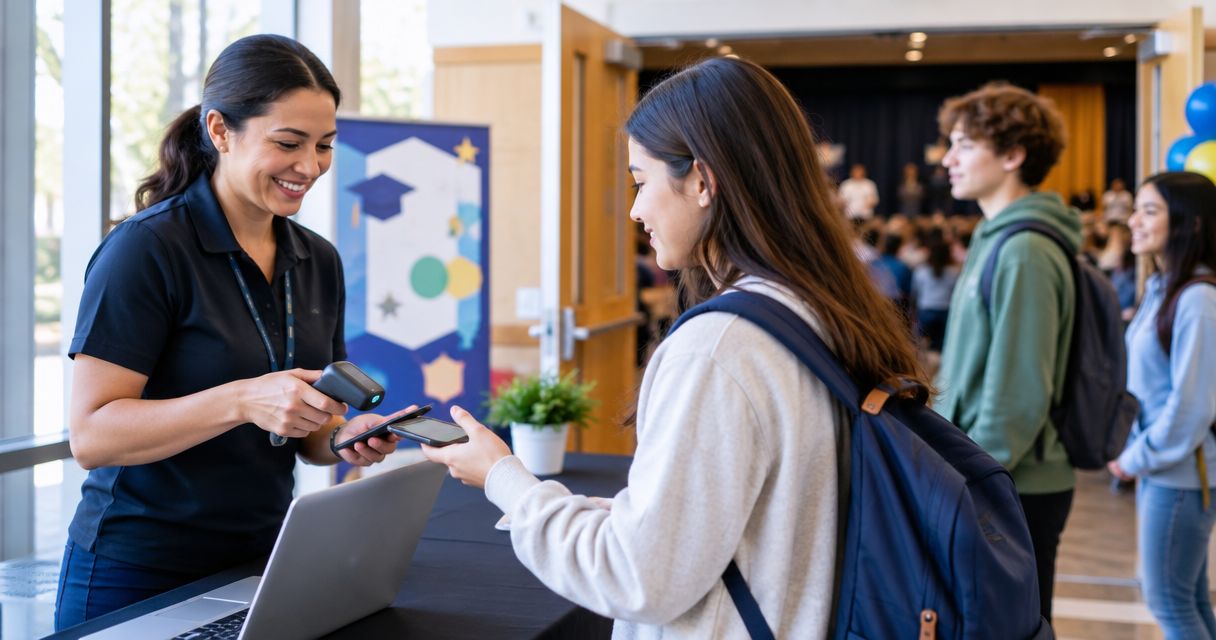
K-12 school event ticketing is the system for allocating places, collecting payments and checking attendance so school organisers can run controlled admissions. Every show has seats that never sold - and no one was working on them. This 2026 guide covers school productions, concerts and community events, where family bookings, safeguarding and volunteer handovers need clear rules.
- Event ticketing for K-12 schools needs clear capacity, family booking rules and a rehearsed check-in process.
- ZunaroSpace suits school organisers needing reserved seating, a branded storefront and connected box-office inventory.
- Use general admission for flexible spaces; use reserved seating when families need specific seats.
- Keep student records separate from ticket orders, and approve data access before launching school event registration.
Why event ticketing matters for K-12 schools
A school ticket is permission to attend an event, not permission to enter every part of campus. Your booking process must support the school’s visitor arrangements without replacing them. A scanned ticket does not establish guardianship or authorise student collection.
Schools also have distinct booking decisions: whether performers need tickets, how families book across separate performances, and who handles exceptions when teachers are backstage. Resolve those decisions before choosing software. Otherwise, the same questions arrive at the school office, the box office and the door.
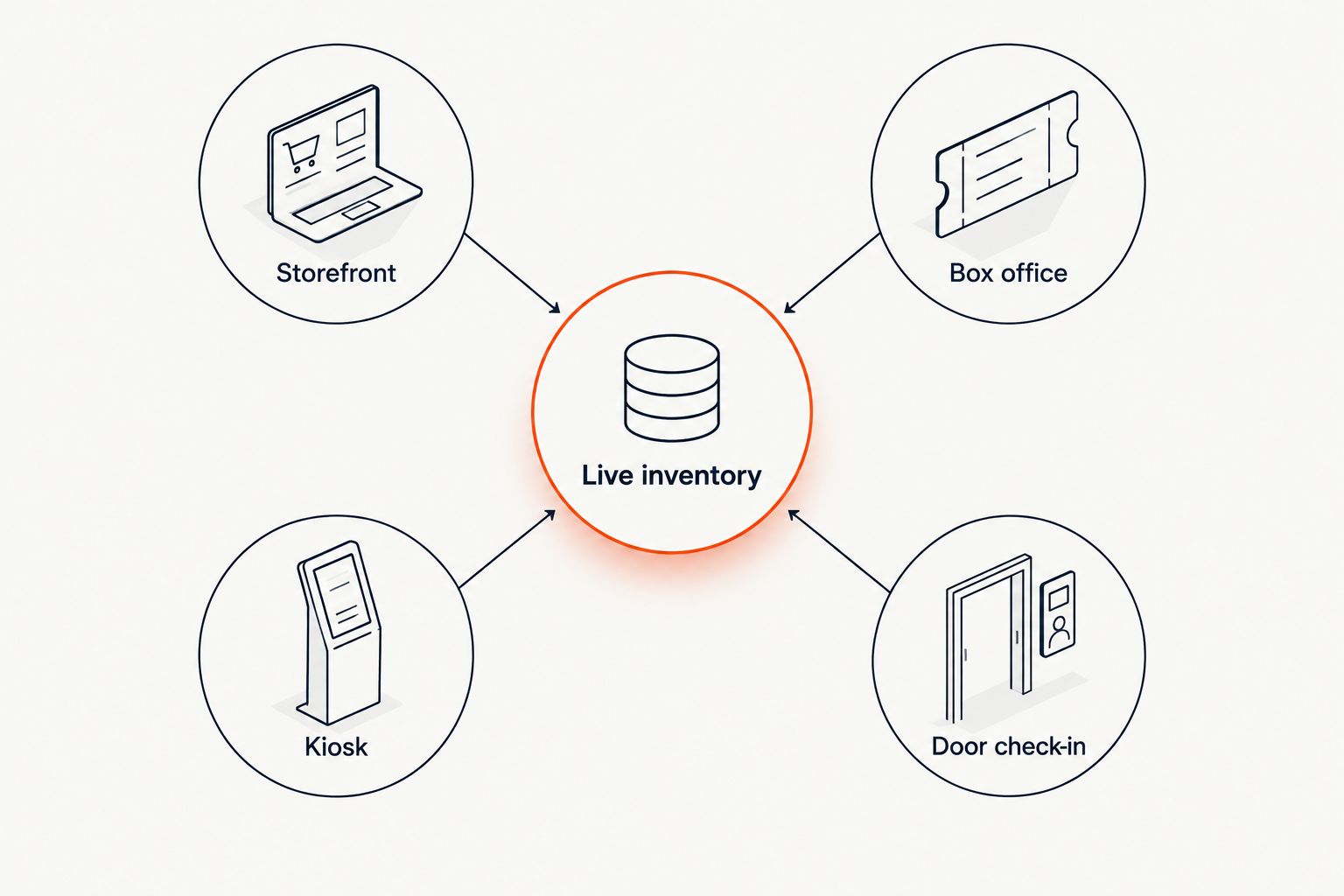
An event ticketing platform such as ZunaroSpace connects a branded storefront, seating, box office, kiosk and door check-in through one live inventory. That addresses ticket allocation; your school still sets safeguarding, finance and access rules.
For your 2026 event plan, judge the process by whether another authorised staff member can run it without its original organiser present.
How to set up school event ticketing
Define the event and its accountable owner
Start with a shared document. Record the performance, venue, approved capacity, admission rules and person authorised to resolve disputes. A spreadsheet is enough for this planning stage; buying software does not settle responsibility.
Assign 1 accountable owner for the ticketing process, with a named deputy. This is a management recommendation, not a staffing benchmark. Teachers, parent volunteers and finance staff can contribute without all having authority to change bookings or capacity.
Keep each performance distinct. A family booking for an afternoon show must not appear to grant entry to the evening performance, even when the cast and venue are identical. State the date, doors time and performance time separately.
Close the planning stage with these decisions recorded:
- Name the event owner and deputy.
- Confirm the approved audience capacity with the venue lead.
- Separate audience tickets from performer and staff access.
- Identify the person who approves refunds and exceptions.
- Record the route for safeguarding concerns.
Choose general admission or reserved seating
Sketch the room before building the booking page. Use a paper plan to mark audience areas, accessible positions, technical equipment and spaces that must stay clear. Then decide whether families choose individual seats or book admission to an unassigned area.
General admission is best for flexible spaces; reserved seating is best when a particular seat matters. Neither format fixes an unsuitable room plan. Confirm the layout with the staff responsible for venue safety and accessibility before making places bookable.
For assigned seating, follow the reserved seating setup guide after approving the physical layout. ZunaroSpace can trace a seat map from a photo in about 60 seconds, but the school must still check the resulting map against the room.
Before publishing the seating arrangement:
- Remove seats occupied by production equipment.
- Identify accessible seating and companion arrangements.
- Match row and seat labels to the physical room.
- State whether families can select adjacent seats.
- Check that separate performances have separate allocations.
Write booking rules that families can understand
Draft the rules in plain language before entering them into a platform. Have someone outside the production team read them and explain what they believe they are booking. Correct every mismatch before launch.
Cover the questions that change allocation: whether children attending as audience members need admission, whether performers need an audience seat, and how families request accessibility assistance. Do not leave volunteers to invent answers at the door.
Keep booking assistance separate from school administration. ZunaroSpace’s WhatsApp agent answers buyers, holds seats and hands over a checkout link; checkout completes on the organiser’s own site. Give any support channel approved event information, rather than expecting it to decide school policy.
Use the following publishing checklist:
- State who needs an audience ticket.
- Explain any school-approved household allocation rule.
- Give an accessible route for booking assistance.
- Publish cancellation and refund terms before payment.
- Explain how families request booking corrections.
Separate family contact details from student records
List the information needed to fulfil an order before adding form fields. A ticket booking should not become an informal copy of the school’s student database. Ask the school’s privacy lead to approve the purpose, access and retention arrangements.
For the 2026 setup, review the whole journey: booking, payment, confirmation, support and check-in. Consider who sees information at each point, including temporary volunteers. A shared login makes accountability harder because actions cannot readily be tied to an individual operator.
Treat a ticket confirmation as an event message, not blanket permission for unrelated marketing. Keep any separate communication choices clear. Have the appropriate school reviewer assess local requirements rather than relying on a platform’s general description.
Before collecting booking information:
- Remove fields that are unnecessary for admission.
- Keep student records outside the ticketing workflow.
- Approve who can view and change orders.
- Define when event working lists are removed.
- Document how families request a correction.
Connect sales channels to the same allocation
Begin by listing every way a booking can enter the process: the online page, school office, reception desk or event-day box office. In a manual setup, nominate a single allocation record and require every operator to update it before confirming a place.
The limitation is coordination. A spreadsheet does not itself stop separate operators from promising the same seat. If you use it, define who can make changes and how other staff learn that an allocation has changed.
ZunaroSpace event ticketing is best for school organisers who need reserved seating and connected sales channels. Its storefront, box office, kiosk and door check-in share one live inventory. You keep the fees, the funds and the customers. Organisers pay nothing per ticket; buyers cover a booking fee, while free events carry none.
Test these allocation cases before launch:
- An online booking appears in the operational record.
- An office booking changes the remaining allocation.
- A corrected order reaches the check-in team.
- A reserved seat cannot be promised twice.
- A cancelled booking follows the school’s release rules.
Rehearse admission and exception handling
Walk the route from the campus entrance to the audience seating area. Identify where visitors receive directions, where tickets are checked and where disputed bookings are handled. Keep the exception point away from the main admission queue.
Run 2 rehearsals: a normal admission run and an exception run. This is a recommended test plan, not a claim about required staffing or scanning speed. Include a family without a phone, a booking for another performance and an order someone has already presented.
Do not assume a scanning application works without a connection. Test the actual devices and venue network, then approve a fallback that protects booking information. Keep visitor checks and student-release procedures under the school’s existing authority.
Give door staff a short operating sheet:
- Confirm the event and performance before admitting guests.
- Direct booking disputes to the authorised supervisor.
- Provide a route for guests without digital tickets.
- Test connectivity at the actual admission position.
- Keep student collection separate from ticket scanning.
Reconcile the event and document the next handover
Start with the original booking record, payment records and attendance record. Assign finance questions to the person authorised to resolve them; door volunteers should not decide whether a disputed payment has settled.
Use 3 checkpoints: bookings, payments and admissions. These are review categories, not targets. A booking count and an attendance count answer different questions, so retain their meaning rather than treating every unused ticket as a payment problem.
For your next 2026 event, record the changes that another organiser needs to know: confusing seat labels, unclear performer rules, support questions and admission exceptions. Avoid retaining unnecessary family details merely because they appeared in an event working file.
Finish the handover with these actions:
- Match orders to the appropriate payment records.
- Review refunds and unresolved disputes.
- Record attendance separately from tickets allocated.
- Remove temporary access and working lists as approved.
- Update the event checklist with specific corrections.
Compare ticketing options for school events
Choose for the allocation problem, not the longest feature list. A simple event can use a simple process, provided the school accepts the manual work. Assigned seating and simultaneous sales channels require tighter coordination.
| Option | Best for | Main advantage | Key limitation |
|---|---|---|---|
| Manual form and shared allocation list | A straightforward event with a designated operator | Lets the school define a basic workflow before selecting software | Staff must reconcile bookings, changes and admissions manually |
| General-admission ticketing | Events where individual seat selection is unnecessary | Allocates admission without maintaining a seat map | Does not assign adjacent or specific seats |
| Reserved-seating ticketing | School productions with an approved fixed layout | Gives each booking an identifiable seating allocation | Requires an accurate map and a seat-change process |
| ZunaroSpace | School organisers needing seating and connected sales channels | Combines storefront, box office, kiosk and check-in inventory | School procurement, privacy and regional payment requirements still need validation |
The platform is based at DTEC, Dubai Silicon Oasis. Built for the Gulf - the UAE and Saudi Arabia. It supports Arabic and English with full RTL. Schools elsewhere should confirm regional payment suitability before committing, rather than assuming support for their local finance arrangements.
AI that sells your tickets. The concrete mechanism is a WhatsApp agent that answers buyers and holds seats before handing over the organiser’s checkout link. Use that assistance for approved booking questions, not safeguarding decisions.
Common mistakes school organisers make
Treating a ticket as a campus access credential
A valid event booking does not resolve visitor identity, restricted-area access or student collection. Keep the school’s entry arrangements visible in the operating plan and give staff a clear escalation route.
Publishing capacity before approving the production layout
An auditorium’s audience layout changes when a production adds technical equipment or changes accessible seating arrangements. Approve the actual event layout before releasing tickets, then control later changes through the event owner.
Giving every volunteer authority to change orders
Helpful volunteers still need boundaries. Separate greeting, checking tickets and resolving exceptions so an admission queue does not become a place for improvised refunds, seat moves or policy decisions.
Mixing performance dates in messages and lists
A familiar show title is not enough identification. Put the performance date and time on booking information, working lists and staff instructions, especially when the same production runs repeatedly.
Assuming the school office will absorb every exception
Teachers and office staff need an agreed support route, not an open-ended promise to fix everything. Publish the booking contact and give that contact the authority and information needed to resolve issues.
FAQ
What is event ticketing for K-12 schools?
Event ticketing for K-12 schools is the process of allocating audience places, handling bookings and checking admission for school events. It should operate alongside the school’s safeguarding, visitor and finance procedures, not replace them.
What is the best ticketing setup for a school production?
Reserved seating is best when families need specific seats in an approved fixed layout. General admission is better suited to events where individual seat assignment is unnecessary.
Can a school manage event tickets with a spreadsheet?
A school can manage a manual allocation process with a spreadsheet if it assigns responsibility for every booking and change. The limitation is coordination: staff must reconcile sales channels, seat changes and admission records themselves.
Should school ticket bookings collect student information?
School ticket bookings should collect only information approved as necessary for the event. Keep student records separate and have the school’s privacy lead approve access, retention and any communication permissions.
Can families book through WhatsApp?
ZunaroSpace’s WhatsApp agent answers booking questions, holds seats and supplies a checkout link. Payment completes on the organiser’s own site, not inside the chat.
What should school organisers test before opening bookings in 2026?
School organisers should test the correct performance, seating allocation, booking changes, confirmations and admission process before opening bookings in 2026. Test the actual venue connection and approve a fallback rather than assuming offline operation.
Does a ticket authorise someone to collect a student?
No, an event ticket does not establish guardianship or authorise student collection. Follow the school’s separate safeguarding and release procedures regardless of whether someone holds a valid booking.
One last thing
The most useful rehearsal starts with a booking that goes wrong. Ask a colleague unfamiliar with the production to present a ticket for another performance and request a seat change. Watch who takes responsibility, what information they can access and whether the main queue keeps moving.
That exercise tests the handover, not just the software. Fix the unclear decision before inviting families to depend on it.


