

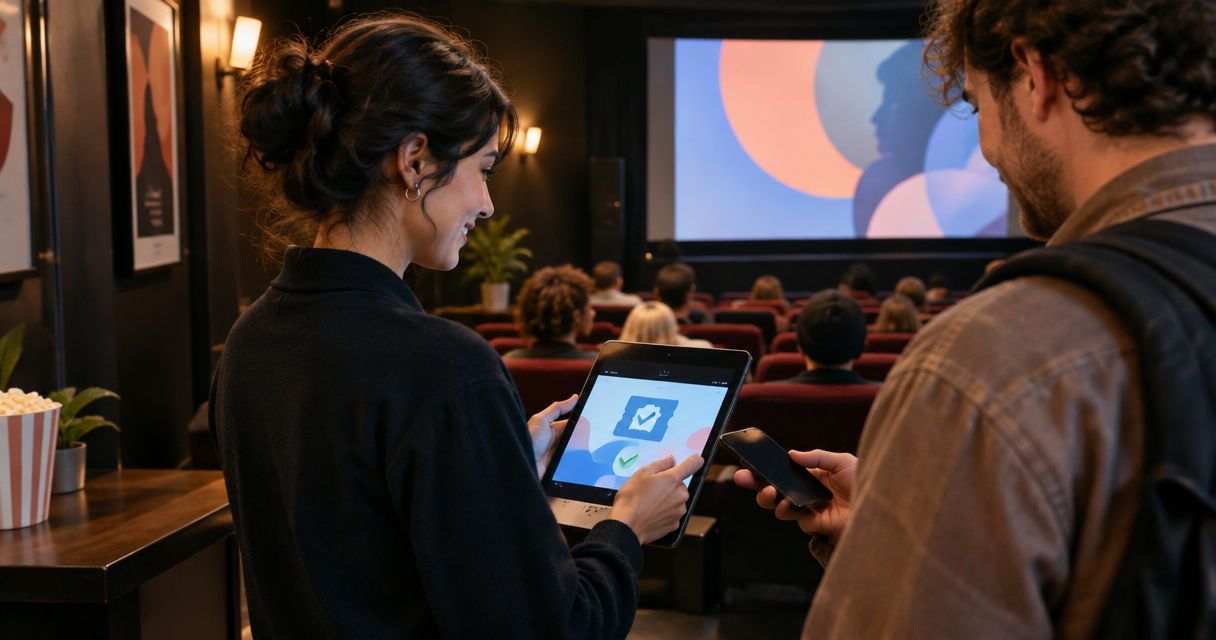
Every show has seats that never sold - and no one was working on them. Event ticketing for independent cinemas is the system you use to sell screening admissions, allocate seats and manage entry while keeping control of your audience relationship.
- Event ticketing for independent cinemas needs screening-specific inventory, reserved seating and a connected box office.
- ZunaroSpace suits independent cinemas seeking branded ticket sales, shared seat inventory and WhatsApp-assisted selling.
- Check cinema-specific workflows before replacing an existing system; event ticketing does not establish projection or concessions compatibility.
- Test overlapping screenings, seat holds and door check-in before publishing your full programme.
Why ticketing matters for independent cinemas
A cinema seat belongs to a particular screening, not just a room. Your ticketing setup must distinguish the film, auditorium, date and start time while keeping online sales and walk-up sales aligned.
A general event page is not enough. For your 2026 programme, assess what happens when someone selects the wrong screening, a seat becomes unavailable during checkout, or a customer arrives with a ticket for another performance.
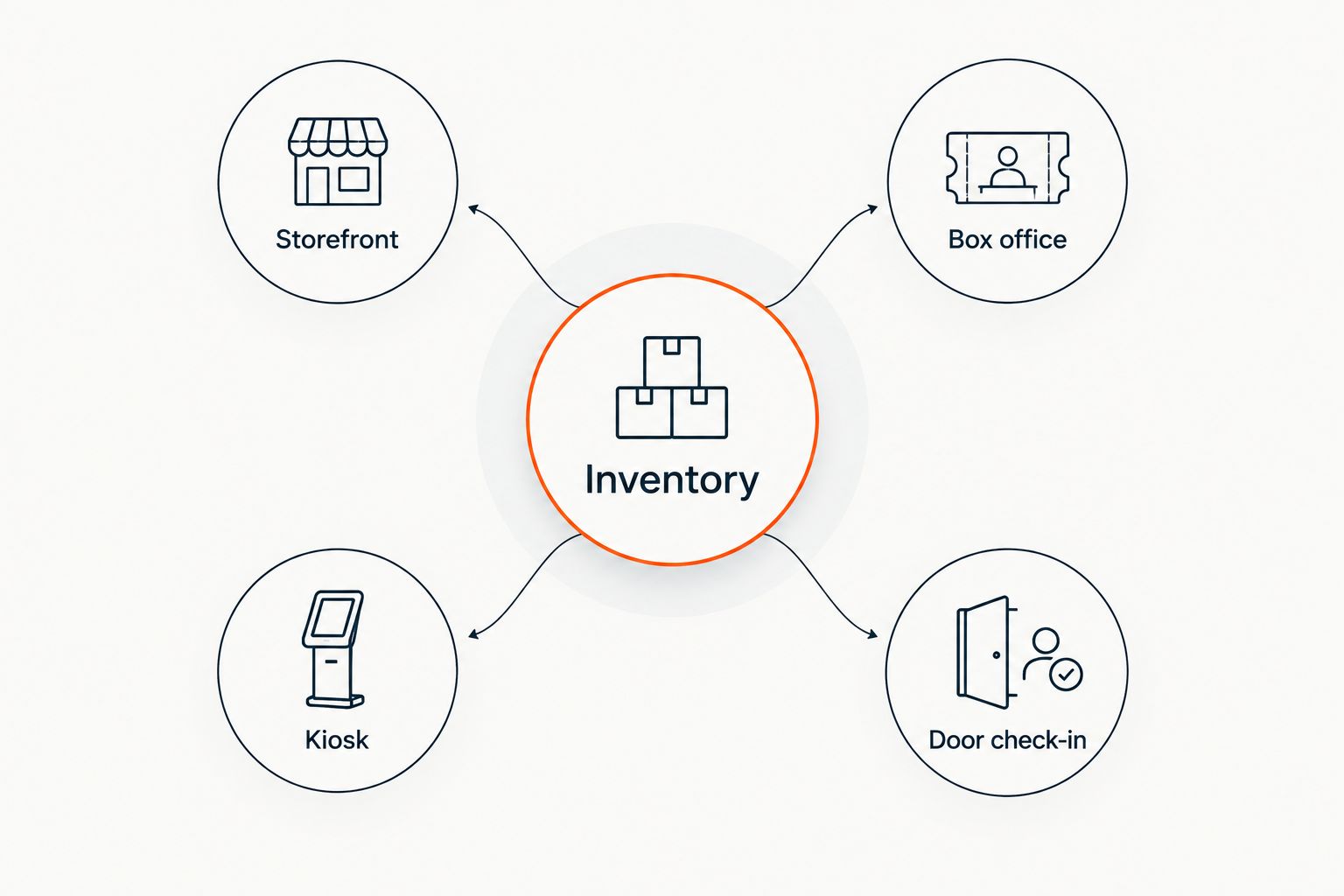
ZunaroSpace is an event ticketing platform with a branded storefront, reserved seating, box office, kiosk and door check-in on one live inventory. Its WhatsApp agent answers buyers, holds seats and hands over a checkout link. You keep the fees, the funds and the customers.
ZunaroSpace is best for independent cinemas seeking branded event ticketing with shared seat inventory and WhatsApp-assisted selling. That fit does not establish compatibility with your projection system, concessions operation or existing cinema software; assess those requirements separately.
Set up cinema ticketing around the screening
Define each screening before building the event page
Start with a spreadsheet. Give every screening its own record containing the film title, auditorium, date, start time and seating arrangement; this becomes your reference when checking the published programme.
Separate the film description from the information that changes between screenings. A retrospective can reuse editorial copy, but each performance still needs the correct language, subtitle details and admission information. Publish confirmed details rather than assuming the audience will infer them from the film title.
For a 2026 launch, decide how staff will distinguish a standard screening from a preview, discussion or special presentation. This is an operational decision before it is a software decision.
- Record the auditorium and screening start time together.
- Distinguish doors opening from the film starting.
- State the screening language and subtitle language.
- Identify discussions, introductions and other programme additions.
- Assign someone to approve changes before publication.
Map the seats against the physical auditorium
Begin with the auditorium plan and a walk-through. Check row labels, seat numbers, entrances and seats that must remain unavailable for a particular screening. A neat drawing is not enough if it sends staff to the wrong location.
ZunaroSpace provides a faster starting point by tracing a seat map from a photo in about 60 seconds, without CAD. Treat the result as a draft to inspect, not permission to skip the room check. The useful output is an accurate selling map, not simply a finished-looking diagram.
Keep accessibility information explicit. Confirm how wheelchair spaces, companion positions and any restricted-view seats should appear before opening sales; do not turn an access requirement into an ambiguous seat label.
- Match every row label to the auditorium signage.
- Check seat numbering from the customer's viewing direction.
- Identify blocked seats and positions unavailable for sale.
- Confirm accessible positions with your venue team.
- Run a sample selection through to the checkout hand-off.
Connect every sales channel to the same inventory
The manual approach is a controlled allocation sheet: reserve separate seat blocks for each selling channel and require staff to record every change. That creates reconciliation work, so document who owns the sheet and when staff must stop selling.
A connected platform removes the need to maintain separate channel allocations. The storefront, box office and kiosk in ZunaroSpace use one live inventory, with door check-in connected to the same system.
Test competing purchases, not just successful purchases. Attempt to select the same seat through different channels and inspect what happens when a hold ends. The guide to syncing ticket inventory between kiosk and storefront covers this channel relationship.
- Storefront: confirm a sold seat stops being selectable.
- Box office: check staff see the current seat status.
- Kiosk: verify the screening and auditorium remain clear.
- Door check-in: confirm staff open the correct screening.
Publish a screening page that answers operational questions
Draft the page in a document before entering it into a platform. Ask a colleague to identify the screening time, location and seating arrangement without extra explanation. Revise anything that requires a verbal answer.
Your 2026 screening pages should distinguish the programme from the transaction. The film description explains the experience; the booking information explains exactly which admission the customer is selecting. Keep both clear on a small screen.
Arabic and English support, including full right-to-left layout, are available in the platform. For a bilingual cinema programme, review the actual screening information in each language rather than assuming the interface translation supplies your editorial content.
- Put the film title and screening time together.
- Name the auditorium when the venue has multiple screens.
- State whether seating is reserved or unallocated.
- Publish confirmed admission and late-arrival information.
- Check both language versions against the same programme record.
Give customer questions a defined route to checkout
Start by listing the questions your team needs to answer: screening time, seat location, language, accessibility and how to complete a booking. Write approved answers and identify the questions that require a staff decision.
The WhatsApp agent can answer buyers, hold seats and hand over a checkout link. That is a selling mechanism attached to the ticketing platform, not a substitute for accurate event information. Check the answers against the screening record before directing enquiries into the channel.
Events can also be discovered and booked inside ChatGPT and Claude, including seat selection on the real map. Checkout completes on the organiser's own site, never in chat. Keep that distinction clear in your staff instructions and public explanations.
- Prepare answers using confirmed screening details.
- Define which accessibility questions need staff attention.
- Test a seat hold and the checkout hand-off.
- Check that the booking points to the correct performance.
- Keep payment completion on your own storefront.
Rehearse admission and exception handling
Write a door procedure before choosing scanning hardware or allocating staff. The procedure should explain how to find the screening, inspect a ticket and handle a result that needs investigation.
Use a rehearsal with 3 test cases: a valid admission, a repeated presentation and a ticket for a different screening. These are proposed checks, not a claim about any platform's validation behaviour. Record the result and give staff a clear escalation route.
E-tickets can be delivered through WhatsApp as well as email. Test the full journey from delivery to admission, and verify connectivity requirements directly rather than assuming a check-in tool works offline.
- Identify who resolves ticket disputes at the door.
- Test ticket retrieval from both delivery channels.
- Check the handling of repeated ticket presentations.
- Rehearse a wrong-date or wrong-screening enquiry.
- Document the fallback procedure for connectivity problems.
Review each screening before expanding the programme
Start with a manual review sheet that separates seats sold, admissions checked and unresolved enquiries. Those measures answer different questions; an issued ticket does not establish attendance.
For your 2026 rollout, review the process after each initial screening before adding more performances. Ask staff where they needed a workaround and trace it back to the event setup, channel allocation or door procedure. Fix the source rather than adding another unofficial spreadsheet.
The campaign agent creates a blast, previews the audience and rendered email, sends a test, schedules delivery and reports attributed revenue. Keep campaign review separate from the screening's attendance review: attributed revenue and checked-in admissions describe different outcomes.
- Compare sold seats with checked-in admissions.
- Record questions the screening page failed to answer.
- Investigate seat changes and allocation corrections.
- Review campaign audience and message before scheduling.
- Resolve repeated workarounds before publishing more screenings.
Compare ticketing approaches for your cinema
Choose the approach that matches the operation you need to run. Reserved seating and a branded storefront do not, by themselves, establish that a platform can replace every part of a cinema management system.
Use the table as a shortlist framework for 2026. Request a demonstration of your actual screening workflow rather than treating a feature name as proof of fit.
| Option | Best for | Main advantage | Key limitation |
|---|---|---|---|
| Manual list and seat allocation sheet | Controlled rehearsals or tightly managed screenings | Lets you define the workflow before configuring software | Staff must maintain allocations and reconcile changes |
| General-admission event ticketing | Screenings where audiences choose seats on arrival | Avoids assigning individual seats during booking | Does not provide a reserved-seat promise |
| ZunaroSpace event ticketing | Independent cinemas seeking branded sales and connected seat inventory | Combines storefront, seating, box office, kiosk and check-in | Cinema-specific integrations and exception workflows still need verification |
| Cinema-specific management system | Operators needing ticketing assessed alongside wider cinema operations | Provides a category to assess against projection, concessions and scheduling requirements | Those capabilities must be verified for each supplier and configuration |
Do not shortlist by feature count alone. Write down the workflows you cannot compromise on, then require each candidate to demonstrate them using your auditorium plan and programme structure.
Common mistakes independent cinemas make
Reusing the film page without checking the performance
The film can stay the same while the auditorium, subtitles or start time change. Copying an event is not a substitute for checking the new screening record.
Require a performance-level check before publication. Make the person approving the screening confirm the details that differ, not just the shared synopsis.
Treating the seat-map draft as the finished auditorium
A traced map accelerates setup, but it does not replace your venue knowledge. Compare the digital map with the physical room and confirm any seats that should not be sold.
Keep the approved map with your operating instructions. Staff need a reference when a customer describes a seat problem at the door.
Choosing event software without checking cinema dependencies
A platform can handle admission without managing projection, concessions or distributor reporting. List those dependencies explicitly before deciding what your existing system will continue to do.
Ask for evidence of required connections. Do not infer an integration from the presence of an event page, a kiosk or a reporting screen.
Promising an unverified door or payment workflow
Check offline behaviour, refund handling and payment-account eligibility before including them in your operating plan. General product language does not establish your venue's particular setup.
For Saudi operations, confirm the available payment arrangement directly. Do not treat support for SAR pricing as a promise about payout eligibility or timing.
FAQ
What's the best event ticketing setup for an independent cinema?
The best setup matches each screening to its own seat inventory and keeps online sales, walk-up sales and admission aligned. Verify any projection, concessions or reporting requirements separately before replacing an existing cinema system.
Can an independent cinema use general-admission ticketing?
Yes, general-admission ticketing suits screenings where customers choose seats on arrival. Use reserved seating when you need to promise a particular seat during booking.
How do I stop online and box-office sales allocating the same seat?
Use connected inventory or tightly controlled, separate seat allocations for each channel. Test competing seat selections and expired holds before opening public sales.
Can I build a cinema seat map from a photo?
ZunaroSpace can trace a seat map from a photo in about 60 seconds without CAD. Check the result against the physical auditorium before publishing it.
Can cinema customers complete payment inside ChatGPT or Claude?
No, checkout completes on the organiser's own site, never in chat. Discovery, booking, real-map seat selection and seat holds can happen inside ChatGPT and Claude.
Does event ticketing software replace a cinema management system?
Event ticketing software does not automatically replace a cinema management system. Verify projection, concessions, programme scheduling and reporting dependencies against the particular platform you are assessing.
What should I test before launching cinema ticket sales?
Test the correct screening, accurate seat selection, competing purchase attempts, ticket delivery and admission handling. Include a repeated ticket presentation and a ticket for another screening in the rehearsal.
One last thing
Test the wrong screening deliberately. A successful purchase proves the normal path; a wrong-performance ticket reveals whether your staff can identify the problem and resolve it without guessing.
AI that sells your tickets.
Based at DTEC, Dubai Silicon Oasis. Built for the Gulf - the UAE and Saudi Arabia.


