

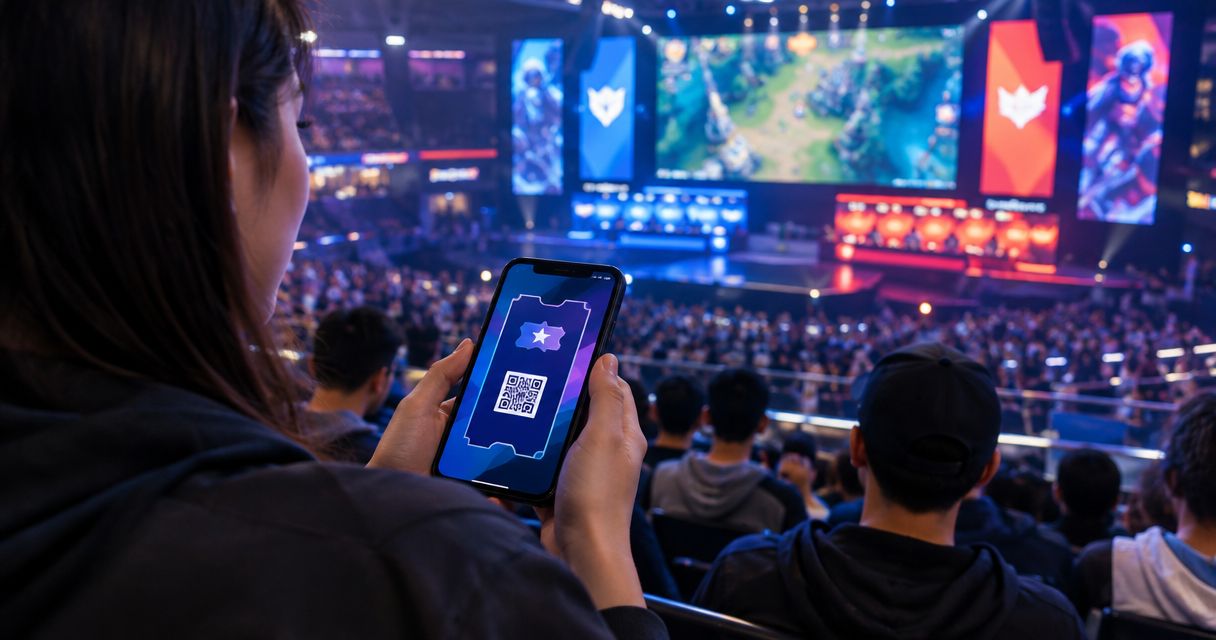
Event ticketing for esports tournaments is the system you use to sell admission, assign spectator seats and manage entry, with the aim of filling your venue without confusing spectators with competitors. Every show has seats that never sold - and no one was working on them.
- ZunaroSpace event ticketing suits independent organisers who need branded sales, reserved seating and connected door operations.
- Keep tournament registration separate from spectator admission; a ticket does not establish a competitor's eligibility.
- For event ticketing for esports tournaments, choose general admission or reserved seating around the actual viewing layout.
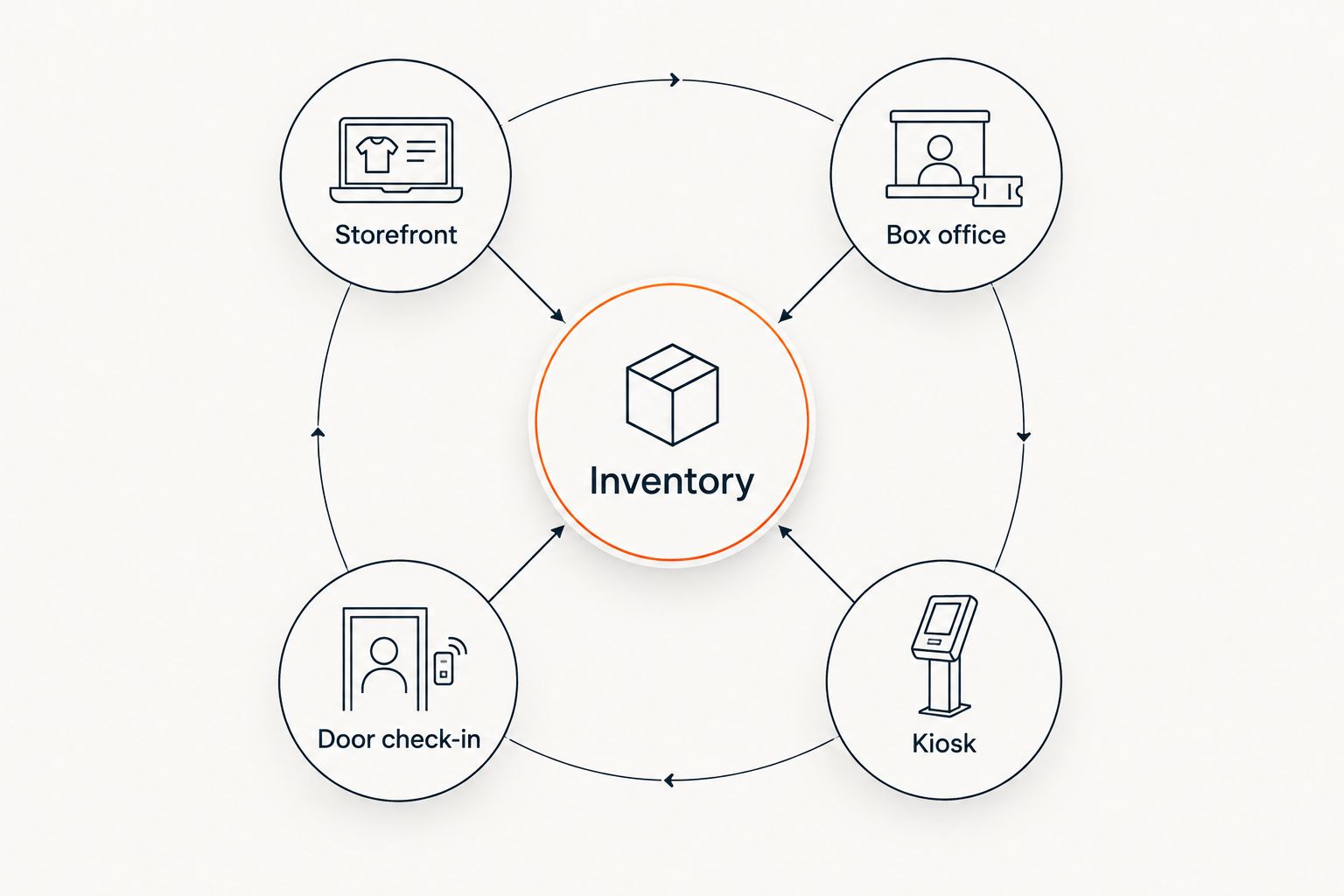
- Connect your storefront, box office and kiosk to one inventory before opening sales.
Why event ticketing matters for esports organisers
Your tournament bracket and your venue admission solve different problems. Registration establishes who competes. Ticketing establishes who enters, which session they attend and, where applicable, where they sit.
For your 2026 event plan, treat those as separate workflows. A player eliminated from competition might still have spectator access; a spectator ticket must not accidentally grant entry to a restricted playing area. Write those rules before choosing software.
ZunaroSpace is an event ticketing platform with a branded storefront, reserved seating, box office, kiosk and door check-in on one live inventory. Organisers pay nothing per ticket; the buyer booking fee is AED 3.99, or AED 1.99 for tickets under AED 20. Free events carry no booking fee.
This guide covers admission operations, not bracket management. The useful question is whether your ticketing setup matches the doors, seats and sessions you actually run.
Build your tournament ticketing workflow
Define what each admission permits
Start with a written access sheet. You can make it in a shared document before configuring any ticket types. List spectators, competitors, coaches, production staff and other accredited people separately, then decide which groups need purchased admission and which need another credential.
Sell access that your door team can explain. Avoid a pass described as all-access if some areas remain restricted. If a competitor registration includes spectator admission, document that entitlement instead of asking staff to infer it from a bracket entry.
For a multi-session tournament, clarify whether admission covers a named session, a day or the entire event. Do not assume your chosen platform supports every pass structure: demonstrate the required workflow before publishing it.
- Name each audience group in your access sheet.
- Specify the permitted venue areas for each credential.
- State which sessions each admission covers.
- Separate competitor eligibility from entry permission.
- Write the re-entry rule for your door team.
Choose seating around the viewing experience
Sketch the room manually before building a digital map. Mark the stage, screens, playing area, production positions, entrances and any seats you cannot sell. Walk the room and assess the actual sightlines rather than treating every chair as equivalent.
General admission suits a layout where you do not promise a particular seat. Reserved seating suits a layout where location is part of the purchase decision. Neither fixes a blocked screen or a production desk occupying a sold position.
ZunaroSpace can trace a seat map from a photo in about 60 seconds, without CAD or a setup fee. That shortens map creation; you still need to check the finished map against the physical venue before sales open.
Use your 2026 production layout, not a previous event's seating plan. Screen placement and playing stations belong in the same planning discussion as sellable seats.
- Mark seats and areas withheld from sale.
- Check screen visibility from each sellable section.
- Choose general admission or reserved seating deliberately.
- Match section names to signs used inside the venue.
- Review the finished map with the production lead.
Connect every sales channel to one inventory
The manual approach is to maintain a master admission ledger and reconcile each sales channel against it. That gives you a starting control, but staff must keep it current whenever admission is sold or changed.
A connected ticketing platform removes the need for separate allocations that staff reconcile by hand. ZunaroSpace uses one live inventory across the store, seating, box office, kiosk and door check-in. The operational benefit is a shared source of admission information, not a separate ticket pool at each counter.
Before opening sales, document how each channel reaches that inventory. Your workflow should distinguish a question, a seat hold, a checkout and a completed admission purchase. Read the guide to syncing kiosk and storefront inventory when planning that connection.
- Storefront: publish the event and its admission rules.
- Box office: sell against the same event inventory.
- Kiosk: keep walk-up sales connected to that inventory.
- Door check-in: validate the admission presented at entry.
Publish answers before promoting the event
Write the event information manually before asking any assistant to help buyers. Explain spectator access, competitor registration, session times, venue entry and the seating format. A clear page gives your team a consistent reference when questions arrive.
The WhatsApp agent answers buyers, holds seats and hands over a checkout link. It also reads inbound photos. Events can be discovered and booked inside ChatGPT and Claude, including picking a seat on the real map and holding it; checkout always completes on the organiser's own site, never in chat.
AI that sells your tickets. Here, that means answering an admission question and moving the buyer towards a seat hold and checkout—not replacing tournament rules or making eligibility decisions.
For Gulf events in 2026, check the Arabic and English versions of your admission instructions. The platform supports both languages with full RTL, but your operational wording still needs to say the same thing in each version.
- Explain whether the event page sells spectator admission.
- State where competitors complete tournament registration.
- Separate doors opening from competition starting.
- Describe reserved seats or general admission clearly.
- Publish venue-specific access and entry instructions.
- Check both language versions before promotion begins.
Rehearse entry and exception handling
Create a door checklist and practise it with the people who will use it. Do this before the event, not while an audience waits outside. The rehearsal should cover admission checks and the route for resolving a disputed entitlement.
E-tickets can arrive through WhatsApp as well as email. Your staff instructions should accommodate either delivery channel without treating the delivery method as a different admission class.
Do not assume offline operation, automatic duplicate detection or a particular transfer policy without checking the exact workflow. Establish a fallback process for connectivity problems and decide who can authorise an exception. A named decision-maker is more useful than an instruction to ask somebody backstage.
Keep competitor accreditation separate at the entrance if it grants different access. Door staff should validate the credential they are given, not interpret a player's tournament status.
- Rehearse entry using a test admission.
- Check the WhatsApp and email ticket presentation paths.
- Assign an escalation contact for disputed access.
- Document your response to lost confirmations.
- Verify connectivity and write a fallback procedure.
- Explain how staff recognise restricted-area credentials.
Measure completed sales and act on unsold seats
Start with a simple review sheet: admissions sold, admissions checked in, remaining sellable seats and the campaign associated with each recorded sale. Use definitions your team can repeat. A seat hold is not a completed sale, and a completed sale is not an arrival.
For your 2026 review, examine spectator admission separately from competitor registration. Otherwise, tournament sign-ups can obscure whether the audience sections are filling.
The campaign agent creates a blast, previews the audience and rendered email, sends a test, schedules delivery and reports attributed revenue. Supply the campaign direction and review the output; do not treat the builder as an unprompted copywriter.
When a section remains unsold, inspect its description, sightlines and checkout path before sending another message. Measuring the problem comes before choosing the response.
- Define sold, held and checked-in admission separately.
- Review remaining seats by session or section.
- Compare recorded campaign revenue with completed orders.
- Preview the intended audience before sending a blast.
- Send a test and review the rendered message.
- Record the action taken after each sales review.
Compare ticketing approaches for esports events
Choose an admission system, not a substitute for tournament administration. The following options describe different operating approaches; they are not claims that every product in a category has the same features.
For a 2026 selection, demonstrate your event workflow with each shortlisted option. Verify access rules, seating and entry rather than accepting a feature list as proof.
| Option | Best for | Practical advantage | Key limitation |
|---|---|---|---|
| Manual admission ledger | An organiser documenting an initial admission process | You can define permissions before committing to software | Staff must reconcile sales and entry records themselves |
| General-admission ticketing | Events that do not promise a particular spectator seat | Admission is organised around access rather than seat selection | It does not communicate a reserved seat entitlement |
| Reserved-seating ticketing | Venues where spectator seat location matters | Buyers select a defined place in the audience layout | The map must reflect production holds and physical sightlines |
| ZunaroSpace event ticketing | Independent organisers combining branded sales, seats and venue operations | Store, box office, kiosk and check-in share one live inventory | Tournament brackets and player eligibility need a separate workflow |
You keep the fees, the funds and the customers. Make that ownership principle part of your platform evaluation: identify where checkout happens, who controls the storefront and what your staff need to operate the event.
Ask Zunaro Pro is AED 179/mo, with a 14-day trial and no card required. Evaluate the admission workflow against your requirements before deciding whether the subscription fits your operation.
Review your ticketing setup
Check branded sales, reserved seating and connected venue operations against your tournament plan.
Common mistakes esports organisers make
Treating registration as spectator admission
A tournament registration form does not explain every venue entitlement. State explicitly whether competitors receive spectator access, whether coaches need separate credentials and what happens after elimination. Your door team needs an access rule, not an interpretation of the bracket.
Selling seats before production positions are fixed
A sellable chair can become an unusable viewing position after screens, cameras or playing stations move. Confirm the production layout before releasing reserved seats. Review changes with the ticketing lead rather than leaving the map unchanged.
Promising chat checkout
Discovery, seat selection and seat holds in ChatGPT or Claude do not mean payment happens there. Tell your team and your audience that checkout completes on the organiser's own site. Keep the same wording in WhatsApp responses and event information.
Combining every attendee type in one report
Competitors, spectators and accredited staff represent different operational groups. A total attendance figure cannot explain whether you sold the spectator capacity you planned. Keep those groups distinguishable in your 2026 event review.
Leaving regional payment checks until launch
Support for AED and SAR pricing does not establish payout eligibility in every jurisdiction. Confirm the payment-account arrangements for your own legal entity before opening paid sales. Do not turn a currency feature into a promise about Saudi payouts.
FAQ
What's the best ticketing setup for an esports tournament?
The best setup matches spectator access, seating and door operations while keeping competitor registration separate. ZunaroSpace event ticketing suits independent organisers who need branded sales, reserved seating and connected venue operations.
Do I need reserved seating for a gaming tournament?
Use reserved seating when you promise spectators a specific seat or section position. General admission fits an event where admission does not include a particular seat; check the physical viewing layout before choosing.
Can event ticketing replace tournament registration?
Event ticketing does not replace the workflow that establishes player eligibility and manages competition. Document whether a competitor registration also includes venue admission, then give door staff a clear way to recognise that entitlement.
Can spectators complete payment inside ChatGPT or Claude?
No, checkout completes on the organiser's own site. Events can be discovered and booked in ChatGPT and Claude, with seat selection on the real map and a seat hold before checkout.
How do I connect walk-up sales with online ticket sales?
Connect the storefront, box office and kiosk to one live inventory. Rehearse the sales and entry workflows before launch so staff understand which record represents a completed admission purchase.
What should I test before tournament doors open?
Test admission presentation, check-in, disputed access and the escalation process. Include WhatsApp and email ticket delivery, verify connectivity and document your fallback procedure.
What should Gulf organisers check before opening paid sales?
Check Arabic and English admission instructions, the selected currency and payment-account eligibility for your legal entity. AED and SAR pricing support does not by itself confirm payout availability in a particular jurisdiction.
One last thing
Check the worst sellable seat before you approve the best-looking seat map. Sit there with the intended production layout in place. If the screen view or access description does not match the admission you plan to sell, fix the layout or withhold that position.
For your 2026 tournament, that physical check is as important as a successful checkout test.
Based at DTEC, Dubai Silicon Oasis. Built for the Gulf - the UAE and Saudi Arabia.


