

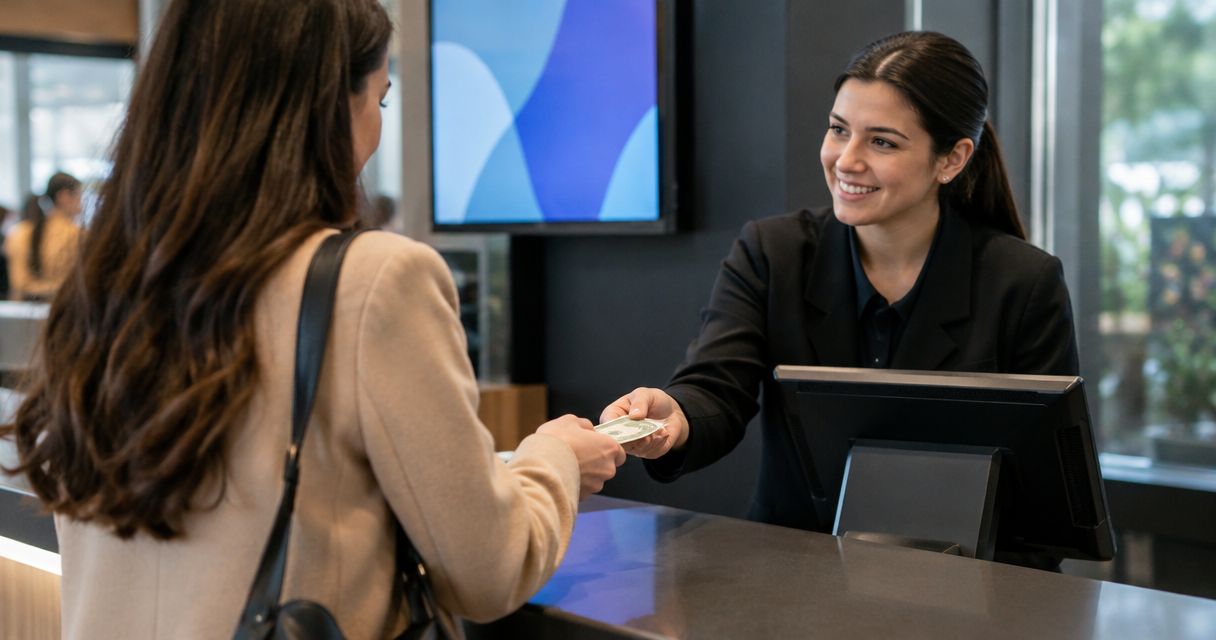
You can accept cash at a staffed box office if your ticketing system lets staff record cash payments and issue tickets against the same inventory used online. An unattended kiosk also needs cash-handling hardware and compatible software; a kiosk screen alone cannot accept notes or coins. Confirm the cash workflow before opening sales, rather than treating box office or kiosk support as proof of cash support.
- To accept cash payments, box office teams need a recorded payment method, ticket issuance and inventory updates.
- Unattended cash kiosks need compatible cash-handling hardware, not just a ticketing screen.
- Zunaro suits independent organisers seeking connected ticketing channels; confirm cash acceptance separately.
- Keep cash reconciliation separate from card settlement and online payouts.
Can I accept cash payments at a box office or kiosk?
Yes, provided the complete setup supports cash—not merely in-person ticket sales. A staffed counter needs a way to record the payment, issue the correct ticket and account for the money. An unattended kiosk must physically accept the cash and receive confirmation that payment succeeded before releasing a ticket.
Zunaro connects the storefront, seating, box office, kiosk and door check-in on one live inventory. That describes connected ticketing channels, not confirmation of a particular cash device or cash-payment workflow.
Use this sequence when evaluating a setup for 2026:
- Confirm cash recording. Ask the supplier to demonstrate an order paid in cash, including the payment status and transaction record.
- Confirm ticket issuance. Check that the completed transaction produces a valid ticket for the correct event, performance and seat or admission type.
- Confirm inventory updates. Verify that the ticket or seat stops being available through the other sales channels.
- Confirm exceptions. Test an abandoned transaction, an incorrect entry and a refund under your venue’s procedures.
- Confirm reconciliation. Check that you can identify cash transactions separately when closing the shift.
A demonstration should follow the transaction all the way through. Seeing a cash option on a screen is not enough if staff cannot explain what happens to the ticket, inventory and closing report.
Why this matters
Every show has seats that never sold - and no one was working on them.
Accepting walk-up payments gives your team another way to complete a sale, but collecting money is not the whole job. The sale must also reach the ticket record and the door team. Otherwise, staff are left resolving a payment that the admission system does not recognise.
For your 2026 operating plan, treat cash as a controlled sales process rather than an informal exception. Define who takes payment, who records it and what evidence confirms that the ticket is valid. Keep those responsibilities clear even when one person performs all three tasks.
The standard is simple: every cash payment should have a matching transaction and ticket record. A handwritten note beside a disconnected till is not a substitute for updating ticket availability.
Staffed box office or unattended kiosk: which fits cash sales?
A staffed box office and an unattended kiosk solve different operational problems. Compare the complete workflows before choosing equipment or assigning staff.
| Setup | Best for | Practical advantage | Limitation to address |
|---|---|---|---|
| Staffed cash box office | Venues that want a person to handle payment questions and exceptions | Staff can count money, provide change and explain ticket choices | Requires cash custody, staff procedures and shift reconciliation |
| Unattended cash kiosk | Venues with a defined self-service cash requirement | Can combine payment collection and ticket selection without a cashier handling each sale | Requires compatible cash hardware, servicing and a failure procedure |
Staffed box office: best for assisted cash transactions
Choose a staffed counter when your cash process depends on human assistance. Staff can explain admission categories, handle a seat-selection question and resolve an incorrect payment before completing the order.
The trade-off is operational responsibility. You need to control access to the cash, record handovers and decide who authorises corrections. A ticketing application does not remove those duties.
Before opening, give staff a written rule for when to mark an order paid. They should record a cash payment after receiving and checking the money—not while a buyer is still looking for it.
Unattended kiosk: best for a defined self-service workflow
Choose an unattended cash kiosk only after the hardware and ticketing workflow pass a full transaction test. Confirm accepted denominations, change handling and what the machine does when it cannot finish a sale.
The limitation is the physical payment process. A touchscreen, card terminal or browser-based checkout does not by itself accept cash. Ask for a demonstration using the proposed equipment, not a description of what another installation supports.
For a 2026 procurement decision, include maintenance and exception handling in the evaluation. Someone still needs responsibility for cash collection, consumables where applicable, device faults and unresolved payments.
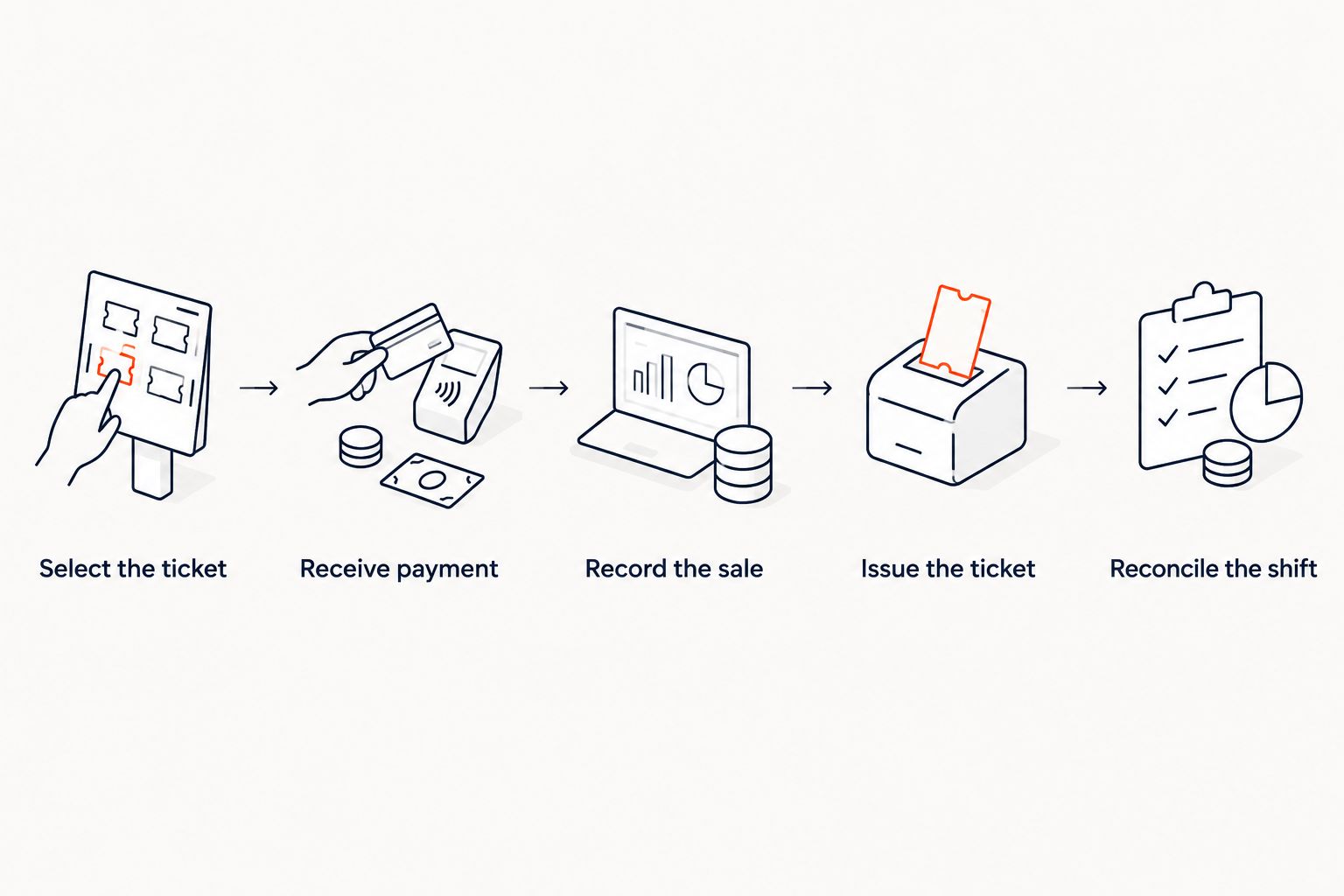
How should a cash ticket sale work?
Use the following procedure as an acceptance-test checklist. Adapt the steps to your venue’s approved payment and accounting procedures rather than assuming every platform implements them identically.
Select the ticket
Start with the correct event and performance. For reserved seating, select the exact seat before taking payment; for general admission, confirm the admission category and quantity.
Make the selection visible to the buyer or repeat it clearly. Correcting a misunderstanding before payment is simpler than undoing a completed transaction at a busy counter.
Receive payment
At a staffed counter, count the cash and confirm any change before completing the payment record. At an unattended kiosk, the hardware must report successful acceptance to the ticketing workflow.
Do not use a paid status as a temporary placeholder. If payment is incomplete, follow the system’s supported pending or cancellation process rather than recording money that has not been received.
Record the sale
Record the actual payment method and complete the order. Keep the transaction traceable so that a supervisor can distinguish a cash sale from a card transaction or an unpaid reservation.
For shared sales channels, check how to synchronise ticket inventory between kiosk and storefront. The operational requirement is the same: a completed sale must affect the inventory used elsewhere.
Issue the ticket
Give the buyer the ticket through a supported delivery method and explain how it will be checked at entry. A payment receipt and an admission ticket serve different purposes; confirm what your door team needs to admit the attendee.
Do not assume that recording a cash payment automatically sends or prints a ticket. Test the actual delivery route during setup.
Reconcile the shift
Compare recorded cash sales with the cash held, accounting for your opening float, authorised refunds and documented removals. Investigate differences rather than changing ticket records merely to force a match.
Keep the reconciliation record with the relevant shift information. The next person taking responsibility for the till should understand what was handed over and which exceptions remain unresolved.
Why cash acceptance varies between setups
Cash support depends on more than the presence of a box office or kiosk feature. Use these factors to structure supplier questions and your own operating decisions:
- Payment recording: Ask whether cash is a distinct payment method and how completed, cancelled and refunded transactions appear.
- Physical hardware: Establish whether a person receives the money or a device accepts it, and identify the equipment required.
- Change handling: Decide whether staff provide change, the kiosk dispenses it or the workflow requires an exact amount.
- Inventory connection: Verify what happens to availability when payment succeeds, fails or is abandoned.
- Exception ownership: Assign responsibility for a retained note, an interrupted transaction, a missing ticket and a cash discrepancy.
- Reporting: Check whether the records support your shift-closing and accounting procedures without combining cash with card settlement.
Write the requirements before buying hardware. A device that accepts notes is not automatically compatible with your ticketing software, and software that records cash does not automatically control a note acceptor.
Where does Zunaro fit into a cash-sales decision?
Zunaro event ticketing is best for independent organisers and venues seeking a branded storefront with connected seating, box office, kiosk and check-in. Its stated channel connection is useful when you want the same live inventory across the sales operation.
The boundary matters: connected inventory does not establish support for a particular cash drawer, note acceptor, receipt printer or offline cash workflow. Make those requirements part of the demonstration before committing to equipment. Do not buy a peripheral on the assumption that a kiosk feature guarantees compatibility.
For your 2026 platform evaluation, separate the published economics from the payment-method checks. Organisers pay nothing per ticket; the buyer booking fee is AED 3.99, or AED 1.99 for tickets under AED 20. Free events carry no booking fee. Confirm how those terms apply to the cash workflow you intend to use.
Ask Zunaro Pro is AED 179 per month, with a 14-day trial and no card required. That plan information is not a statement of cash-hardware compatibility.
You keep the fees, the funds and the customers.
AI that sells your tickets. A WhatsApp agent answers buyers, holds seats and hands over a checkout link; checkout completes on the organiser’s own site, not in chat.
Based at DTEC, Dubai Silicon Oasis. Built for the Gulf - the UAE and Saudi Arabia.
Can I take cash if the internet goes down?
Cash acceptance and offline ticketing are separate capabilities. You can physically receive money without an internet connection, but that does not establish that the software can issue a valid ticket or update shared inventory offline.
Ask the supplier to demonstrate the failure and recovery process. Include what happens to seats sold elsewhere while the counter is disconnected, and who resolves any conflicting records after reconnection.
Does cash go through the same payout process as cards?
Cash received at your counter is already in your custody; it is not a card settlement awaiting payout. Record it as cash and follow your organisation’s cash-handling and banking procedures.
Keep that distinction clear in reporting. A ticket sales total can include different payment methods, but it should not lead staff to expect a payment processor to transfer cash they have already collected.
FAQ
Can I accept cash payments at my event box office?
Yes, if your ticketing system supports recording cash sales and issuing the corresponding tickets. Confirm inventory updates and cash reporting before using the workflow at an event.
Can any ticketing kiosk accept cash?
No, a ticketing kiosk needs compatible cash-handling hardware and software to accept notes or coins. A touchscreen or card terminal alone does not provide cash acceptance.
Is a staffed box office better than a cash kiosk?
A staffed box office is better suited to transactions that need human assistance. An unattended cash kiosk requires a tested self-service payment workflow and someone responsible for servicing and exceptions.
Does a cash ticket sale still need to update online availability?
Yes, a completed cash sale should update the inventory used by the other sales channels. For reserved seating, verify that the same seat is no longer offered elsewhere.
Can I mark a ticket paid before receiving the cash?
Do not mark a ticket paid before receiving and checking the cash. Use the system’s supported pending or reservation workflow while payment remains incomplete.
What should I test before opening a cash box office in 2026?
Test a complete cash sale, ticket delivery, inventory updates, cancellation, refund handling and shift reconciliation. Include an interrupted transaction so staff know how to recover without creating an incorrect payment record.
One last thing
Test the unsuccessful sale, not just the successful one. Interrupt the transaction before payment, after cash acceptance and before ticket delivery during your controlled setup checks.
For your 2026 opening checklist, write down who resolves each interruption and what record proves the outcome. That is where a cash workflow becomes an operating procedure rather than a payment button.


