

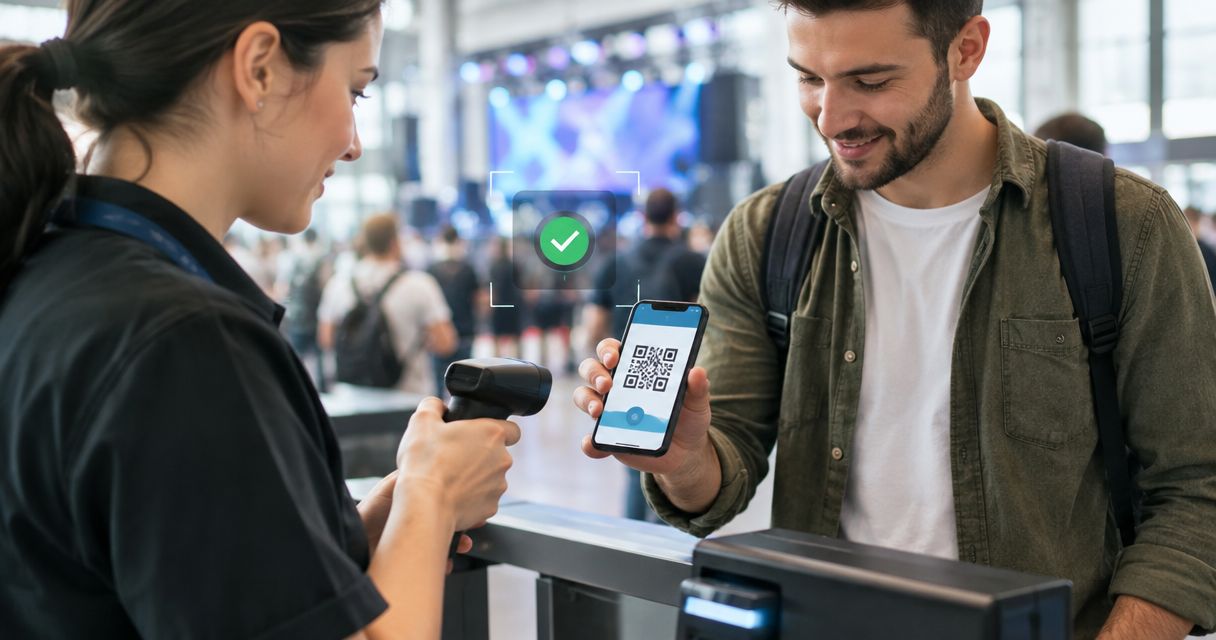
Every show has seats that never sold - and no one was working on them. Event ticketing software can detect suspicious purchases when it connects payment-risk checks with order controls, but a flagged order is not proof of fraud and an approved payment does not guarantee a legitimate purchase.
- Can event ticketing software detect fraudulent purchases? Yes, when payment screening and order controls are configured.
- Payment authentication, purchase limits and ticket validation address different risks; none guarantees a fraud-free event.
- Zunaro suits independent organisers seeking shared ticket inventory; assess payment-fraud controls separately.
- Review suspicious orders before cancelling tickets, and retain evidence for payment disputes.
Why this matters
A fraudulent purchase is not the same problem as a copied ticket, an unpaid reservation or an unwanted resale. Each needs a different response. If you treat every unusual order as fraud, you risk cancelling legitimate group bookings while leaving the actual payment weakness untouched.
For your 2026 platform assessment, separate sales operations from payment protection. A platform can manage seats and admission without providing every fraud-screening feature you need. Ask which checks belong to the ticketing platform, which belong to the payment provider and which require your staff to act.
Zunaro is an event ticketing platform for independent organisers and venues, with a branded storefront, seating, box office, kiosk and door check-in on one live inventory. Those capabilities support ticket operations; they do not establish a payment-fraud detection capability.
Can event ticketing software detect fraudulent ticket purchases?
Yes. Detection depends on the payment checks and order controls available in your actual setup, not the category name on the software. A useful assessment follows the purchase from attempted payment through admission and any later dispute.
| Control | Best for | What it contributes | Limitation |
|---|---|---|---|
| Payment-risk screening | Identifying suspicious payment attempts | Evaluates available transaction signals | A risk signal is not proof of fraud |
| Cardholder authentication | Checking the person making a card payment | Adds an issuer-led authentication process | Does not resolve every later dispute |
| Purchase limits | Managing ticket concentration | Restricts quantities under configured rules | Does not prove the purchaser owns the payment card |
| Order review | Investigating unusual bookings | Gives staff a decision point before taking action | Depends on evidence and staff judgement |
| Ticket validation | Checking admission entitlement | Compares a presented ticket with its recorded status | Does not establish that the original payment was authorised |
These controls complement each other. They are not interchangeable. A purchase limit cannot replace payment authentication, and a valid admission code cannot settle a cardholder's claim that a purchase was unauthorised.
Use the table as a demonstration checklist in 2026. Ask a provider to show the relevant control, explain where its information comes from and identify who can change the setting. A feature name without a visible workflow is not enough to assess your protection.
What does a suspicious purchase look like?
Payment systems can assess signals such as repeated failed attempts, mismatched information and unusual transaction patterns. Treat these as prompts to investigate, not automatic findings against the purchaser.
An organiser buying tickets for a group can produce an unusual order without doing anything wrong. Likewise, a successful payment can still be disputed later. Your review process needs to distinguish unusual behaviour from evidence of an unauthorised transaction.
What happens after a purchase is flagged?
The response depends on the controls you configure. A payment provider can decline a transaction or request authentication; an order-review workflow can route a booking to staff for a decision. Confirm the behaviour rather than assuming a warning automatically stops ticket delivery.
Ask what happens to the seats, ticket status and purchaser communication during that decision. The practical question is not simply whether software notices something suspicious. It is whether your team can act without creating conflicting records.
Payment screening: assess the payment provider's role
Payment-risk screening evaluates transaction information to identify suspicious activity. The ticketing platform's connection to the payment provider determines how those checks fit into checkout and what your team can see afterwards.
Ask the provider to distinguish a failed payment from a fraud-related decline. Those are different operational situations. Your box-office team needs a useful status, not an unexplained failure message that encourages repeated attempts.
For card payments, common controls include card security-code checks, address verification where supported and issuer-led authentication through 3-D Secure. Support and behaviour vary by payment provider and transaction. Confirm the actual configuration for your account rather than assuming every checkout includes every check.
Best for: screening payment attempts before you treat an order as paid.
Trade-off: stricter rules can reject legitimate purchases. Review the reasons behind declines before changing your settings, and do not disable a control merely because it adds a checkout step.
Your 2026 purchasing checklist should also ask who receives alerts, who can inspect a flagged transaction and who has authority to change risk rules. A control your staff cannot understand or access is difficult to manage during a busy on-sale.
Cardholder authentication: separate identity from admission
Cardholder authentication asks the card issuer to assess or verify the person making the payment. It addresses payment authorisation, not whether someone should attend your event or whether a ticket complies with your resale policy.
With 3-D Secure, the issuer can authenticate a transaction without an additional purchaser interaction or request a challenge. The exact experience depends on the transaction and the issuer's decision. Do not describe authentication as a universal guarantee against fraud or chargebacks.
Best for: adding cardholder authentication to an eligible payment flow.
Trade-off: authentication introduces another decision point, and some legitimate purchasers will not complete a requested challenge. Your ticketing workflow must distinguish an incomplete authentication from a completed payment.
Ask what happens when authentication fails or is abandoned. Confirm whether a seat remains reserved, whether the booking stays pending and what the purchaser receives. These are demonstration questions, not features to assume from a provider's sales page.
Ticket controls: address misuse without confusing it with fraud
Purchase limits, ticket status and admission checks address ticket misuse. They do not establish whether the payment card was used with its owner's permission. Keep those questions separate when you select software or write staff procedures.
A ticket limit can constrain the quantity in a booking under the rules you configure. It cannot by itself identify the person behind every purchase. Ask how the system applies limits and what happens when a purchaser attempts another order.
Admission validation addresses a different question: does the presented ticket carry a valid entitlement for this event? Your team also needs a clear response to cancelled tickets, conflicting records and a ticket that appears to have been presented before.
Best for: controlling ticket allocation and checking entry rights.
Trade-off: a valid ticket record does not prove that its payment was legitimate. Equally, an invalid ticket at the door does not automatically prove that the person presenting it committed payment fraud.
For reserved seating, include seat status in your review. Ask whether cancelling an order releases its seats and how that change reaches the storefront, box office and door team. Test the full sequence before using it during a live event.
Why fraud detection varies between ticketing setups
There is no single fraud-detection setting that describes every platform. Your 2026 assessment needs to cover the parts of the workflow that determine both detection and response:
- Payment-provider integration: establish which screening and authentication controls the connected payment service supplies.
- Risk-rule configuration: confirm whether rules decline, challenge or flag a transaction, and who can change them.
- Order visibility: check whether staff can distinguish pending, paid, cancelled and disputed orders.
- Ticket-state handling: demonstrate what happens to issued tickets and reserved seats after an order changes status.
- Review permissions: identify who can inspect an order, contact the purchaser and authorise a cancellation or refund.
- Evidence access: confirm whether you can retrieve the records needed to investigate and respond to a dispute.
Do not choose settings by copying another venue's rules. Your event format, sales channels and review responsibilities determine the workflow you need. Start with a documented process, then confirm that the software supports it.
How should organisers review a suspicious ticket purchase?
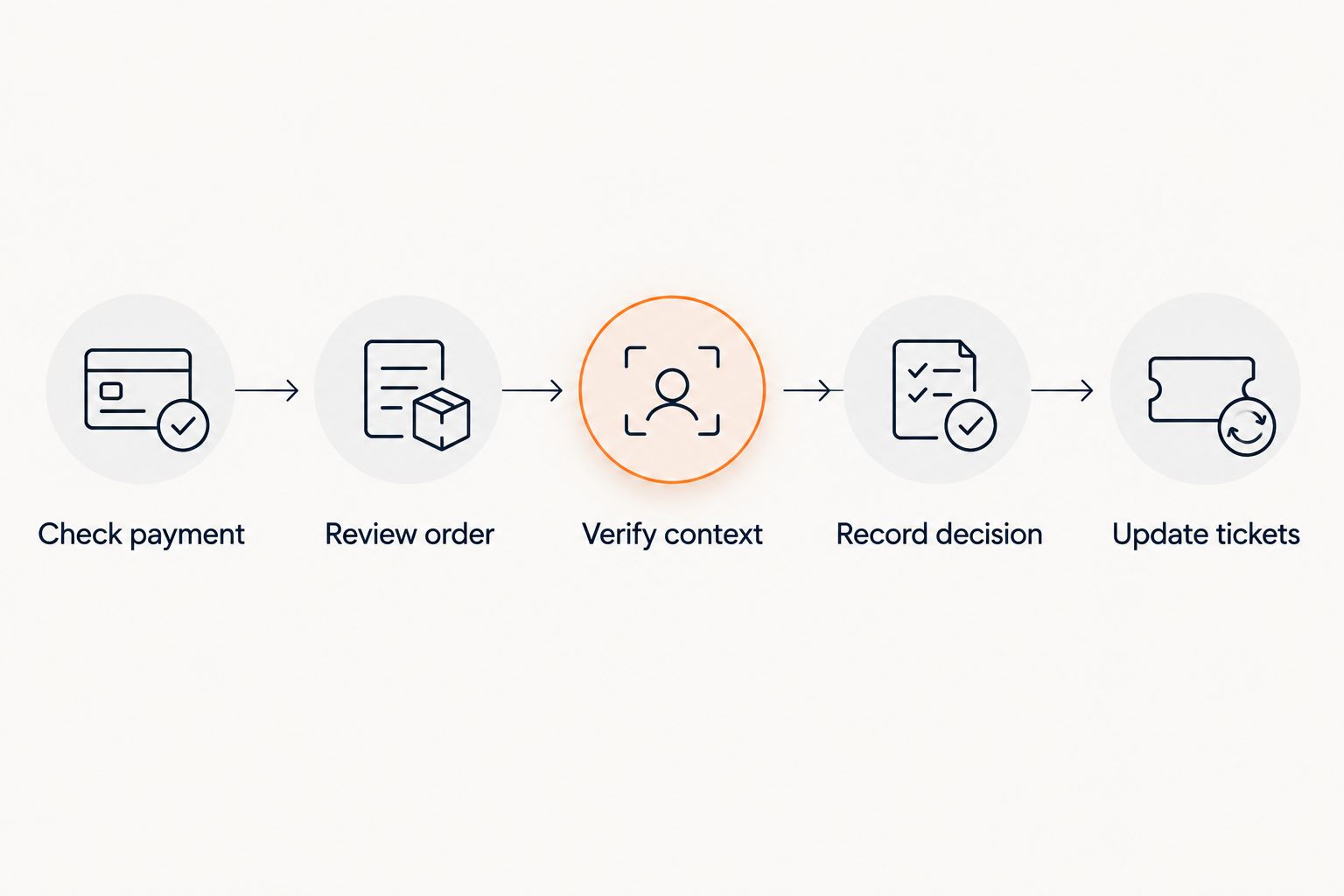
Use a consistent procedure rather than asking staff to improvise. Before launch, establish who owns each decision and what evidence that person can access.
- Check payment. Inspect the payment status and available risk or authentication result. Do not treat a pending payment as completed.
- Review order. Examine the booking record, ticket quantity and relevant communications. Separate a failed attempt from a paid order.
- Verify context. Where appropriate, contact the purchaser through your established process. Never request a full card number or card security code by email or chat.
- Record decision. Document why you accepted, declined or cancelled the order. Record who authorised the action.
- Update tickets. Confirm the resulting ticket and seat status, then make sure the door team can see the relevant outcome.
Keep personal and payment information within the systems intended to handle it. Copying sensitive details into an informal staff chat creates another problem rather than resolving the original one. Give staff access to the records they need without asking them to collect extra card data.
Agree on the escalation route before doors open. A door supervisor should know whom to contact about a questionable booking, and the reviewer should know how to communicate an admission decision without exposing payment details to everyone on shift.
Can an approved ticket payment still become a chargeback?
Yes. An approved payment can still be disputed later. Approval establishes that the payment was authorised through the payment process at that moment; it does not resolve every possible dispute about authorisation, delivery or the event itself.
Keep order records, relevant purchaser communications, refund records and admission evidence where available. The evidence you submit needs to address the dispute reason, not simply demonstrate that your event took place.
Read the guide to handling chargebacks on ticket sales when defining responsibility for dispute responses. Payment screening and chargeback management belong in the same operating plan, but they are different tasks.
Does scanning a valid ticket prove the purchase was legitimate?
No. Ticket validation checks admission entitlement, not cardholder permission. A ticket can correspond to a paid order while the underlying payment is later disputed as unauthorised.
Treat check-in evidence as part of the booking record, not a universal defence. Ask whether your system records the admission event and how you retrieve that record when reviewing an order.
Should you cancel every flagged order automatically?
No. A risk flag is a reason to assess an order, not a verdict against the purchaser. Automatic decline rules and manual review serve different purposes; choose the response deliberately.
Use an escalation process for cases requiring judgement. Before cancelling, confirm the payment and ticket consequences so your action does not leave an active ticket attached to an order you intended to stop.
Where Zunaro fits in the assessment
Zunaro is best for independent organisers and venues that want a branded storefront, box office, kiosk and door check-in on one live inventory. Assess payment-fraud screening separately; shared inventory is not a fraud-prevention guarantee.
The WhatsApp agent answers purchasers, holds seats and hands over a checkout link. Events are discoverable and bookable inside ChatGPT and Claude, including seat selection on the real map, while checkout completes on the organiser's own site—not in chat. AI that sells your tickets.
You keep the fees, the funds and the customers. Organisers pay nothing per ticket; the purchaser's booking fee is AED 3.99, or AED 1.99 for tickets under AED 20, and free events carry none. These economics do not establish the payment-risk controls you need to verify.
Ask Zunaro Pro is AED 179 per month, with a 14-day trial and no card required. It is a separate product detail, not evidence of fraud detection. Based at DTEC, Dubai Silicon Oasis. Built for the Gulf - the UAE and Saudi Arabia.
FAQ
Can event ticketing software detect fraudulent purchases?
Yes, when the setup includes payment-risk screening and relevant order controls. Detection identifies suspicious activity; it does not guarantee that every fraudulent purchase will be stopped.
What should I ask a ticketing provider about fraud detection?
Ask which checks the payment provider supplies, what triggers a decline or review, and who can act on a flagged order. Request a demonstration of the payment, ticket and seat-status consequences.
Is a successful payment proof that a ticket purchase is genuine?
No. A successfully authorised payment can still be disputed later, so retain the booking record and relevant evidence.
Does a ticket QR code prevent payment fraud?
No. Ticket validation checks admission entitlement; it does not establish that the purchaser had permission to use the payment card.
Should I refund a suspicious order straight away?
Review the payment and order status before authorising a refund. Follow your payment provider's process and confirm what happens to the issued tickets and reserved seats.
Does Zunaro have verified fraud-detection features?
The capabilities described here establish shared ticket inventory and sales workflows, not a verified fraud-detection feature. Confirm the payment provider's screening, authentication and dispute controls before relying on them.
What should a venue check before choosing ticketing software in 2026?
Check payment screening, authentication, order review, ticket-state changes and access to dispute evidence. Require a demonstration of the full workflow rather than accepting a general fraud-prevention claim.
One last thing
Test the hand-off, not just the warning. During your provider demonstration, ask to see what happens after a suspicious payment is identified: the order decision, the ticket status, the seat release and the door-team view.
A visible alert is useful, but it is not the complete workflow. Your team needs a clear decision and a consistent record wherever the ticket is sold or checked.


