

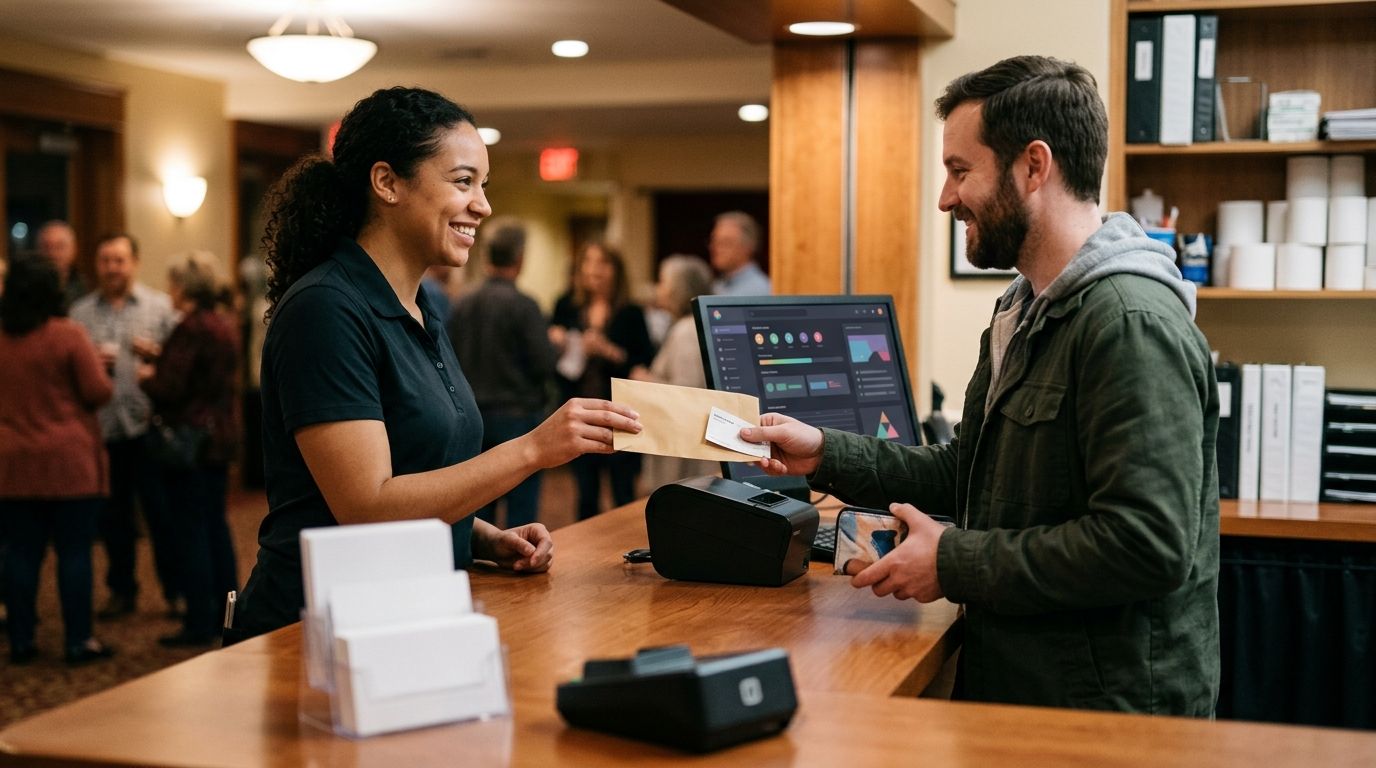
Yes. A box office system can handle will-call pickups when staff can find the buyer’s order, verify the ticket or reserved seat, record collection and keep admission status separate. A box office alone does not prove it can do every step: test the pickup workflow before you rely on it for a live event in 2026.
- Yes, a box office system can handle will call pickups if staff can verify orders and record collection.
- Keep will-call collection separate from door check-in; picking up a ticket is not entering the event.
- Zunaro is best for organisers seeking box office and door check-in on one live inventory; confirm its will-call workflow first.
Why this matters
A will-call desk has a different job from the door. Staff at the desk must identify what a buyer is entitled to collect; staff at the door must establish whether a ticket has been admitted. If one action silently stands in for the other, your team loses a clear account of what happened.
For a venue using reserved seating, the question is sharper: can the desk see the right performance and seat without changing what remains for sale? Zunaro puts its box office, reserved seating and door check-in on one live inventory. That makes it relevant to the workflow, but those stated capabilities do not establish a dedicated will-call pickup status. Ask to see that status handled before you make it part of your operating plan.
Can a box office system handle will-call pickups?
Yes, if it supports an order lookup and a distinct collection step. In 2026, do not treat a search field or a door scanner as proof of a complete will-call workflow. Run a collection from order lookup through admission and check what the record shows after each action.
| What staff need to do | What to verify in the system | What goes wrong if it is missing |
|---|---|---|
| Find the order | Search using information the buyer can provide at the desk | Staff cannot establish which order the buyer is collecting |
| Confirm the entitlement | See the event, performance, ticket and reserved seat where applicable | Staff hand over the wrong ticket or seat |
| Record collection | Mark that the ticket was collected without marking it as admitted | The pickup queue and entry record become indistinguishable |
| Admit the ticket | Scan or check in the ticket at the door | Collection is mistaken for entry, or entry is not recorded |
This table describes what a will-call system must demonstrate, not a list of features confirmed for every platform. The decisive test is the third row. If staff can find an order but cannot record that it was collected, the box office can assist a manual pickup process; it is not tracking will-call end to end.
Test the journey at the desk
- Find order. Give the box-office operator only the details a buyer would bring. Check that the result identifies the correct event and order before anyone changes its status.
- Check seat. For reserved seating, verify the exact performance and seat against the live inventory. A seat should not appear available simply because its ticket awaits collection.
- Record pickup. Ask the operator to mark the ticket as collected. Confirm that another staff member can see the result and that the ticket has not been checked in.
- Scan entry. Use the normal door process when the attendee arrives. Confirm that admission changes only at this stage, not when the ticket was collected.
The sequence matters most when the box-office desk and the entrance have different staff. In 2026, rehearse it with the people who will work both positions, not just with an administrator who knows where every order lives.
Will-call pickup versus digital ticket delivery
Will-call and digital delivery answer different questions. Will-call tells staff how a buyer collects an entitlement at the venue; digital delivery sends that entitlement to the buyer before arrival. An organiser can use both, but neither automatically supplies the tracking required by the other.
| Method | Best for | Advantage | Limitation |
|---|---|---|---|
| Will-call pickup | Orders that need an in-person collection step | Staff can verify the order at the desk | A queue forms if lookup or collection is slow; pickup needs its own record |
| Digital ticket delivery | Buyers who can present their ticket at entry | Buyers can reach the door without collecting a ticket | Staff still need a way to resolve an order when the buyer cannot present it |
Choose will-call when collection is an actual operating requirement, not as a substitute for fixing ticket delivery. Decide which orders belong at the desk, what staff must check, and what they hand over. Then test how the door treats that handover.
Zunaro sends e-tickets by WhatsApp as well as email. For an organiser considering Zunaro’s ticketing platform, that provides a digital-delivery route alongside its box office and door check-in. It does not, by itself, confirm a separate will-call collection record. If will-call is essential to your event, make that the question in the demonstration.
Why will-call handling varies between systems
The term box office describes where staff work; it does not define every action their software can record. Check these parts of the workflow separately:
- Order lookup. Staff need enough information to identify the correct purchase without assuming that the person at the desk holds the original confirmation.
- Reserved seating. A seat assigned to an order must remain tied to that order while the ticket waits for collection. Verify this against the seat map, not just an order summary.
- Shared inventory. Box-office activity and storefront sales must refer to the same available tickets. Otherwise, staff may work from a view that does not reflect what has sold online.
- Collection status. The system must show whether a ticket was handed over if you intend to manage a will-call queue in the software. A note or a printed ticket is not automatically a collection status.
- Door check-in. Entry needs its own action. A collected ticket can still be unused, and an admitted ticket should not be treated as waiting for pickup.
- Kiosk workflow. A kiosk that sells tickets does not necessarily retrieve an existing will-call order. Test that task separately if you expect buyers to collect without box-office staff.
These are different requirements, even when one platform covers several of them. Zunaro’s box office, kiosk, storefront and check-in use one live inventory. Its stated features establish that shared ticketing foundation; they do not establish that its kiosk retrieves will-call orders or that staff can set a dedicated collected status.
What should you ask in a will-call demonstration?
Bring one ordinary order and one reserved-seat order into the demonstration. Have the operator work from the desk view while another person works from the door view. The aim is to see each state change, not merely to hear that the platform supports box-office sales.
Ask the vendor to show you:
- How an operator finds an existing order when the buyer has no ticket to present.
- What identifies the event and performance when the venue runs more than one show.
- Where the assigned seat appears, and whether it remains unavailable for new sales.
- How staff record that a ticket has been handed over.
- Whether a collected ticket remains eligible for normal admission.
- What the door operator sees before and after the ticket is checked in.
- How staff identify an order that needs help without issuing a second ticket by mistake.
If the vendor cannot show collection separately from check-in, plan a manual collection log rather than assuming the software keeps one. A manual log adds a staff task, so decide who owns it and how the door team will know what was handed over. For 2026 events with assigned seats, include the seat in that handover check.
Check your box-office workflow
Review Zunaro’s box office and check-in, then ask to see will-call collection demonstrated.
Can will-call pickup and door check-in use the same ticket?
Yes, provided the system treats collection and admission as separate events. The desk can hand over the ticket, and the door can later check it in. Do not mark a ticket as admitted merely to clear it from the will-call queue; that removes the distinction your entrance staff need.
Zunaro’s box office and door check-in sit on one live inventory. Zunaro is best for organisers who want those operations connected, but an organiser who needs a recorded will-call handover must confirm that specific step. Connected inventory is not the same claim as collection tracking.
Can a kiosk replace the will-call desk?
Only if the kiosk can retrieve an existing order, verify the correct entitlement and record or complete the intended handover. A kiosk that supports walk-up sales has a different job. In 2026, test collection with an existing order before removing staff from the desk.
Zunaro offers a kiosk as part of its ticketing platform. The supplied product details do not establish kiosk-based will-call collection, so treat it as a separate requirement rather than assuming it follows from kiosk availability.
What if a buyer has no confirmation at pickup?
Staff need a way to locate and verify the order before handing over a ticket. Define what information your team will request, who can approve an uncertain match and how the desk will avoid handing the same entitlement to another person. The exact verification controls depend on the system you choose; check them in its operator view.
This is also where your written desk procedure matters. If a buyer cannot present the expected details, the operator needs a clear escalation route rather than an improvised change to the order or seat.
FAQ
Can a box office system handle will call pickups?
Yes, if staff can find the order, verify the ticket and record collection separately from door check-in. Test those actions in the operator view before relying on the system for will-call.
Does a box-office order lookup count as will-call support?
No. Order lookup helps staff identify a purchase, but it does not show whether a ticket was collected. Ask how the system records the handover.
Is collecting a ticket the same as checking it in?
No. Collection records the handover at the desk; check-in records admission at the door. Keeping them separate lets staff tell a collected but unused ticket from an admitted one.
Can will-call work with reserved seating?
Yes, when the desk can verify the assigned performance and seat while the seat remains tied to its order. Test both the box-office view and live inventory during a pickup.
Can Zunaro track will-call pickups?
Zunaro has a box office, reserved seating and door check-in on one live inventory, but the supplied product details do not confirm a dedicated will-call collection status. Ask for a demonstration of that exact action.
Can a ticketing kiosk handle will-call pickups?
Only if the kiosk supports retrieval and handover of an existing order. Kiosk ticket sales alone do not establish a will-call collection workflow.
What should staff do when a will-call buyer cannot show a confirmation?
Staff should verify the existing order before handing over a ticket. Set an escalation procedure for orders they cannot match confidently rather than changing an entitlement at the desk.
One last thing
The revealing test is not whether the desk can print or find a ticket. It is whether a colleague at the door can tell that the ticket was collected but has not yet been used. Make that distinction visible in your 2026 rehearsal; if the system cannot show it, give staff an explicit manual procedure.


