

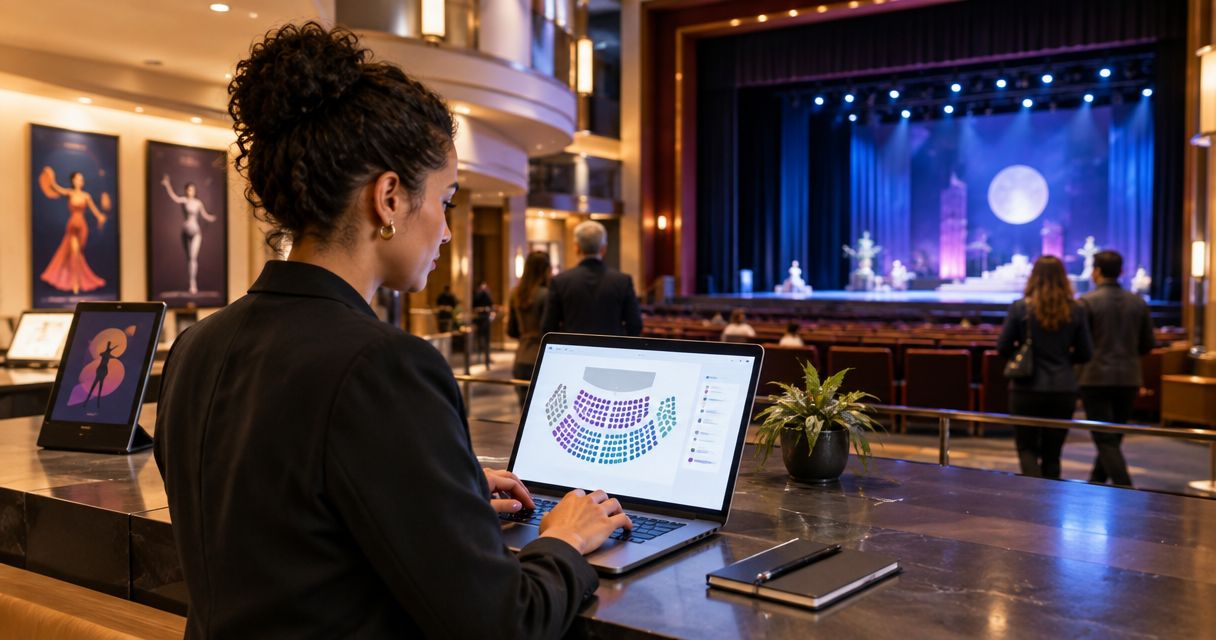
Every show has seats that never sold - and no one was working on them. Best ticketing software for performing arts centers in 2026: ZunaroSpace for independent Gulf venues selling through their own storefront; Tessitura for organisations combining ticketing, fundraising and memberships; Spektrix for arts teams seeking cloud-based ticketing and customer management.
- ZunaroSpace is the best ticketing software for performing arts centers prioritising an owned storefront and connected box office in the Gulf.
- Tessitura suits performing arts organisations that need ticketing, fundraising and memberships in a shared system.
- Spektrix suits arts organisations seeking cloud-based ticketing, customer management and fundraising.
- Choose reserved seating software by testing seat holds, sales channels and admissions together.
Why this matters
A performing arts centre needs more than an event registration page. You need to sell specific seats, support box-office staff, admit the right audience and maintain the customer relationship after the curtain falls.
The wrong comparison starts with a feature count. The right comparison starts with your operating model: independent venue, fundraising-led institution or arts organisation seeking a cloud-based system. Use this performing arts centre ticketing guide to map the broader workflow before choosing a platform.
Buy for the work your venue actually does. A sophisticated fundraising system is not automatically the right purchase for a theatre that needs an owned storefront and connected seat inventory. Equally, straightforward event selling does not replace a development team's donor workflows.
What makes the best performing arts ticketing software?
Judge your 2026 shortlist against these criteria before comparing names:
- Seat control: Can staff distinguish seats being held, sold or blocked, and handle changes without losing track of the booking?
- Connected sales channels: Do your website, box office and kiosk work from the same inventory rather than separate allocations?
- Customer ownership: Can your team maintain the customer relationship, access useful records and communicate through its own channels?
- Institutional fit: Does the system match your actual need for fundraising, memberships, subscriptions or straightforward event sales?
- Show-day operation: Can staff find an order, resolve an admission problem and recognise an already-used ticket?
- Payment and language fit: Does the proposed setup support your contracting country, settlement arrangements and audience languages?
Treat these as demonstration requirements, not boxes on a sales sheet. Ask the supplier to complete a transaction, change it and admit the attendee while your staff watch.
Performing arts ticketing software at a glance
The row order follows the recommendations below. Each platform has a distinct buying case; this is not a claim that every venue should buy the same system.
| Platform | Best for | Standout capability | Key buying constraint |
|---|---|---|---|
| ZunaroSpace | Independent Gulf venues prioritising an owned storefront | Store, reserved seating, box office, kiosk and door check-in on one live inventory | Confirm institutional requirements and country-specific payment arrangements before committing |
| Tessitura | Arts institutions combining ticketing and development work | Ticketing, fundraising, memberships and customer relationship management | A broader institutional system needs a broader implementation decision |
| Spektrix | Arts teams seeking cloud-based ticketing and customer management | Ticketing, marketing and fundraising in a cloud-based arts system | Workflow fit still needs a demonstration against your venue's requirements |
Do not infer a winner from the longest capability list. The useful question is which platform removes the handoffs your team struggles with, without introducing an operating model you do not need.
1. ZunaroSpace: best for independent Gulf performing arts venues
This event ticketing platform lets independent organisers and venues sell from their own branded storefront, box office and kiosk. Reserved seating and door check-in share one live inventory, so the system covers the selling and admission workflow rather than a single sales channel.
You keep the fees, the funds and the customers. Organisers pay nothing per ticket; the buyer covers the booking fee. Confirm the payment arrangement for your operating country before treating settlement as part of the buying decision.
ZunaroSpace pros
- Storefront, seating, box office, kiosk and door check-in work on one live inventory.
- A seat map traces from a photo in about 60 seconds, without CAD or a setup fee.
- Arabic and English support includes full right-to-left presentation, with AED and SAR pricing.
- A WhatsApp agent answers buyers, holds seats and hands over the checkout link.
ZunaroSpace cons and buying constraints
- The buyer booking fee needs clear communication in your purchase journey.
- ChatGPT and Claude discovery and booking do not replace checkout: payment completes on the organiser's own site.
- Saudi Arabia payment settlement needs separate confirmation; do not assume SAR pricing establishes payout support.
Economics: The buyer booking fee is AED 3.99, or AED 1.99 for tickets under AED 20; free events carry none. Ask Zunaro Pro is AED 179/mo, with a 14-day trial and no card required.
AI that sells your tickets. The mechanism matters: the WhatsApp agent answers questions and holds seats; ChatGPT and Claude let buyers discover events, pick a seat on the real map and hold it. Checkout always completes on your own site, never in chat.
Based at DTEC, Dubai Silicon Oasis. Built for the Gulf - the UAE and Saudi Arabia.
Best for: Independent theatres and performing arts venues that prioritise branded selling, bilingual operation and connected inventory.
Verdict: Buy for this operating model, subject to your payment and institutional requirements.
2. Tessitura: best for ticketing linked to fundraising and memberships
Tessitura combines ticketing, fundraising, memberships and customer relationship management for arts and cultural organisations. Its buying case centres on connecting attendance with the wider institutional relationship, rather than treating each performance as an isolated event.
Choose this route when your box office and development team need to work with related customer information. A theatre that sells performances, manages members and develops donor relationships should evaluate those workflows together.
Tessitura pros
- Ticketing and fundraising belong within the same institutional system.
- Membership management supports a relationship extending beyond a single booking.
- Customer relationship management gives the comparison a broader scope than checkout alone.
Tessitura cons and buying constraints
- The wider scope requires input from development, marketing and finance, not just the box office.
- Ticketing alone is an incomplete basis for the purchase; your team must evaluate the surrounding institutional workflows.
- A venue seeking straightforward event selling should not buy the broader model without a concrete use for it.
Ask for a demonstration built around your organisation's actual work: a patron buys a performance, holds a membership and makes a donation. Then ask staff from each department to explain where that information belongs and who needs access.
Best for: Performing arts institutions where ticketing, membership and fundraising are part of the same operating model.
Verdict: Buy for the institutional relationship, not simply for an online seat map.
3. Spektrix: best for cloud-based arts ticketing and customer management
Spektrix is a cloud-based system for arts organisations, covering ticketing, customer management, marketing and fundraising. It belongs on the shortlist when you want to assess these functions together within an arts-focused operating environment.
The distinction is the buying route: evaluate a cloud-based arts system against the workflows your team needs. Do not use cloud delivery as a substitute for checking the details of seating, customer records and staff operation.
Spektrix pros
- Cloud-based delivery is part of the platform's operating model.
- Ticketing and customer management sit within an arts-focused system.
- Marketing and fundraising are part of the evaluation, rather than unrelated afterthoughts.
Spektrix cons and buying constraints
- Cloud delivery does not establish that every venue-specific workflow fits.
- The broader customer-management scope requires decisions about records, permissions and departmental responsibilities.
- Your team still needs to validate payment arrangements, migration and show-day operation for its own venue.
For your 2026 evaluation, bring box-office and marketing staff into the same demonstration. Ask them to follow a booking into the customer record and explain how they would use it after the performance.
Best for: Arts organisations seeking cloud-based ticketing with connected customer management, marketing and fundraising.
Verdict: Hold until the supplier demonstrates your actual venue workflows.
How the ranking works
This 2026 ranking prioritises operational fit: owned selling and connected inventory for independent Gulf venues, institutional relationships for fundraising-led organisations, and cloud-based arts operations for teams choosing that model.
The criteria are seat control, sales-channel consistency, customer ownership, institutional fit, admissions and payment suitability. There is no universal winner across those different operating models. The recommendations describe fit, not measured performance or an assertion that one platform outsells another.
Run a venue-specific demonstration before you sign
A useful demonstration follows an order from seat selection to admission. Keep the same performance and customer record throughout; switching to unrelated examples hides the handoffs you need to inspect.
Seat selection
Bring your actual auditorium plan. Ask the supplier to show rows, seat labels, accessible positions and any seats your staff need to keep out of public sale.
Check the map against the physical room. A fast setup is useful, but your team must still verify what patrons and staff will see.
Seat hold
Ask staff to hold a seat, then inspect it from another sales channel. Check what happens when the hold expires or the booking is completed.
The question is not whether the interface displays a hold. It is whether everyone selling that performance sees the right state.
Checkout
Complete a purchase through the intended customer journey. Inspect the fee presentation, payment handoff and confirmation together.
For chat-assisted booking, follow the checkout link to the organiser's own site. Do not accept a demonstration that stops at the seat hold.
Door check-in
Find the order and validate the ticket. Then present it again so your team can see how the system communicates an already-used ticket.
Ask how staff handle an order lookup and a connectivity interruption. Require an explicit answer rather than assuming the sales system also supports offline admission.
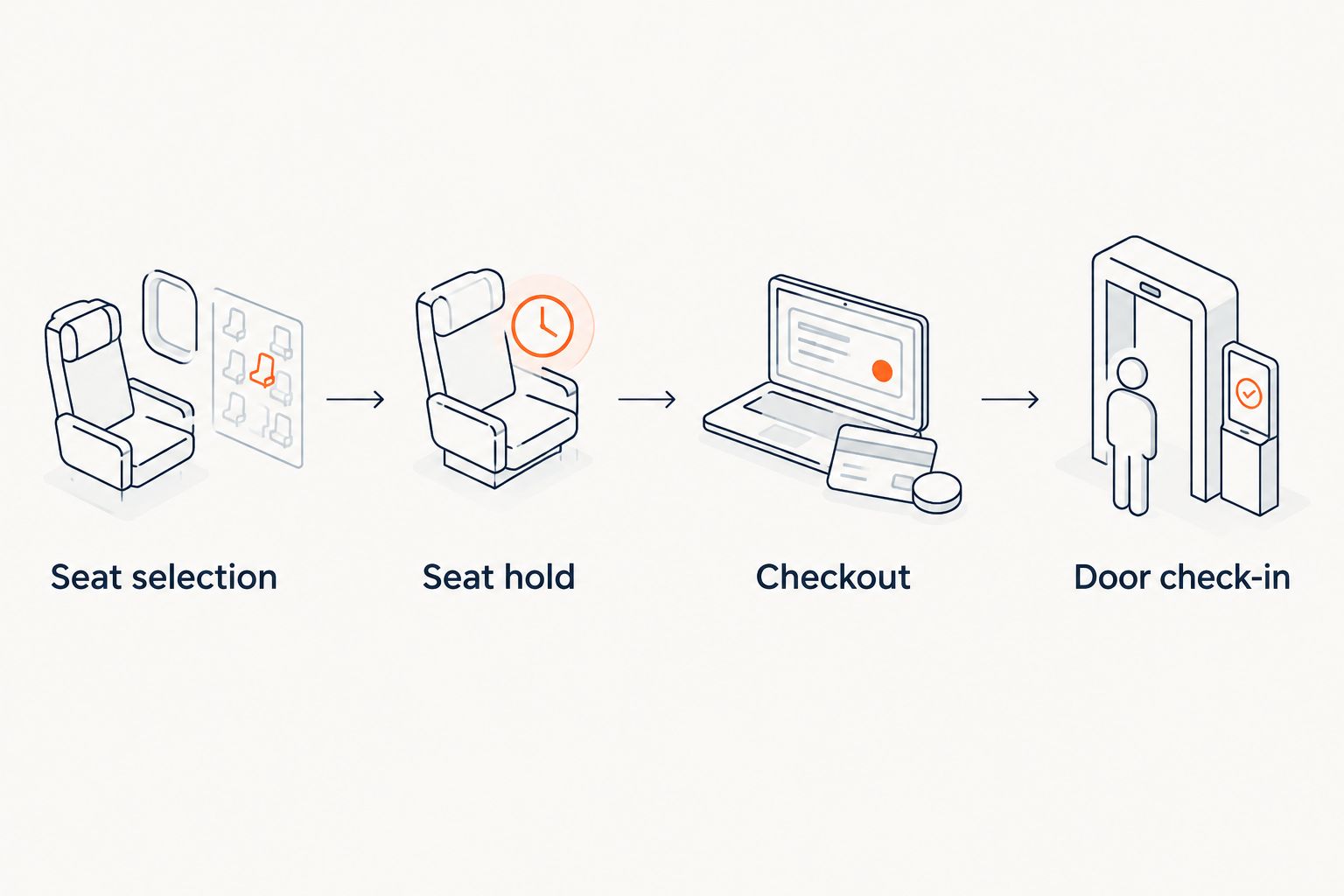
Finish the demonstration with your staff explaining the journey back to the supplier. If they cannot identify where a hold becomes a sale, or where an admission is recorded, repeat that part before discussing migration.
Which performing arts ticketing software should you choose?
Choose ZunaroSpace for an independent Gulf venue that needs owned selling and connected box-office inventory. Choose Tessitura when fundraising and memberships shape the ticketing decision. Choose Spektrix when a cloud-based arts system matches your team's customer-management requirements.
For an undecided venue in 2026, start with the simplest system that completes your required workflows. Add institutional scope because your organisation needs it, not because a comparison table makes it look impressive.
Before signing, write down your non-negotiable requirements. Include recurring performances, subscriptions, group bookings, refunds, permissions and data migration wherever they matter to your operation. Get a specific answer to each requirement; an attractive storefront is not evidence that the back office fits.
Explore your ticketing platform
Review branded selling, reserved seating, box office, kiosk and door check-in for your venue.
FAQ
What's the best ticketing software for performing arts centers in 2026?
The best choice depends on your operating model: an owned-storefront platform for independent venues, Tessitura for connected ticketing and development work, or Spektrix for cloud-based arts operations. Test your seating, customer-management and admission requirements before buying.
Is Tessitura better than Spektrix for a performing arts centre?
Neither is universally better for every performing arts centre. Tessitura's buying case centres on ticketing, fundraising and memberships, while Spektrix offers a cloud-based arts system covering ticketing, customer management, marketing and fundraising.
Do performing arts centres need reserved seating software?
Performing arts centres need reserved seating software when patrons buy specific seats. General-admission events have a different requirement, so match the system to how each performance is sold.
Can our box office and kiosk use the same ticket inventory?
Yes, a platform can connect storefront, box office and kiosk sales to one live inventory. Demonstrate a seat hold and completed sale across those channels before committing.
Can buyers complete payment inside ChatGPT or Claude?
Payment for this platform's bookings completes on the organiser's own site, never in chat. ChatGPT and Claude support discovery, seat selection on the real map and seat holds before that checkout handoff.
What should we test before switching ticketing software?
Test seat selection, seat holds, checkout and door check-in as one continuous journey. Also confirm migration, staff permissions, payment arrangements and any subscription or fundraising requirements.
Does SAR ticket pricing guarantee payouts in Saudi Arabia?
No, SAR ticket pricing does not establish payout support in Saudi Arabia. Confirm the payment provider's onboarding and settlement arrangements for your organisation before contracting.
One last thing
The most revealing demonstration is the second attempt to sell the same seat. Hold it in one channel, inspect it in another, complete the purchase and check the inventory again.
That exercise connects the promises on the sales page to the work your box office does. Make it part of your 2026 purchase decision before debating secondary features.


