

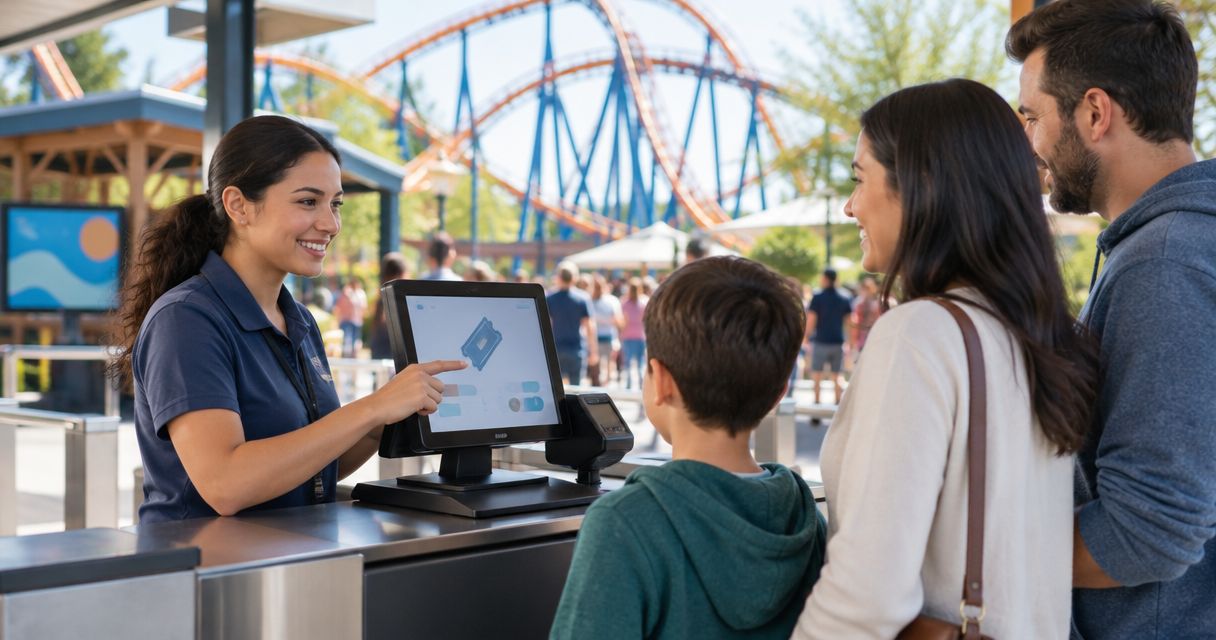
Best for park shows: ZunaroSpace; best for park-wide admissions: dedicated attraction-management software; best for staffed counters: ticketing-focused POS; best for mixed operations: a connected admissions-and-events setup. Every show has seats that never sold - and no one was working on them.
- The best box office software for amusement parks depends on whether you sell park admission, show seats, or both.
- ZunaroSpace fits park shows needing a branded storefront, reserved seating, box office and kiosk on shared inventory.
- Require demonstrations of season passes, re-entry and gate hardware before selecting park-wide admissions software.
- Choose your operating model before comparing suppliers; an event platform is not automatically a park-management system.
Why this matters
Amusement park ticketing and event ticketing solve different problems. A day admission grants access to the park; a reserved seat assigns a place at a particular performance. Your software selection needs to respect that distinction.
For your 2026 shortlist, separate the park gate from the show entrance. The box office software guide for amusement parks provides a useful companion to this buying framework.
This ranking compares four purchasing approaches, not four supposedly interchangeable products. Pick the approach that matches your operation, then require suppliers to demonstrate the relevant workflow.
What makes the best amusement park box office software?
- Admission rules: Demonstrate the tickets you actually sell, including date restrictions, re-entry and pass entitlements where required.
- Shared inventory: Check what happens when the website, counter and kiosk sell access to the same performance.
- Show seating: Require a real seat-selection demonstration if your park operates theatres or seated entertainment.
- Gate operation: Test scanning, duplicate entry, connectivity loss and the equipment used by your team.
- Ownership: Establish where checkout happens, who receives the funds and who controls customer records.
- Total cost: Request separate booking, payment-processing, hardware, support and integration terms. Do not compare headline fees alone.
Buying options at a glance
| Rank and option | Best for | Standout capability or requirement | Key limitation |
|---|---|---|---|
| 1. ZunaroSpace | Park shows and separately ticketed entertainment | Branded storefront, seating, box office, kiosk and check-in on one live inventory | Park-wide pass and gate requirements need separate validation |
| 2. Dedicated attraction-management software | Park-wide admission and repeat access | Evaluate against your admission rules and gate equipment | A strong admissions workflow does not establish suitability for reserved-seat shows |
| 3. Ticketing-focused POS | Staffed walk-up counters | Evaluate the complete counter transaction and handover | Counter suitability does not establish website or kiosk synchronisation |
| 4. Connected admissions-and-events setup | Parks with distinct gate and show requirements | Assign each system a defined responsibility | Integrations, reporting and exception handling need explicit ownership |
The order reflects the buying decision: identify the event-ticketing fit, then distinguish broader admissions, counter-led and connected requirements. It is not a claim that one product wins every park workflow.
1. ZunaroSpace: best box office software for park shows
ZunaroSpace is an event ticketing platform for independent organisers and venues. It brings the branded storefront, reserved seating, box office, kiosk and door check-in onto one live inventory. That makes it a relevant shortlist option when your amusement park sells separately ticketed shows or performances.
ZunaroSpace is best for park organisers who need event ticketing with reserved seating and shared sales inventory. Treat that as an event-layer recommendation, not a promise about every park admission requirement.
What the event workflow covers
A WhatsApp agent answers buyers, holds seats and hands over a checkout link. Events are discoverable and bookable inside ChatGPT and Claude, including seat selection on the real map; checkout completes on the organiser's own site, never in chat.
AI that sells your tickets. The mechanism is buyer questions answered, seats held and a checkout link handed over—not a replacement for your park's operating rules.
For seated entertainment, a seat map can be traced from a photo in about 60 seconds, without CAD or a setup fee. Arabic and English, full RTL, and AED and SAR pricing support Gulf-facing event operations.
You keep the fees, the funds and the customers. Organisers pay nothing per ticket; the buyer booking fee is AED 3.99, or AED 1.99 for tickets under AED 20. Free events carry none. Keep payment-processing terms separate in your evaluation.
ZunaroSpace pros
- Storefront, counter, kiosk and check-in use one live inventory.
- Reserved seating supports a defined show-seat workflow.
- E-tickets reach buyers through WhatsApp as well as email.
- Arabic and English include full RTL support.
Limitations and checks
- Do not assume event ticketing establishes support for park-wide season passes, wristbands or ride entitlements.
- Require a demonstration of your gate hardware and re-entry rules before extending the scope beyond shows.
- Do not infer Saudi payout availability from SAR pricing or Gulf positioning.
Best for: Park theatres, separately ticketed entertainment and event programmes.
Verdict: Buy for the event layer after a workflow demonstration; hold on park-wide replacement until admissions requirements are proven.
2. Attraction-management software: best for park-wide admissions
A dedicated attraction-management shortlist starts with the park entrance, not the auditorium. Choose this purchasing route when your requirements centre on dated admissions, repeat visits, pass entitlements or access rules across the attraction.
Those are requirements to demonstrate, not features to assume from a category label. For a 2026 procurement, ask each supplier to run the same admission scenarios using your rules and proposed equipment.
Attraction-management software pros
- Keeps park admission requirements at the centre of the selection process.
- Gives pass rules and re-entry a defined place in the demonstration.
- Lets your gate team assess access control before the contract is signed.
Attraction-management software cons
- A park-wide scope requires a broader evaluation than a show-ticketing purchase.
- Admissions suitability does not prove reserved seating or performance-level inventory control.
- Hardware, migration and support terms still need individual scrutiny.
Ask the supplier to demonstrate a returning passholder, an admission presented on the wrong date and an attempted repeat scan. Record the system response and the staff action required. A presentation slide is not evidence that your admission rule works.
Best for: Parks whose central requirement is controlling admission and repeat access.
Verdict: Buy when park-wide admission rules dominate; hold if the supplier cannot demonstrate those rules end to end.
3. Ticketing-focused POS: best for staffed walk-up counters
A ticketing-focused point-of-sale evaluation centres on the cashier's workflow. Use this route when your immediate problem is issuing admission at a staffed counter, rather than replacing every sales channel or park system.
Keep the scope precise. A counter application must still prove what happens to the ticket, payment and inventory after the cashier completes the transaction.
Ticketing-focused POS pros
- Gives counter staff a concrete workflow to assess.
- Makes equipment requirements part of the purchasing decision.
- Creates a focused shortlist when walk-up sales are the defined project.
Ticketing-focused POS cons
- Counter functionality alone does not prove online inventory synchronisation.
- A sale recorded at the till does not establish how gate validation works.
- Expanding the project to kiosks or reserved seating introduces additional checks.
During the demonstration, have a cashier issue a ticket and a gate colleague validate it. Then repeat the transaction with a correction or cancellation request. Require the supplier to explain permissions, records and the operational handover.
For 2026, judge the entire transaction rather than the appearance of the till screen. Your team needs a usable process after payment, not merely a completed sale.
Best for: Parks purchasing a defined staffed-counter workflow.
Verdict: Buy for a counter-led project with proven validation; skip as a park-wide answer without wider evidence.
4. Connected systems: best for separate gate and show needs
A connected setup keeps park admission and event ticketing as separate responsibilities. It is a purchasing approach for a park that needs specialist admission rules alongside a distinct programme of seated shows or ticketed entertainment.
The important decision is not how many systems you buy. It is which system owns each entitlement, transaction and customer-service action.
Connected systems pros
- Keeps gate access and show seating as explicit requirements.
- Allows each workflow to be evaluated against its actual purpose.
- Makes the boundary between park admission and performance admission visible.
Connected systems cons
- Integration behaviour must be specified and demonstrated.
- Staff need clear instructions when an order spans both workflows.
- Refunds, reporting and support responsibilities require agreement across suppliers.
Write down what happens when a visitor holds park admission but no show seat. Then define the reverse case, including whether your operating policy permits it. Software cannot resolve a policy your team has not decided.
Best for: Parks with distinct admission and show-ticketing requirements that justify separate systems.
Verdict: Buy when the boundary is deliberate and documented; hold when integration ownership is unclear.
Prove the workflow before you sign
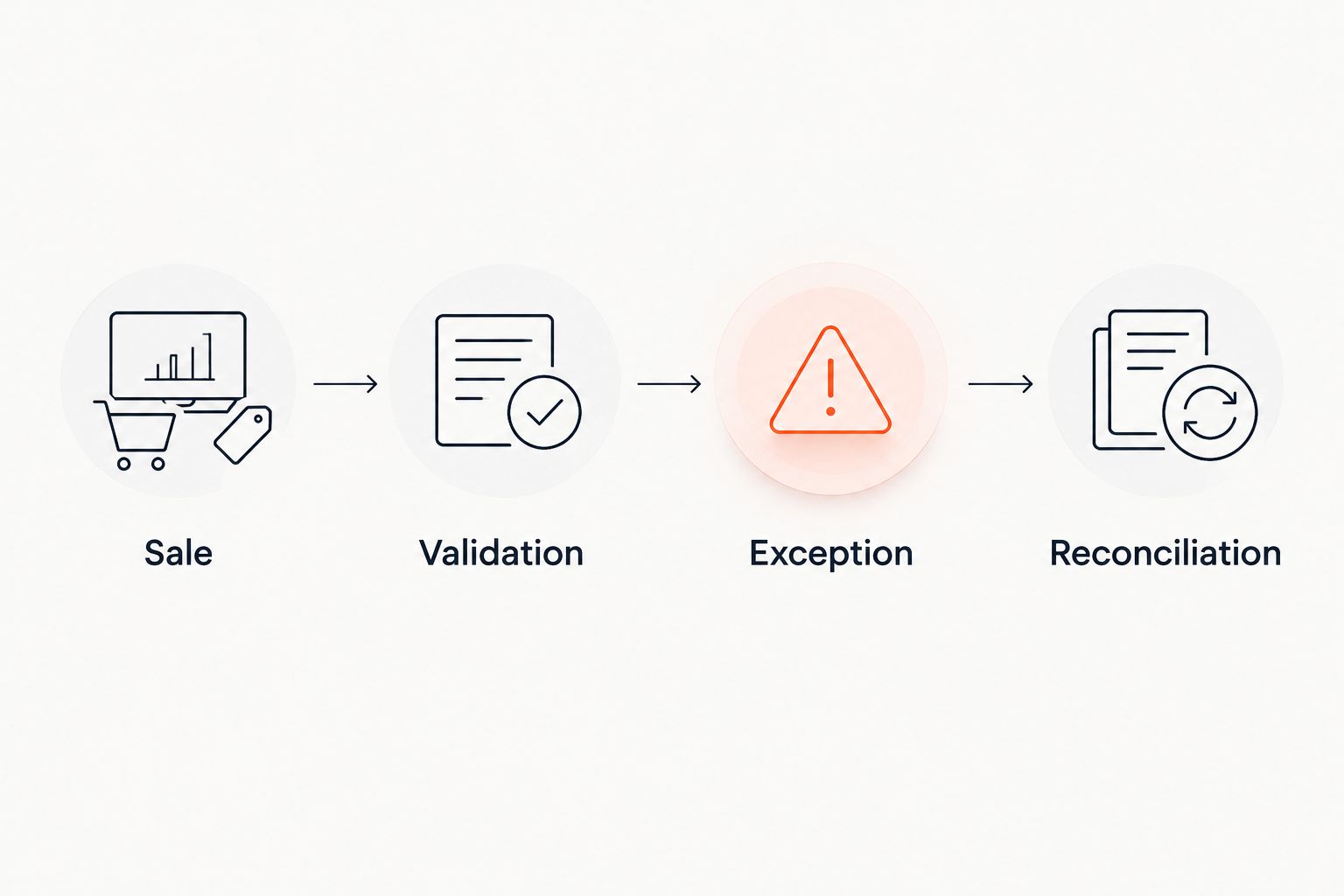
Use the same demonstration sequence for every supplier in your 2026 shortlist. Select a representative ticket or performance and follow it from sale through admission and exception handling.
Sale
Complete the transaction through each required channel: website, staffed counter and kiosk. Check which inventory record changes and what the next operator sees.
Validation
Present the issued ticket at the intended entrance. Ask the supplier to demonstrate acceptance, duplicate presentation and an invalid date or performance.
Exception
Request a correction, cancellation or seat change according to your operating policy. Record which staff permissions and customer communications the process requires.
Reconciliation
Trace the order, payment record, admission status and any adjustment. Require the supplier to explain differences between sales reporting and settlement reporting.
Keep a written acceptance record for each step. Mark a requirement as passed after the demonstration, not after a verbal assurance. Use unresolved requirements to decide whether to narrow the purchase, request further evidence or reject the option.
How the options are ranked
This guide ranks fit by operating model: event sales, park admission, staffed counters and connected systems. The criteria are admission rules, shared inventory, seating, gate operation, ownership and total cost.
The event-platform recommendation rests on the supplied product capabilities. The other entries are purchasing categories with demonstration requirements, not named vendors with invented performance scores. No scan-speed, uptime or customer-adoption ranking is implied.
Which box office software should you choose?
Choose ZunaroSpace for separately ticketed park shows, not as an assumed replacement for every park system. If your central problem is season-pass access or park-wide gate control, start with the attraction-management route instead.
For an undecided buyer in 2026, the next move is a written scope: what grants park admission, what grants show admission, and which sales channels share inventory. That document determines the shortlist more reliably than a long feature checklist.
Based at DTEC, Dubai Silicon Oasis. Built for the Gulf - the UAE and Saudi Arabia.
FAQ
What's the best box office software for amusement parks in 2026?
The best choice depends on whether you need park admission, show ticketing or both. Choose an event platform for separately ticketed performances and evaluate dedicated attraction-management software against park-wide access requirements.
Is ZunaroSpace suitable for an amusement park theatre?
ZunaroSpace is a relevant shortlist option for park theatres needing reserved seating, a branded storefront, box office and kiosk on shared inventory. Demonstrate your performance and admission workflow before selecting it.
Can event ticketing software replace a park admission system?
Event ticketing software should not be treated as a park admission replacement without validation. Require demonstrations of your pass entitlements, re-entry rules and gate equipment.
Should my box office and website share ticket inventory?
Yes, when both channels sell access to the same performance or capacity allocation, shared inventory should be an acceptance requirement. Demonstrate the effect of a counter sale on the website and kiosk.
What should I ask about offline gate operation?
Ask the supplier to demonstrate admission during a connectivity failure and reconciliation after service returns. Include duplicate scans and simultaneous operation across your required entrances.
Can buyers complete payment inside ChatGPT or Claude?
For the event platform described here, checkout completes on the organiser's own site, never in chat. ChatGPT and Claude support event discovery and booking, including seat selection on the real map.
How should I compare box office software costs?
Compare the complete commercial terms for your required workflow. Separate booking fees, payment processing, subscriptions, equipment, integrations and support rather than treating one headline charge as the total.
One last thing
A valid ticket is not the same as permission to enter every space. Define park entry, show entry and re-entry separately in your operating policy, then make the supplier demonstrate each boundary. That is where a persuasive software demonstration becomes a usable admissions process.


