

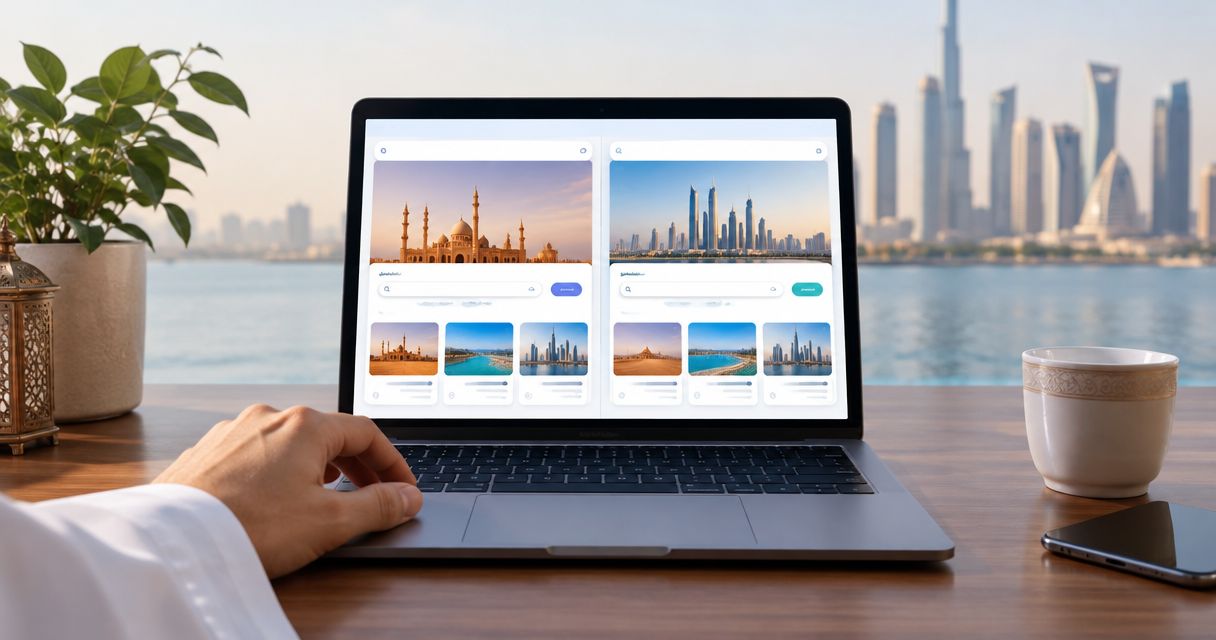
Every show has seats that never sold - and no one was working on them. Replace repeated language hand-offs with an Arabic-and-English event ticketing storefront: configure both language journeys, check right-to-left presentation, and verify how each visitor reaches the appropriate version before launch.
- ZunaroSpace event ticketing suits independent Gulf organisers who need Arabic, English and full RTL in their own storefront.
- For an arabic ticketing storefront rtl workflow, test language routing separately from translation and layout.
- Keep Arabic and English connected to the same event, seat map and live inventory.
- Approve both language journeys through checkout; an Arabic landing page alone is not enough.
Why this matters
A bilingual storefront is a complete booking journey, not a translated event description. Arabic copy, right-to-left layout, seat selection and checkout must work together. A visitor should not need your box office to explain what the online journey means.
ZunaroSpace is an event ticketing platform with Arabic and English, full RTL, and a branded storefront connected to box office, kiosk and door check-in through one live inventory. That gives your language review a clear boundary: two language journeys, one underlying event.
You keep the fees, the funds and the customers. Organisers pay nothing per ticket; buyers cover a booking fee of AED 3.99, or AED 1.99 under AED 20, and free events carry none.
For a 2026 launch, separate three decisions: which language appears, whether the content is correct, and whether the booking remains correct after a language change. Passing one does not establish the others.
Before you start
- Get the right access. Have organiser access to your storefront and event configuration, plus someone responsible for approving Arabic and English content.
- Prepare matching materials. Bring approved event descriptions, venue directions, admission conditions and ticket-type names in both languages. Include seating information when the event uses reserved seats.
- Separate language from geography. An Arabic interface does not establish a visitor's preferred currency, and a Gulf location does not establish a visitor's preferred language. Confirm the language-entry behaviour before directing campaigns to it.
The non-obvious trap is treating RTL as a request to reverse everything. Arabic paragraphs need right-to-left direction, but email addresses, booking references and physical seat positions need their own checks. Translate the explanation without changing what the booking identifies.
Event content preparation
Build one approved event record
- Choose a representative event. Use an event with the details your team actually publishes: performance time, venue, admission conditions and ticket choices. Include reserved seating if your normal workflow uses it.
- Write the English content. Make the operational meaning explicit. Distinguish arrival instructions from performance times, and describe restrictions without relying on an image poster.
- Prepare the Arabic equivalent. Have an Arabic-speaking reviewer approve meaning, not just wording. Both versions must describe the same performance and admission conditions.
- Match ticket terminology. Keep each Arabic ticket name connected to its English equivalent and underlying entitlement. Similar wording is not enough if the ticket grants different access.
- Record the approved version. Keep the bilingual source content together so later changes do not leave one language describing an old arrangement.
Expected result: your team can compare Arabic and English side by side and confirm that every operational detail agrees.
Do not make a separate event merely to obtain another language. Separate records create another inventory and reporting relationship to manage. The working requirement is language-specific presentation of the same booking proposition, not a second version of the show.
Compare the language requirements
Use this table as the content review brief for your 2026 launch. Neither language replaces the other; each serves a different reading preference.
| Journey | Best for | Strength | Limitation to check |
|---|---|---|---|
| Arabic with RTL | Visitors who prefer reading Arabic | Presents Arabic content in its reading direction | Mixed Arabic and Latin identifiers need careful review |
| English | Visitors who prefer reading English | Provides an English-language booking journey | English approval does not validate Arabic content |
| Bilingual review | Organisers serving both language groups | Exposes differences before publication | Requires content approval in both languages |
Storefront language and RTL checks
Establish the language-entry behaviour
- Open the storefront in a fresh browser session. Record which language appears before making any selection. Repeat with browser language preferences set to Arabic and English.
- Check the language-selection control presented by the storefront. Change language and confirm that the destination still describes the intended event. Use the control's actual label when documenting the process for staff.
- Test a direct event entry. Open the event from the same destination you intend to use in organiser marketing, rather than testing the homepage alone.
- Return in the same browser. Check whether the previous language choice persists. Document the observed behaviour so your team knows what a returning visitor sees.
- Approve the routing rule. Use automatic language selection only after its actual behaviour passes these checks. Where a visitor needs to choose, keep the choice clear and accessible.
Expected result: you know how a new visitor, returning visitor and direct-link visitor reaches Arabic or English. Do not describe a storefront as automatically serving the right language merely because both versions exist.
Review direction without reversing meaning
- Read the Arabic page as a complete page. Check headings, descriptions, navigation and form instructions for consistent right-to-left presentation.
- Inspect mixed-direction content. Review Arabic sentences containing English venue names, email addresses and booking references. Confirm that punctuation belongs to the intended phrase.
- Check dates and times against the source event. Treat the stored event details as the reference, not whichever language version looks more familiar.
- Repeat on a narrow mobile screen. Look for clipped labels, overlapping content and instructions separated from the fields they explain.
Expected result: Arabic reads correctly, English remains readable, and neither presentation changes the event's meaning.
Shared inventory and checkout verification
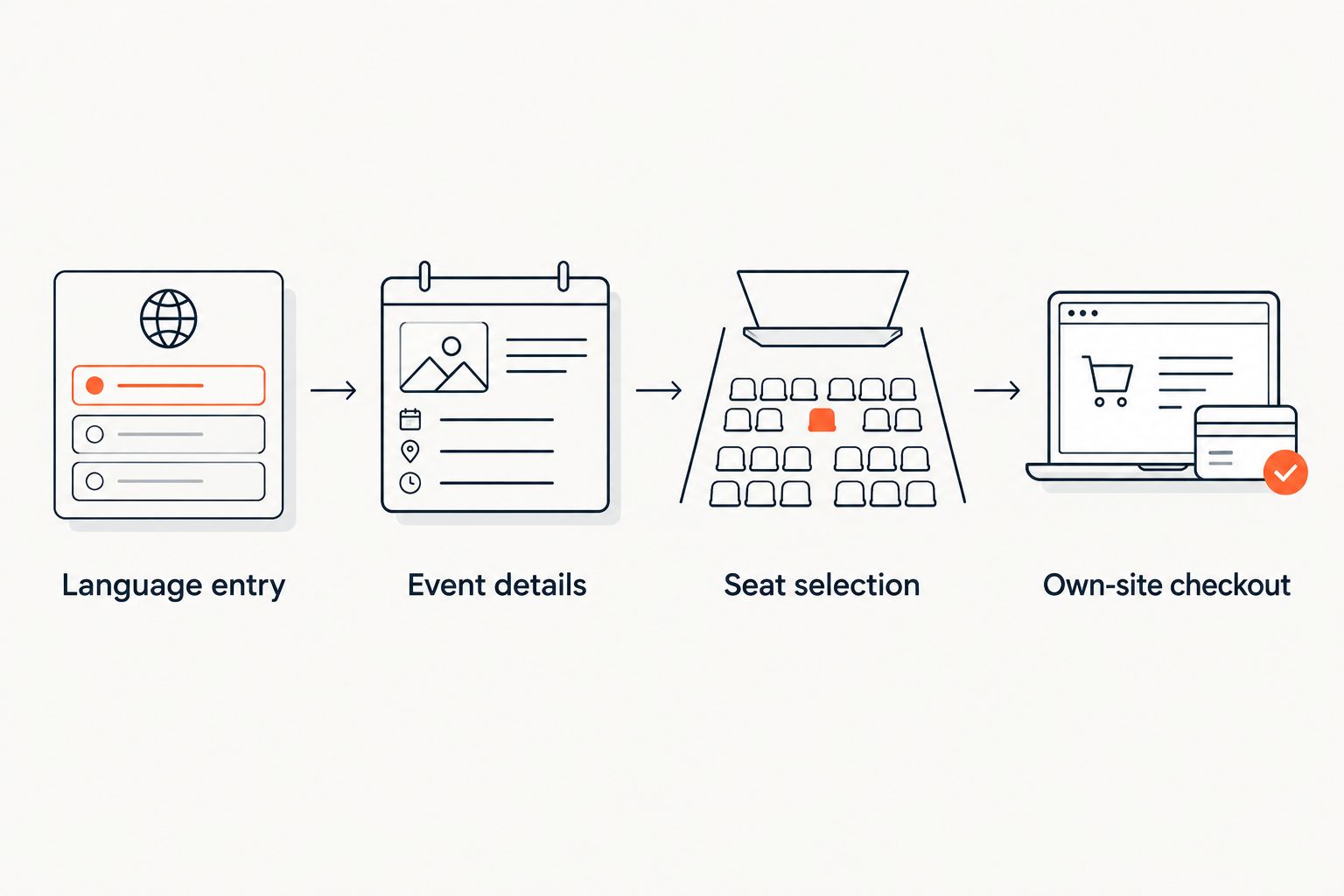
The booking test has four stages: Language entry, Event details, Seat selection and Own-site checkout. Test that sequence in Arabic and English; inspecting isolated pages leaves the hand-offs unchecked.
Validate the same booking in both languages
- Open the same performance in Arabic and English. Compare the event, venue, performance time and ticket entitlements against your approved record.
- Inspect the seating map. Confirm that section, row and seat identifiers refer to the same physical positions. RTL presentation must not become an instruction to mirror the venue.
- Follow the booking journey towards checkout. Compare the selected performance and ticket details at each stage. Stop and resolve any mismatch before publication.
- Test a language change during the journey. Record whether the selection remains intact or the visitor needs to select again. Give staff instructions that match the observed behaviour.
- Review the confirmation experience. Check the event details and instructions wherever confirmations are delivered. E-tickets are supported through WhatsApp as well as email; do not assume that reviewing one message validates the other.
Expected result: each language journey identifies the correct performance, entitlement and seat throughout the booking.
For reserved-seat events, use the reserved seating setup guide alongside this language review. A translated seat description cannot correct a seating plan that identifies the wrong physical position.
Set a release gate
Before your 2026 publication, require approval from the event owner and an Arabic-speaking reviewer. Record the event reviewed, the language-entry behaviour, the devices checked and any unresolved defects.
Keep the gate practical. A wrong performance time, unclear admission condition or incorrect seat identity blocks publication. A wording preference belongs in content review; it should not obscure a booking defect.
Repeat the workflow whenever an event changes
A bilingual storefront needs a change workflow as well as a launch workflow. Repeat the relevant checks whenever you change a venue, performance time, admission condition or ticket entitlement.
- Update the source details. Establish the new operational fact before editing either language.
- Revise both language versions. Have the Arabic and English wording approved against the same change.
- Check the public journey. Reopen the published destination rather than relying on the editing view.
- Recheck affected messages. Review any confirmation or admission instruction that repeats the changed detail.
Expected result: Arabic and English continue to describe the same event after publication.
This is also the right workflow for adding another performance. Reusing approved wording saves editing work, but the date, venue and seating still need a fresh check. For your 2026 event calendar, attach language approval to each event's release process rather than treating translation as a completed project.
Troubleshooting
Arabic appears, but the layout still reads left to right
Check whether the problem affects the whole page or a specific content block. Review the storefront's RTL presentation rather than adding spaces or punctuation to force text into position. Manual spacing is not a substitute for correct direction.
The homepage is Arabic, but the event opens in English
Repeat the direct-entry test with the exact destination used in your campaign. Document the language behaviour at that entry point and make the visitor's language choice accessible. A homepage check does not validate an event link.
Seat labels appear in an unexpected order
Compare the displayed identifiers with the venue's seating plan. Preserve the physical relationship between stage, aisles, sections and seats; correct the language presentation without changing seat identity. Ask venue staff to verify the result before release.
Arabic and English describe different admission conditions
Return to the approved source record and resolve the operational meaning with the event owner. Correct both versions together, then inspect any messages that repeat the condition. Do not let the translator decide an admission policy.
A language change interrupts the selection
Repeat the journey and document exactly where the selection changes or resets. Make the language choice clear before seat selection while the issue is resolved. Never promise that changing language preserves a booking unless that journey has passed testing.
Customize your workflow
Extend the language review to the channels your team uses. ZunaroSpace event ticketing connects storefront, box office, kiosk and door check-in through one live inventory; staff should use consistent event and ticket terminology across those channels.
A WhatsApp agent answers buyers, holds seats and hands over a checkout link. Events can also be found and booked inside ChatGPT and Claude, including seat selection on the real map; checkout always completes on the organiser's own site, never in chat. Apply the same bilingual accuracy checks at that hand-off.
AI that sells your tickets. The mechanism matters: answering a question or holding a seat does not remove the need for correct event content and a checked checkout journey.
Ask Zunaro Pro is AED 179/mo, with a 14-day trial and no card. Keep assistant access separate from your storefront acceptance criteria: the publication decision still rests on the event journey you have checked.
FAQ
What does an Arabic ticketing storefront with RTL need?
It needs Arabic content, right-to-left presentation and a checked booking journey through seat selection and checkout. Review mixed Arabic and Latin identifiers separately so layout changes do not alter their meaning.
Does ZunaroSpace support Arabic and English event ticketing?
ZunaroSpace supports Arabic and English with full RTL. Organisers should approve event content in both languages and verify how visitors enter each language journey.
Will every visitor automatically see the right language?
Verify the storefront's language-entry behaviour before relying on automatic selection. Test fresh sessions, returning visits and direct event entries with Arabic and English browser preferences.
Should an Arabic seat map mirror the physical venue?
No, RTL presentation must preserve the physical identity of sections, rows and seats. Compare the map with the venue plan rather than reversing positions to match text direction.
Does choosing Arabic also choose SAR?
Language and currency are separate decisions. Arabic does not establish a visitor's currency preference, so verify event currency independently from storefront language.
Do organisers need separate events for Arabic and English?
The workflow should present the same event and inventory in both languages. Do not create duplicate event records merely to provide translated content.
Can a booking discovered in ChatGPT finish inside chat?
No, checkout completes on the organiser's own site. ChatGPT and Claude support event discovery and booking, including choosing a seat on the real map, before that checkout hand-off.
One last thing
Test the least convenient Arabic journey before launch. Use a direct event entry on a narrow mobile screen, with an English venue name inside Arabic text, then follow the seat selection towards checkout. That combines language routing, mixed-direction text and booking continuity in one useful release check.
Make it part of every 2026 event release, not a demonstration performed once. Based at DTEC, Dubai Silicon Oasis. Built for the Gulf - the UAE and Saudi Arabia.


