

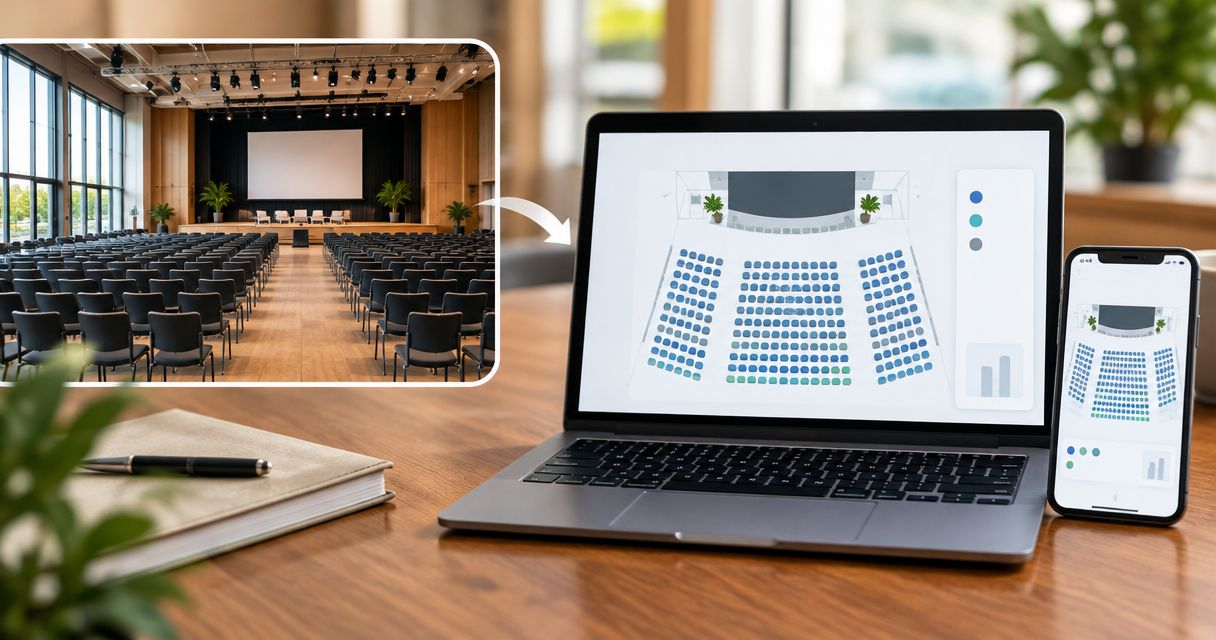
Every show has seats that never sold - and no one was working on them. Instead of drawing every row manually, use an event ticketing platform to create a seat map from a photo, review it against the room, and connect reserved seating to your storefront, box office and kiosk.
- Zunaro suits independent venues that want photo-traced reserved seating and ticket sales on one live inventory.
- Create a seat map from a photo in about 60 seconds, then verify rows, labels and sellable seats.
- Treat photo tracing as the drawing step, not approval of the venue layout.
- Keep checkout on the organiser’s own site, including bookings started through ChatGPT or Claude.
Why this matters
A seating diagram shows where chairs sit. A live seat map connects those chairs to the event you are selling. Confusing the two creates a practical problem: a drawing can look correct while describing the wrong performance layout.
Zunaro is an event ticketing platform for independent organisers and venues that want photo-traced reserved seating connected to their sales channels. The platform traces a seat map from a photo in about 60 seconds, without CAD or a setup fee. That timing describes tracing, not the full review and launch process.
For your 2026 setup, separate drawing speed from operational readiness. Your venue team still needs to confirm what the picture represents and which seats belong in the event’s sellable inventory.
Zunaro brings the store, seating, box office, kiosk and door check-in onto one live inventory. You keep the fees, the funds and the customers.
AI that sells your tickets. A WhatsApp agent answers buyers, holds seats and hands over a checkout link; the seat map gives that conversation a concrete place to land.
Before you start
- Account and event access: Have access to the ticketing account and the event you intend to sell. Involve the person responsible for the room layout, not just the person publishing the event.
- Source material: Prepare the photo you want traced and an authoritative reference for the actual seating arrangement. Keep row names, seat labels, stage orientation and any event-specific exclusions available for comparison.
- The gotcha: A photo can show a different configuration from the one being sold. Confirm the event layout before tracing; a clear image of the wrong arrangement is still the wrong source.
Choose the source by what it communicates, not by how polished it looks. A photograph that hides rows behind other rows is a poor reference for verifying individual seats. Use material that lets your team distinguish the intended seating positions.
For a 2026 production, record which layout the venue has approved. Keep that reference with the event’s operating materials so the box office and front-of-house teams are checking the same arrangement.
Source photo and layout reference
- Choose the correct configuration. Match the source photo to the event’s stage position, seating blocks and room arrangement. Check whether production equipment or a different stage configuration changes the seats you intend to sell.
- Make the source readable. Use an image where the relevant seating areas are visible. If perspective or obstructions prevent a reliable comparison, obtain a clearer reference before continuing.
- Create the traced map. Use the platform’s photo-to-seat-map capability with the chosen image. Keep the approved venue reference beside the generated result for the review that follows.
Expected result: You have a generated seating layout and a separate reference against which to check it. You have not yet treated the drawing as ready for sale.
The useful distinction is between recognition and approval. Tracing converts visual information into a seat map; your venue team confirms whether that map represents the room you will operate.
Do not turn “about 60 seconds” into a launch deadline. A straightforward source and a complicated venue arrangement require different amounts of human checking. The tracing claim does not remove that responsibility.
Seat identities and layout review
- Check orientation. Compare the stage position, seating blocks and row direction with the approved layout. Read the map as someone choosing a seat would, then as a staff member directing someone to it.
- Check seat identities. Compare row names and seat labels throughout the layout, including the ends of rows. Confirm that the map and the venue’s physical labelling describe the same places.
- Check the sellable layout. Identify positions that must not enter public sale for this event. Resolve discrepancies before publication rather than relying on staff to explain them after an order arrives.
Expected result: Each seat offered for sale has an unambiguous physical counterpart, and the intended event layout matches the reviewed map.
Use a written discrepancy list during this pass. “Back block differs from the venue reference” is actionable; “map looks odd” is not. Record the affected row or position and the correction required, then check the revised result against the same reference.
For your 2026 launch checklist, keep drawing approval separate from sales approval. A venue representative can confirm the room arrangement while the event owner confirms that the intended seats are being offered for the intended performance.
Choose the right layout workflow
| Workflow | Best for | Advantage | Limitation |
|---|---|---|---|
| Photo tracing | Venues with a clear source image and an agreed layout | Replaces manual drawing with a generated starting point | Still needs a seat-by-seat review against the venue reference |
| Reuse of the reviewed arrangement | Another performance with the same physical configuration | Keeps the team working from an agreed layout reference | Requires confirmation that the new event has not changed the room |
| Revised-layout review | Productions with changed staging or seating | Makes layout changes explicit before sale | Requires another approval pass rather than assuming the previous map applies |
Use photo tracing to remove drawing work, not to remove venue approval. An unchanged-looking room is not evidence that every seat remains suitable for the next production.
Event inventory and launch checks
- Connect the reviewed seating arrangement to the intended event. Check the event name, performance date and room before releasing sales. A correct map associated with the wrong performance is still a launch error.
- Inspect the sales journey. Review how reserved seating appears on the organiser’s storefront and through the box office and kiosk workflows you intend to use. Compare seat identities, not just the overall shape of the diagram.
- Rehearse the handover. Have staff follow a selected seat from the map to its physical location. Include the order and admission information in that rehearsal, using a controlled test rather than an attendee’s live booking.
Expected result: The event, seat identity and physical location agree across the sales and operational journey you will use at launch.
Zunaro’s store, seating, box office, kiosk and door check-in share one live inventory. That is the foundation for selling the same event through different channels; it is not a reason to skip checking how your particular event has been configured.
Use this sequence as your 2026 release gate: source confirmed, map reviewed, event checked, sales journey rehearsed. Keep the approval record short enough that the team will actually read it.
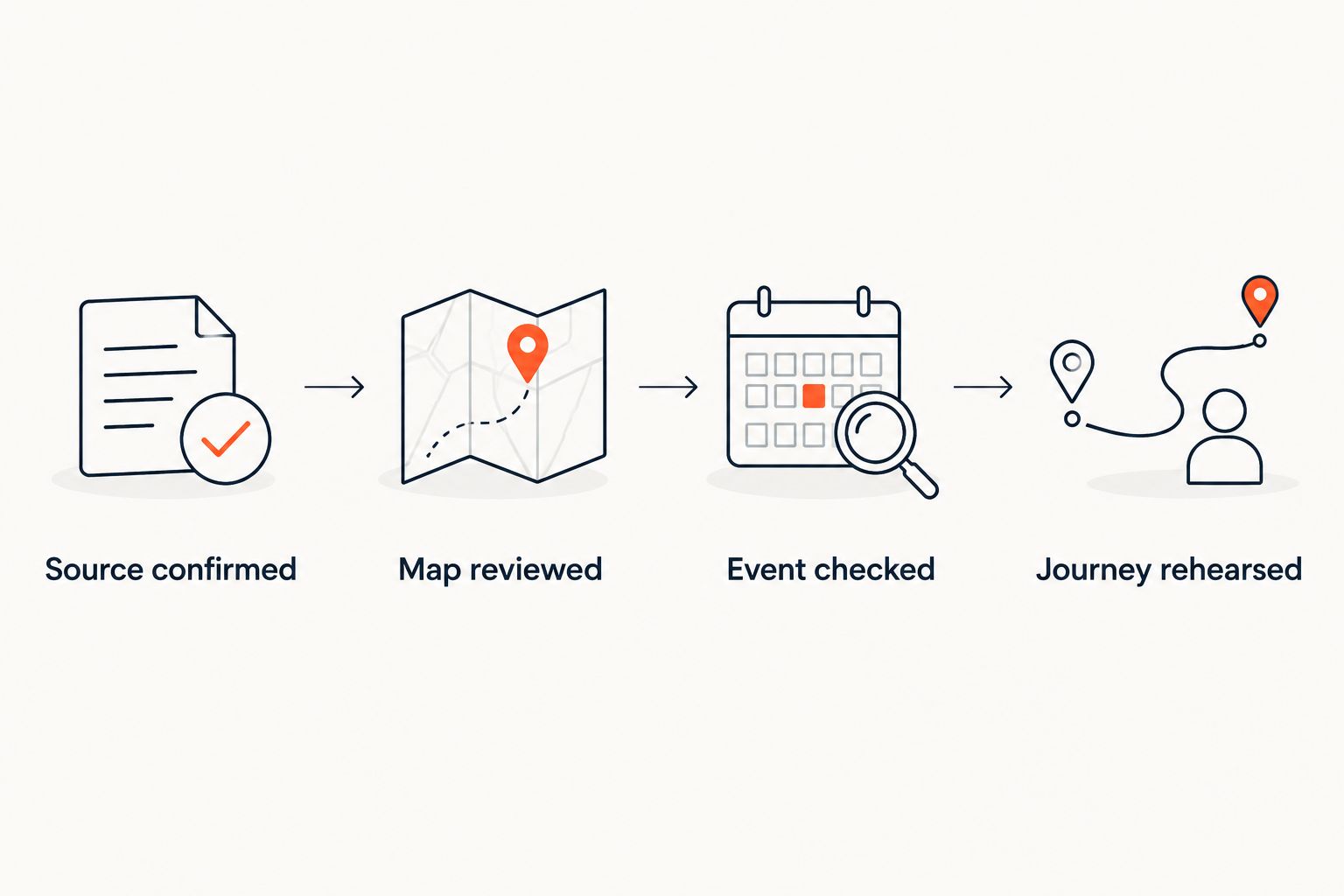
A controlled rehearsal should answer a specific question: can staff identify the same seat consistently from selection through admission? Stop and resolve any mismatch before opening public sales.
Revised layout for another performance
A second workflow applies when the room changes between performances. Treat the revised arrangement as a new review task, not an automatic extension of the previous approval.
Start with the change itself. Has the stage moved? Has production equipment affected a seating block? Are the physical seat labels unchanged? Compare the revised source with the previous approved reference before deciding what needs retracing.
- If the arrangement is unchanged: Verify that the event uses the intended reviewed layout. Do not repeat drawing work simply because the performance date differs.
- If the arrangement has changed: Obtain a source that represents the new configuration, trace the revised layout and repeat the approval checks.
- If sales have already started: Reconcile existing seat assignments with the proposed change before altering the live event. Escalate any affected bookings to the person responsible for the event.
Expected result: Each performance has an approved seating arrangement that reflects its actual production requirements.
Keep an existing booking out of an experimental layout review. Compare proposed changes separately, establish their effect on allocated seats, and agree the operational response before touching the selling event.
Troubleshooting
The traced layout does not match the room
Check the source before repeating the trace. Confirm that it shows the correct configuration and that perspective or obstructions have not hidden relevant seating positions.
Use a clearer reference and repeat the review. Do not approve the result merely because the broad outline resembles the venue.
Row names or seat labels differ from physical signage
Compare the disputed labels with the venue’s authoritative reference. Resolve which naming scheme staff and attendees will encounter in the room, then ensure the selling map agrees.
If the mismatch remains unresolved, hold publication and request help. A staff briefing does not correct a contradictory seat identity.
The storefront and box office appear to show different seats
Confirm that both views refer to the same event and performance. Check the exact seat identity and whether you are comparing the same point in the booking journey.
Distinguish a seat being selected or held from a completed order. If the discrepancy persists, record the event, seat and observed state for investigation rather than creating a separate inventory workaround.
A chat booking is mistaken for a completed purchase
Keep seat selection, a seat hold and payment completion distinct in staff instructions. The WhatsApp agent can answer questions, hold seats and hand over a checkout link.
ChatGPT and Claude support event discovery and booking, including selecting a seat on the real map in chat. Checkout always completes on the organiser’s own site, never in chat.
Customise your workflow
Once the reviewed map is connected to the event, extend the workflow to the channels your team actually operates. Start with a reliable storefront and box office process before adding another staff handover.
For your 2026 operating plan, check language as well as seat identity. Arabic and English are supported with full RTL; review the attendee-facing journey in the languages you intend to publish, rather than assuming the English review covers both.
Use the guide to syncing ticket inventory between kiosk and storefront when planning walk-up sales. The operational goal is one seating inventory, not a separate spreadsheet for each channel.
Organisers pay nothing per ticket. The buyer booking fee is AED 3.99, or AED 1.99 under AED 20; free events carry none. Ask Zunaro Pro is AED 179/mo, with a 14-day trial and no card required.
Based at DTEC, Dubai Silicon Oasis. Built for the Gulf - the UAE and Saudi Arabia.
FAQ
How do I create a seat map from a photo?
Use Zunaro’s photo-tracing capability to generate the map, then compare it with the approved venue layout. Verify orientation, row names, seat labels and the intended sellable arrangement before connecting it to public sales.
How long does photo-to-seat-map tracing take?
Photo tracing takes about 60 seconds. That describes map generation, not the time needed for venue approval, event configuration or a sales rehearsal.
Do I need CAD drawings to create the seat map?
No CAD is required for the photo-tracing workflow. You still need a reliable reference for checking that the generated map matches the room and the event’s seating arrangement.
Can I use the same seating arrangement for another performance?
Use the reviewed arrangement as your reference when the physical configuration is unchanged. Confirm that the new event uses the intended layout, and repeat the review if staging or seating changes.
Can the box office and kiosk use the same seat inventory?
Yes. The store, seating, box office, kiosk and door check-in work on one live inventory; review the event and seat identities across the channels you intend to operate.
Can an organiser offer reserved seating through WhatsApp?
The WhatsApp agent can answer buyers, hold seats and hand over a checkout link. Payment completes on the organiser’s own site, not in the WhatsApp conversation.
Can seats be selected inside ChatGPT and Claude?
Yes. Events can be discovered and booked inside ChatGPT and Claude, including selecting a seat on the real map in chat. Checkout always completes on the organiser’s own site.
Does a traced seat map replace the venue’s layout approval?
No. Photo tracing creates the map; the venue team must confirm that it represents the approved arrangement. Keep that check separate from the decision to open sales.
One last thing
Walk the map before you sell the room. Ask someone who did not prepare it to locate a selected seat using the same information your front-of-house team will receive.
That rehearsal tests something a tidy diagram cannot: whether the seat identity means the same thing to the person selling it and the person finding it. Resolve ambiguity while the event is still under your control, before public bookings turn a labelling problem into an attendee problem.


