

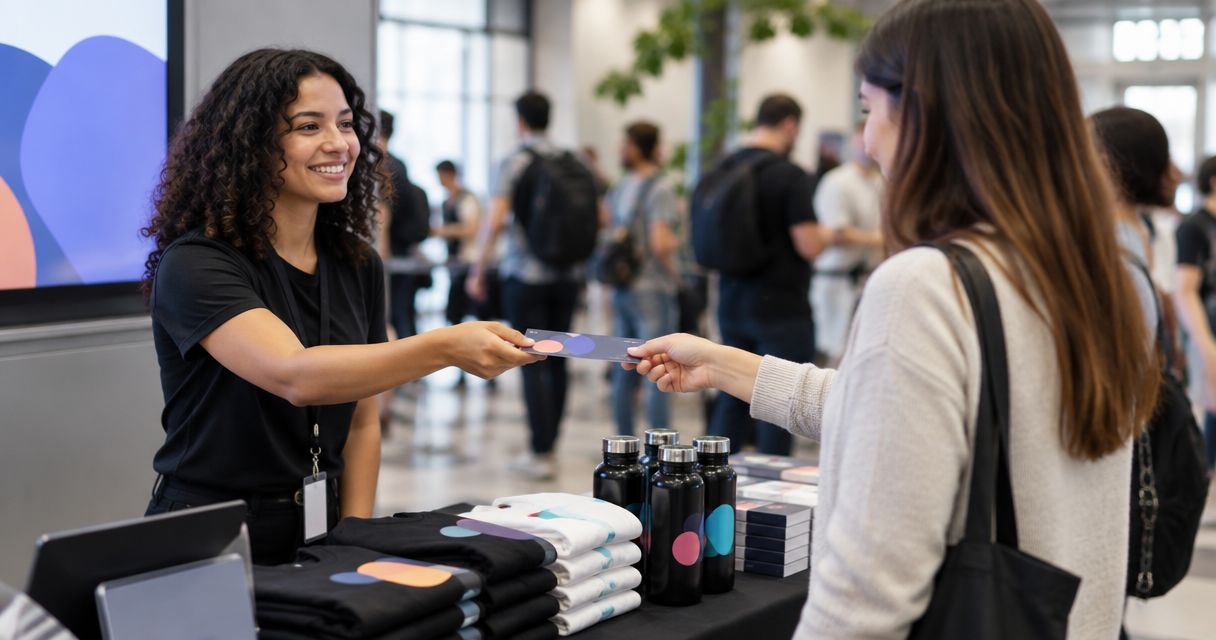
Yes. You can sell merchandise alongside event tickets through a shared checkout if your ticketing system supports merchandise, or through a separate shop linked from your event page. A shared cart is not automatic: check how merchandise orders, stock and refunds are handled before you promote it. Do not assume a branded ticket storefront includes merchandise sales.
- Can I sell merchandise alongside event tickets? Yes, with a supported shared checkout or a separate merchandise shop.
- A shared cart is best for a simple purchase; a separate shop gives merchandise its own ordering process.
- Zunaro offers branded event ticketing, but native merchandise checkout is not confirmed.
- Decide how buyers receive merchandise and how you handle changes before opening sales.
Why this matters
A ticket gets someone into your event. Merchandise is a separate order that someone must prepare and deliver or hand over. If you combine the purchases, the buyer needs to understand what arrives as a ticket and what happens to the physical item.
For an organiser in 2026, the decision is less about whether merchandise can appear near a ticket and more about what happens after payment. A confusing handover can turn a straightforward order into a queue at the door.
Can I sell merchandise alongside event tickets?
Yes, but choose the sales route before you build the event page. These approaches put merchandise near ticket sales in different ways; they do not provide the same checkout or fulfilment process.
| Approach | Best for | Advantage | Limitation |
|---|---|---|---|
| Merchandise in the ticket checkout | Organisers whose platform supports products or add-ons and who want a shared purchase | The buyer selects tickets and merchandise during the same purchase | You must confirm how the system records merchandise orders, quantities and changes |
| Separate merchandise shop linked from the event page | Organisers who already have a way to sell and fulfil merchandise | Merchandise can have its own product and fulfilment process | The buyer completes a separate checkout |
| Merchandise sold at the venue | Organisers who want buyers to choose items in person | Buyers can see the item before purchasing | It does not let the organiser collect merchandise orders with advance ticket sales |
If a shared checkout is essential, ask for a demonstration of an actual merchandise order. The presence of an event storefront proves that tickets can be sold there; it does not prove that physical goods can be added to the same cart.
Zunaro is an event ticketing platform with a branded storefront, box office and kiosk. Its stated features do not confirm native merchandise checkout, so establish that requirement before designing an event around a shared cart.
How do I set up merchandise sales with ticket sales?
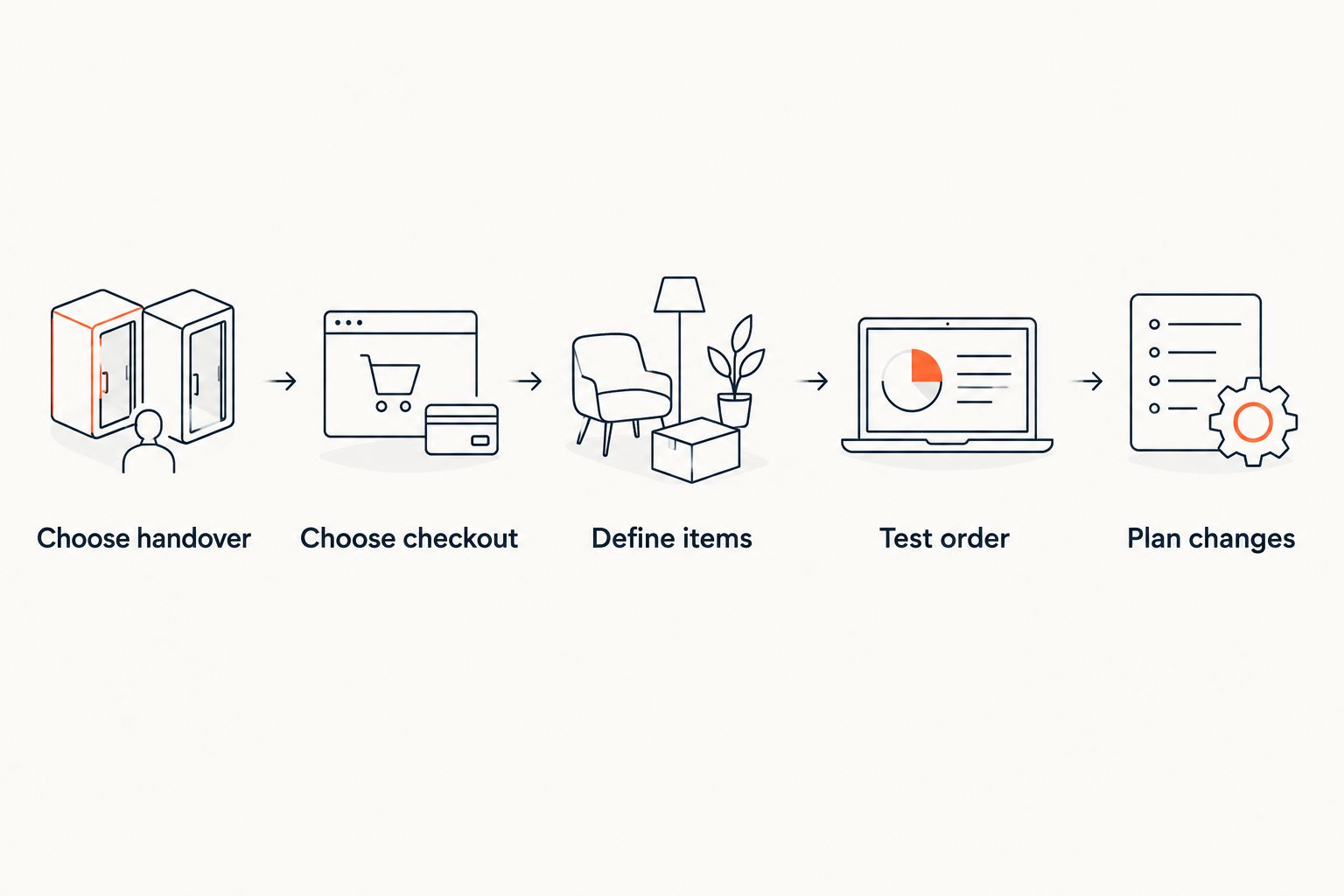
- Choose the handover. Decide whether buyers collect merchandise at the venue or receive it through a separate fulfilment process. State that choice beside the item, not just in an order email.
- Choose the checkout route. Confirm whether your ticketing system accepts merchandise in the ticket order. If it does not, use a separate shop and make the second checkout clear to buyers.
- Define each item. Record the details buyers need to choose correctly, such as the item, available variants and collection instructions. Do not let a ticket type stand in for a merchandise item unless your system records the distinction clearly.
- Test the buyer journey. Place an order as a buyer would. Check what the confirmation shows, what the organiser sees and what staff need at handover.
- Plan changes. Decide what happens if a buyer changes a ticket order, asks for a merchandise refund or cannot attend. Document which team handles each request.
Run that test before announcing merchandise sales for a 2026 event. A checkout that accepts an order is only part of the process; staff still need a reliable way to identify what the buyer purchased.
What should I check before using a shared checkout?
A shared checkout is useful only if the merchandise record remains useful after the ticket sale. In 2026, check the complete order path rather than judging the event page alone:
- Item selection: Can the buyer tell which choice is a ticket and which is merchandise?
- Order record: Can staff see what merchandise the buyer selected without interpreting a ticket name or free-text note?
- Quantity tracking: Who updates available merchandise quantities, and where does that change appear?
- Confirmation: Does the buyer receive clear instructions for collecting or receiving the item?
- Handover: Can the team responsible for merchandise identify the order without confusing it with admission?
- Changes and refunds: Can staff deal with a change to the merchandise without assuming the ticket should change too?
These are checks, not claims that every ticketing platform has the features. If the system cannot show a merchandise order clearly to both buyer and staff, a separate shop is the cleaner choice.
Keep admission and merchandise distinct
A ticket answers whether the holder can enter. A merchandise order answers what someone bought and how they will receive it. Do not treat those records as interchangeable, even when a buyer places both selections during one checkout.
For reserved seating, this distinction is especially useful. Changing a seat and changing a merchandise selection are different requests. Check whether your order workflow lets staff identify the affected item before making either change.
Write collection instructions before opening sales
If buyers collect merchandise at the event, tell them where and how collection works. Decide what staff will accept as proof of purchase and what they should do when a buyer arrives without that proof. Those decisions belong in the operating plan, not in an improvised answer at the door.
For a separate shop, the instruction must also make clear that buying merchandise does not itself provide admission. Put that distinction where buyers make their selections. It reduces the chance that a merchandise receipt is mistaken for an event ticket.
When is a separate merchandise shop the better choice?
Use a separate shop when the ticketing platform cannot record merchandise as a distinct item, or when your merchandise team already handles its own orders. The extra checkout is a visible trade-off; unclear order records are a problem for both buyers and staff.
Link the shop from the event information and describe it accurately as a separate purchase. Test the link on the page a buyer actually sees. Then check whether the shop confirmation explains its own collection or delivery process without relying on the ticket confirmation to fill the gaps.
This approach also gives organisers a practical fallback in 2026: ticket sales do not have to wait for an unverified merchandise integration. Keep the two order processes explicit, and make sure staff know where to look up each one.
Why does the right approach vary by event?
- Sales location: Advance orders and venue-only sales create different handover work.
- Ticket format: Reserved seating adds seat changes that should not be confused with merchandise changes.
- Merchandise choices: Items with variants need clear selection and order records.
- Fulfilment: Collection and delivery require different buyer instructions.
- Staff workflow: The people scanning tickets need not be the people handing out merchandise.
- Existing shop: A working merchandise checkout can make a separate purchase simpler to manage than an unsupported shared cart.
Use these factors to choose a route for each event rather than assuming that a 2026 ticketing setup must handle every kind of sale. The best route is the one your team can operate from purchase through handover.
Can buyers add merchandise after buying a ticket?
Yes, through a separate merchandise purchase; adding it to an existing ticket order depends on the platform. If post-purchase additions matter, test whether the system attaches the item to the original order or creates a new one. Tell staff which record they should use at collection.
Can I sell merchandise at the box office?
Yes, if your box office process supports merchandise sales, or you run a separate merchandise payment process there. Do not assume a box office that sells tickets also tracks physical items. Check how staff record the merchandise purchase and keep it distinct from admission.
Should I bundle merchandise with a ticket?
Bundle them only when buyers can see exactly what the order includes and your team can fulfil both parts. Check how a change or refund affects each component before offering the bundle. A label that combines ticket and merchandise is not a substitute for an order record staff can use.
Where does Zunaro fit?
Zunaro event ticketing is best for organisers who want their own branded storefront alongside a box office and kiosk; merchandise checkout remains a feature to verify. Zunaro supports ticket sales across a storefront, box office and kiosk on one live ticket inventory. That confirmed ticket workflow does not establish how merchandise items would be listed, paid for or handed over.
The advantage is a connected ticketing operation. The limitation for this question is specific: do not plan a shared merchandise cart until you have confirmed it works for your items and order process. If you use a separate shop, keep its checkout and fulfilment instructions explicit.
FAQ
Can I sell merchandise alongside event tickets in 2026?
Yes. Use a ticket checkout that supports merchandise or link buyers to a separate shop, and explain how they will receive their items.
Does a branded ticket storefront automatically support merchandise?
No. A branded storefront establishes where tickets are sold; confirm separately whether it can list merchandise and record those orders.
Does Zunaro support merchandise in the ticket checkout?
Native merchandise checkout is not confirmed in Zunaro's stated features. Confirm product setup, order records and fulfilment before planning a shared cart.
Can buyers collect merchandise at the event?
Yes, if you arrange collection and give buyers clear instructions. Staff also need a way to identify the merchandise order at handover.
Can merchandise and tickets use separate checkouts?
Yes. Link a separate merchandise shop from the event page and tell buyers that it is a separate purchase from admission.
Can I sell merchandise at a ticketing kiosk?
Only if the kiosk's sales workflow supports merchandise. Ticket sales through a kiosk do not, by themselves, confirm that it can record physical-item orders.
What should I test before selling merchandise with tickets?
Place a test order and inspect the buyer confirmation, organiser record and handover process. Test changes and refunds as well as the initial purchase.
One last thing
The deciding test is not whether a buyer can select an item. It is whether the right staff member can identify that item when the buyer asks for it. For your 2026 event, place a test order and follow it through to handover before promising merchandise alongside tickets.


