


Yes—if your event ticketing platform supports an optional donation field at checkout and your fundraising arrangements meet the rules that apply to your event. Keep the contribution separate from admission, leave it unselected by default, and show it clearly before payment. A ticketing platform’s ability to sell tickets does not establish that it can collect, report or refund donations correctly.
- A donation add-on ticket checkout needs an optional contribution field, separate reporting and clear refund treatment.
- For a charity gala, test both donating and declining before publishing the checkout.
- ZunaroSpace supports branded event ticketing; confirm donation-specific controls before choosing it for fundraising.
- For Gulf events, confirm fundraising permissions and the intended recipient before collecting contributions.
Why this matters
Every show has seats that never sold - and no one was working on them. A donation request serves a different purpose from selling those seats: it asks for additional support, not additional admission.
Keep the ticket purchase complete without a donation. Your checkout should make that distinction obvious rather than turning a voluntary contribution into an unexplained charge.
For a 2026 fundraising event, start with the recipient, permissions and accounting treatment—not the appearance of the checkout field. The charity gala ticketing guide covers the wider event workflow; the checks below focus on the contribution itself.
Can I add a donation option to a ticket checkout page?
Yes, when the platform provides the necessary donation controls. Ask the provider to demonstrate the complete order journey, including what happens after payment, rather than accepting a screenshot of an extra field.
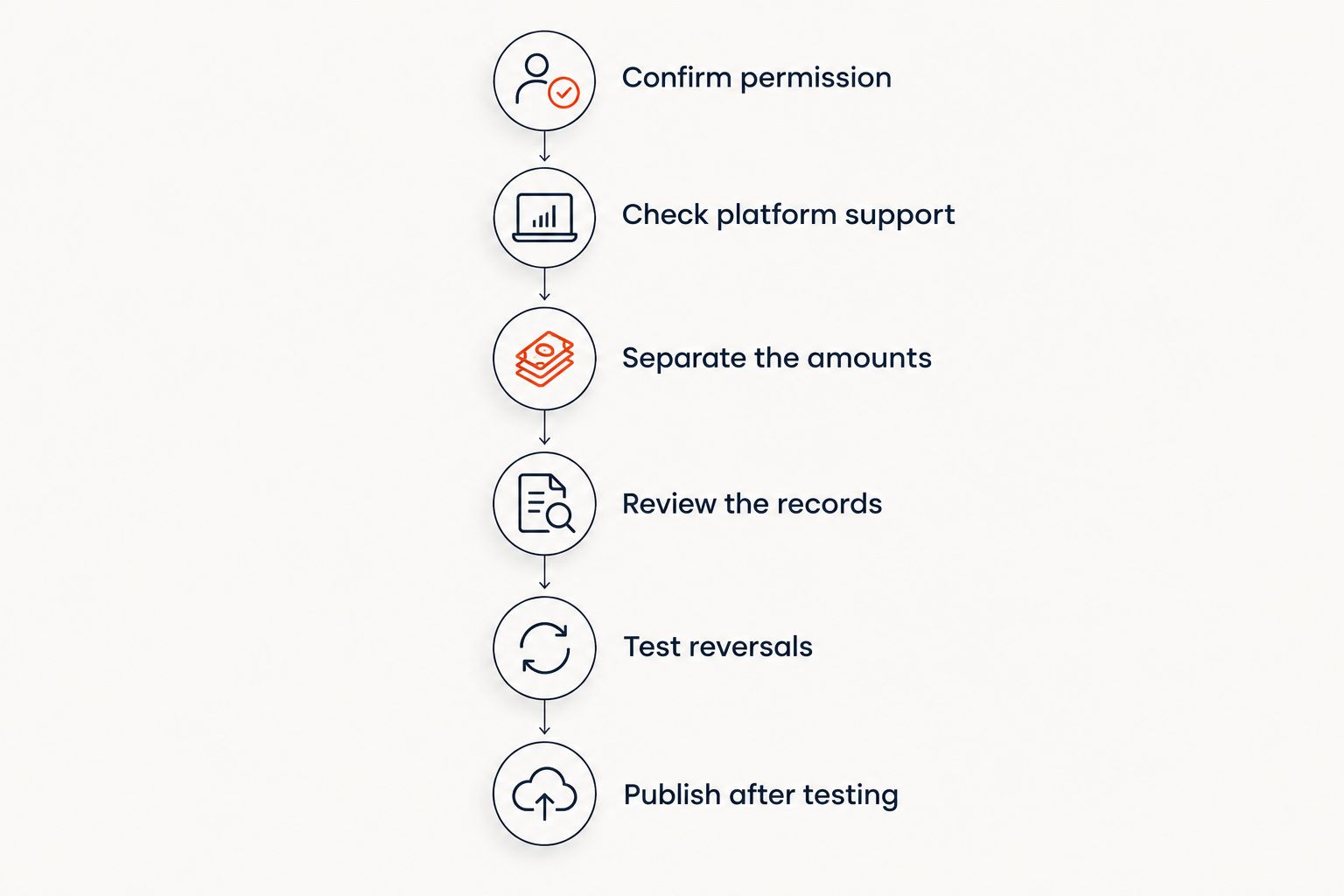
Use this sequence before enabling a donation add-on ticket checkout:
- Confirm permission. Establish who is collecting the contribution, who receives it and what approvals apply.
- Check platform support. Request a demonstration of an optional monetary contribution, not merely a checkout question.
- Separate the amounts. Keep admission, the contribution and applicable charges distinguishable in the order summary.
- Review the records. Check the confirmation, transaction export and recipient information.
- Test reversals. Establish how staff handle contribution refunds, ticket cancellations and payment disputes.
- Publish after testing. Complete the journey with and without a contribution, including on mobile.
Make these acceptance checks part of your 2026 launch plan. If the provider cannot demonstrate a required step, resolve it before publishing the donation request.
A text box asking whether someone wants to donate is not enough. You need a payment workflow that records the contribution and gives your finance team a usable transaction trail.
Which donation setup should you choose?
Choose the setup that matches your approved fundraising process and the controls your platform actually provides. An integrated contribution, a separate donation journey and a support ticket are different arrangements; do not present them as interchangeable.
| Setup | Best for | Advantage | Limitation |
|---|---|---|---|
| Optional checkout contribution | Organisers with confirmed native donation support | Keeps the contribution within the ticket order | Requires contribution-specific reporting and refund checks |
| Separate donation journey | Organisers using a distinct, approved fundraising process | Separates fundraising from admission | Requires a separate completion and reconciliation process |
| Support ticket | Organisers selling a clearly described admission package | Makes the purchased package explicit | Must not be presented as a voluntary donation when payment is required for that package |
Use an optional checkout contribution when the full workflow is supported. Otherwise, keep fundraising separate rather than disguising a donation as a ticket or an unexplained surcharge.
Optional checkout contribution
Best for organisers who need admission and voluntary support recorded within the same order. Ask whether the contribution applies to the order or to each ticket, and make that behaviour clear before payment.
The advantage is a joined-up order record. The limitation is that a joined-up payment still needs distinguishable accounting entries and a documented refund process.
Separate donation journey
Best for organisers whose approved fundraising process runs separately from ticketing. State that the contribution is separate and that completing it is not necessary to secure admission.
The advantage is a clear boundary between the transactions. The limitation is reconciliation: staff need to understand which records belong to ticketing and which belong to fundraising without assuming every donor bought a ticket.
Support ticket
Best for organisers offering a defined admission package with an explicit support element. Describe what the purchaser receives and have the financial treatment reviewed before publication.
The advantage is clarity about the purchased package. The limitation is equally important: a required payment for admission is not the same checkout experience as an optional donation.
What should the donation field say?
Your donation field should identify the recipient, explain the purpose and state that the contribution is optional. Use wording approved for your fundraising arrangement; do not add tax claims or recipient promises that have not been confirmed.
For your 2026 checkout, review these elements together:
- Recipient: Name the organisation or fund that will receive the contribution.
- Purpose: Explain what the contribution supports without promising an unverified outcome.
- Choice: Make declining as clear as contributing.
- Amount: Show the selected contribution in the order summary before payment.
- Treatment: Explain where to find the applicable contribution and refund terms.
Avoid preselected contributions. Also avoid language that implies a donation improves seat allocation, entry priority or ticket validity unless you are actually selling a defined admission benefit—and have described it as such.
Keep the field short, but do not hide essential information behind vague wording. A clear recipient and purpose matter more than an emotive appeal that leaves the destination of the funds unclear.
Why donation checkout requirements vary
The correct setup depends on the fundraising arrangement, not just the event category. A theatre appeal, a charity gala and a conference fundraiser need their own review rather than a copied checkout configuration.
- Collection location: Confirm the permissions applicable to the place where you operate and collect funds.
- Recipient: Establish whether you collect for your own organisation or another entity.
- Payment arrangement: Confirm that the payment provider accepts the intended fundraising activity.
- Admission structure: Decide whether support is genuinely optional or part of a purchased package.
- Records and refunds: Define how contributions appear in finance records and how reversals are handled.
- Language: Keep the meaning consistent across Arabic and English checkout journeys.
For a 2026 event in the UAE or Saudi Arabia, get jurisdiction-specific guidance before enabling collection. A ticketing subscription does not replace fundraising approval, and a supported currency does not establish permission to collect donations.
Do not copy a previous organiser’s legal wording without checking your own arrangement. The recipient, collecting entity and payment route need to match what your checkout actually does.
What should you test before launch?
Test the declined-contribution journey as carefully as the contributing journey. Your event must remain purchasable when someone chooses not to support the appeal.
Check the purchase journey
Start from the event page and complete a ticket order without contributing. Confirm that admission remains available and that the final summary contains no contribution.
Repeat with a contribution. Check that the amount remains visible when changing ticket quantity or moving between checkout stages, and confirm the behaviour matches your stated per-order or per-ticket setup.
Test the mobile layout and both language versions when offered. Labels, totals and the decline control should remain understandable without relying on desktop positioning.
Check the finance journey
Inspect the completed order and the transaction export. Your finance team should be able to distinguish admission from voluntary support without reading informal staff notes.
Then walk through a ticket cancellation and a contribution refund with the provider. Record whether they are separate actions, what permissions staff require and what the purchaser receives afterwards.
Check the support journey
Give box office and support staff a short written explanation of the donation arrangement. Include the recipient, the contribution’s optional status and the route for refund questions.
Do not leave staff to improvise tax or fundraising advice. Route those questions to the person responsible for the approved fundraising process.
Can I collect donations through ZunaroSpace?
ZunaroSpace is an event ticketing platform for independent organisers and venues, with a branded storefront, reserved seating, box office, kiosk and door check-in on one live inventory. ZunaroSpace is best for independent organisers who want ticketing on their own branded storefront.
For donation collection, request a demonstration of the specific controls described above before committing to the workflow. Branded ticketing and shared inventory are relevant strengths; they do not establish support for optional donations, donation receipts or contribution-specific refunds.
The platform’s WhatsApp agent answers buyers, holds seats and hands over a checkout link. AI that sells your tickets. That mechanism supports ticket selling; it is not evidence of a donation workflow.
You keep the fees, the funds and the customers. Organisers pay nothing per ticket, but that ticketing arrangement does not establish how donation processing would work or what conditions would apply.
Based at DTEC, Dubai Silicon Oasis. Built for the Gulf - the UAE and Saudi Arabia. Confirm the proposed collection and settlement arrangements for your event’s jurisdiction rather than assuming ticketing capabilities cover fundraising.
Does a ticket confirmation count as a donation receipt?
A ticket confirmation does not, by itself, establish that you have issued an appropriate donation receipt. Confirm the required document and issuer for your jurisdiction and recipient arrangement.
Ask what information the platform can include and whether a separate receipt must come from the recipient. Do not describe a contribution as tax-deductible without confirmed grounds for that statement.
What happens to the donation if the event is cancelled?
A cancellation needs an explicit decision about the contribution as well as admission. Agree and disclose the treatment before collecting funds, then confirm the platform can carry it out.
Do not assume a ticket refund automatically reverses every component of an order. Test the actual workflow and keep the support instructions consistent with your published terms.
FAQ
Can I add an optional donation when someone buys an event ticket?
Yes, if your platform supports an optional monetary contribution and your fundraising arrangement meets applicable requirements. Verify the recipient, permissions, order summary, reporting and refund controls before enabling it.
Should the donation option be selected by default?
Leave the donation option unselected by default. Make contributing and declining clear, and keep admission purchasable without a contribution.
Can I use a checkout question instead of a donation field?
A checkout question alone does not establish a donation payment workflow. Confirm that the selected amount is collected, recorded separately and included correctly in the payment summary.
Is a support ticket the same as an optional donation?
A support ticket is not the same checkout arrangement as an optional donation. If payment is required for an admission package, describe the package clearly and confirm its financial treatment.
Can I collect donations for a UAE or Saudi Arabia event?
Confirm the applicable fundraising permissions, recipient arrangement and payment-provider requirements before collecting donations in the UAE or Saudi Arabia. Ticketing functionality alone does not establish permission to fundraise.
Does ZunaroSpace support donation add-ons at checkout?
Confirm donation add-on support directly through a demonstration of the complete workflow. Check optional selection, contribution reporting, receipts and refunds rather than inferring support from its ticketing features.
What should I ask my ticketing provider before a 2026 fundraiser?
Ask the provider to demonstrate a completed ticket order with a contribution, a completed order without one and the corresponding finance records. Then test cancellation and contribution-refund handling.
One last thing
Test the decline path before approving the donation field. A voluntary contribution is not truly optional in practice if your checkout makes skipping it confusing or prevents the ticket purchase from continuing.
Make that a written acceptance condition for your 2026 launch. Then approve the donation request only when the purchase, reporting and refund journeys all match the arrangement you have described.


