

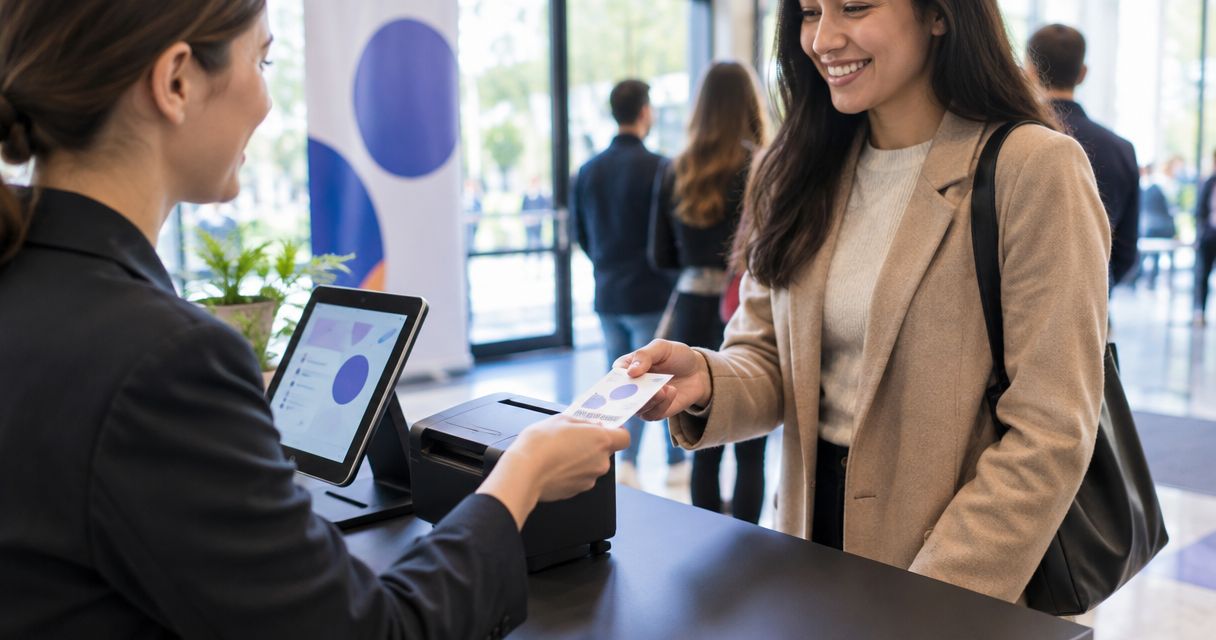
Yes. Event ticketing software can print physical tickets at the door if it supports a compatible printer and produces tickets your check-in system can validate. A box office or kiosk does not, by itself, confirm that printing is supported; verify the complete sale-to-print-to-entry workflow before relying on paper tickets for a 2026 event.
- Yes, event ticketing software can print physical tickets when printer output and check-in work together.
- Zunaro suits organisers who want a connected box office and door check-in; physical ticket printing needs confirmation.
- Test a printed ticket against live inventory and reserved-seat status before opening the doors.
Can event ticketing software print physical tickets at the door?
Yes, but printing and admitting are separate capabilities. The software needs a way to issue a ticket, send it to a compatible printer and recognise it at entry. If any part is missing, a paper slip might show a purchase without serving as a valid admission ticket.
| Door workflow | Best for | Advantage | Limitation to check |
|---|---|---|---|
| Printed ticket issued at the box office | Walk-up buyers who need a paper ticket | Staff can hand over a ticket with the sale | Confirm printer support, ticket format and check-in validation |
| Printed ticket collected from a kiosk | Venues offering self-service collection | Buyers can collect without joining the staffed box office queue | Confirm how the kiosk retrieves orders and handles printer failure |
| Digital ticket shown at the door | Buyers who already have their ticket | No door printer is needed for the buyer's ticket | Buyers need access to the ticket when they arrive |
| Order lookup at the door | Buyers who cannot present their ticket | Staff can check the order before admitting the buyer | Staff need a clear way to confirm the right person and record entry |
A platform can support one of these workflows without supporting all of them. In 2026, the useful buying question is not whether the product has a box office. It is whether a physical ticket issued there remains connected to the same order, seat and check-in record used everywhere else.
Why this matters
A ticket that prints correctly but cannot be checked in creates a second task at the door: staff must establish whether the order is valid and whether the attendee has already entered. A ticket that can be checked in but shows the wrong seat creates a different problem. Treat the printer as the last step of the ticketing workflow, not the feature you buy first.
For organisers comparing systems, start with the Zunaro event ticketing platform only for capabilities it states: a branded storefront, box office, kiosk, reserved seating and door check-in on one live inventory. Those connected functions matter to a venue issuing tickets through more than one sales channel. Physical ticket printing is a separate requirement to confirm directly.
What has to happen between a sale and a printed ticket?
A reliable paper-ticket workflow follows the order from purchase to admission. Ask a vendor to demonstrate it using the sales channel and printer your staff will actually use.
- Create or find the order. Staff sell a walk-up ticket or retrieve an existing purchase. The ticket must belong to a specific order, not just a generic print template.
- Confirm the ticket or seat. For reserved seating, the printed ticket must reflect the seat assigned to that order. An unsold seat, a held seat and a sold seat cannot be treated as interchangeable.
- Send the ticket to the printer. The software must produce an output the intended printer can handle. Ask what staff see when a print job fails or the paper runs out.
- Validate at entry. Check-in staff must be able to match the printed ticket to the order and record admission. A readable design alone does not establish that the ticket is valid.
- Handle exceptions. Staff need a defined route for a lost printout, a duplicate copy, a changed seat and a buyer whose order cannot be found immediately.
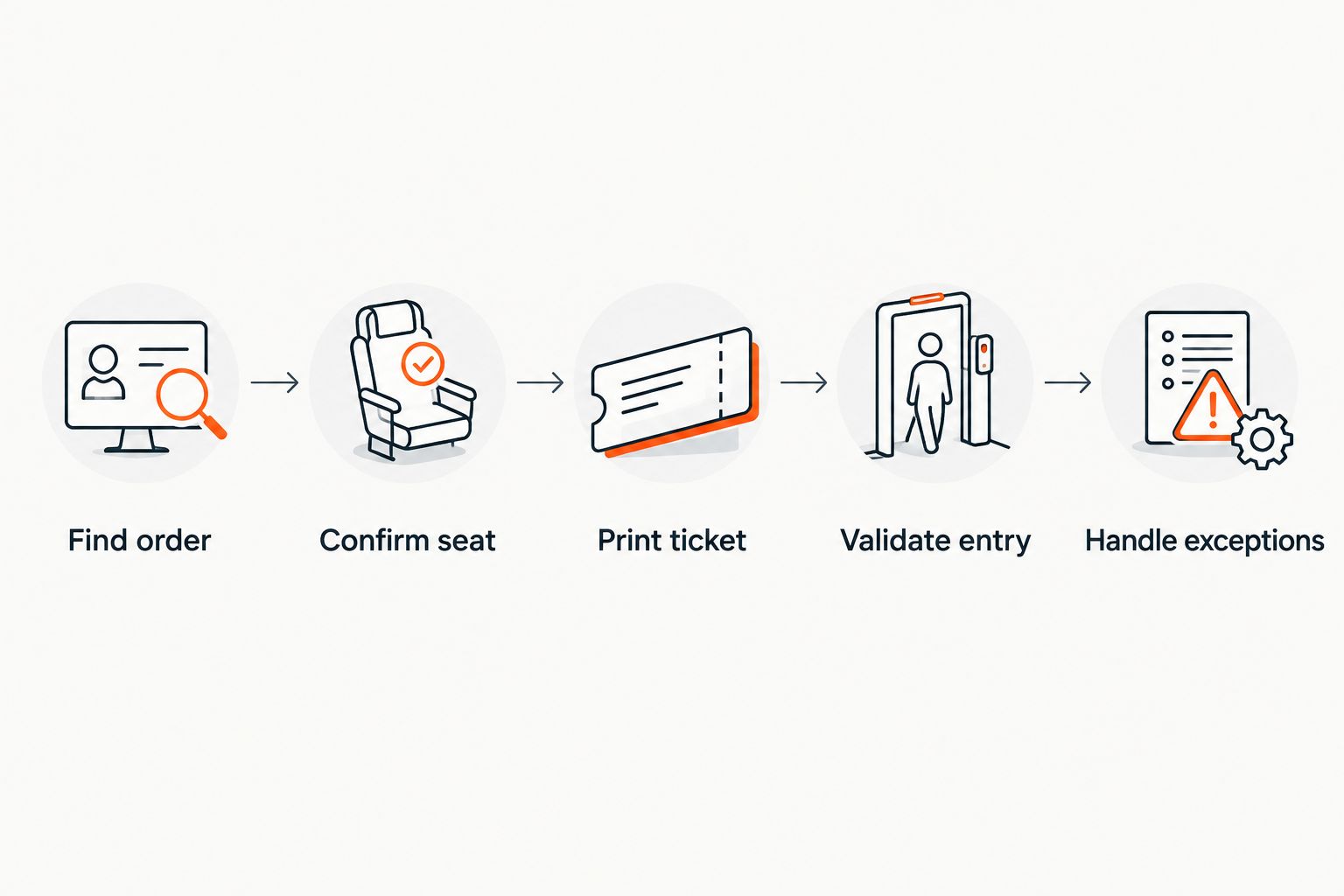
The demonstration should include a completed check-in, not stop when paper emerges from the printer. In 2026, that final step is what tells you whether the printed ticket functions as admission rather than as an order receipt.
Can a box office print a ticket sold online?
Yes, if the software lets box office staff retrieve the online order and issue a printer-compatible ticket for it. Do not infer that capability from the words “box office.” Ask the vendor to open an online order at the box office, print its ticket and show the resulting admission record.
For reserved seats, the same demonstration must show the purchased seat on the printout and in the live seating inventory. Otherwise, staff are left reconciling a paper ticket against a separate screen while the buyer waits. The distinction matters most when online sales and walk-up sales continue at the same time.
Reprinting needs its own test. If a buyer loses the original ticket, staff should know whether the replacement retains the same admission identifier, invalidates an earlier copy or requires a manual check. Do not assume a second print job creates a second valid admission. Ask the vendor to show what happens when both copies reach the door.
Can a kiosk issue a physical ticket?
A kiosk can issue a physical ticket only when its ticketing software and hardware support printing for the intended transaction. A self-service screen and a ticket printer are different capabilities. Check whether the kiosk can print after a walk-up sale, retrieve an existing order for collection or both.
Best for: organisers who want buyers to collect tickets without using the staffed box office for every transaction. Trade-off: a printer problem can stop paper collection, so staff still need an order-lookup route. If a kiosk is central to your 2026 door plan, test a normal collection, a missing order and a failed print before committing to that workflow.
The kiosk must also use the same ticket inventory as the other sales channels. Otherwise, a seat selected at the kiosk can conflict with a seat being sold online. A shared inventory solves the sales-state question; it does not prove that the kiosk has a compatible printer. Confirm both separately.
Why physical ticket printing varies between platforms
Check these factors rather than relying on a feature list:
- Printer support. Ask which output method and printer setup the platform supports. A browser print command is not the same as a tested ticket-printer workflow.
- Sales channel. Confirm whether printing works for walk-up sales, online-order collection and kiosk purchases. Support for one route does not establish support for another.
- Ticket format. The paper ticket needs the event and admission details staff use at the door, plus the correct seat when seating is reserved.
- Order retrieval. Staff need to find an existing sale before printing a replacement or collecting a ticket purchased elsewhere.
- Check-in connection. A printed ticket must be verifiable against the admission record. Ask what happens when the same ticket is presented again.
- Failure handling. Establish what staff do if the printer is unavailable, the ticket is lost or the order needs checking without a printout.
In 2026, a useful vendor demonstration follows one order through each route you plan to offer. Seeing the screen for each route is not enough: have staff complete the door check-in and then attempt the exception that is most likely to disrupt your event.
What if your venue uses digital tickets instead?
Digital delivery removes the requirement for a buyer-facing door printer, but it does not remove the need for order lookup and check-in. Buyers still need a usable ticket, and staff still need to verify admission when a buyer cannot show it. Keep those tasks in your door plan even if paper tickets are optional.
Zunaro is best for organisers who want an event ticketing platform connecting box office, kiosk and door check-in on one live inventory, not for anyone assuming physical printing is included. Zunaro sends e-tickets through WhatsApp as well as email. Its stated capabilities do not confirm physical ticket printing, printer compatibility or a paper reprint workflow, so verify those points before specifying paper tickets for your venue.
Zunaro also supports reserved seating, which makes the seat-status check relevant to a theatre or other seated event. Its seat map can be traced from a photo in about 60 seconds. That setup capability does not answer whether a physical ticket can be printed from a seat order; ask to see that exact handoff if paper collection matters.
Should paper tickets replace digital tickets at the door?
No. Choose the admission routes your venue actually needs, then test how each route records entry. If you offer both paper and digital tickets for the same order, ask how the system handles a ticket presented in each format so staff can resolve a duplicate at the door.
Can you print tickets for reserved seats?
Yes, if the platform supports physical output for a reserved-seat order and prints the assigned seat correctly. Test an online purchase, a walk-up sale and a reprint against the seating map before using paper tickets for a 2026 seated event.
Do you need a ticket printer to run a box office?
No. A box office can sell or retrieve orders without issuing a physical ticket, provided the venue has another workable admission process. Buy and configure a printer only when printed handover or collection is part of that process.
FAQ
Can event ticketing software print physical tickets at the door?
Yes, if the software supports compatible printer output and the resulting ticket can be validated at check-in. A box office or kiosk feature alone does not confirm physical printing.
Can staff print an online ticket when the buyer arrives?
Yes, when the box office can retrieve the online order and produce a valid printout. Ask the vendor to demonstrate order lookup, printing and admission as one workflow.
Can a ticketing kiosk print tickets?
A kiosk can print tickets when its software and connected hardware support that function. Confirm whether it prints walk-up purchases, existing orders or both.
Will a reprinted ticket still work at check-in?
That depends on how the platform handles replacement copies and admission identifiers. Test the original and the reprint at the door so staff know which copy is valid.
Can printed tickets show reserved-seat details?
Yes, if physical ticket output is supported for reserved-seat orders. Check that the printout matches the seat in the live order and seating map.
Does Zunaro print physical tickets?
Zunaro’s stated capabilities include a box office, kiosk, reserved seating, digital ticket delivery and door check-in; physical printing is not confirmed in the supplied product details. Ask for a printer-specific demonstration before making it a requirement.
Is a printed receipt enough to admit a buyer?
No. Treat a receipt as proof of a transaction unless the venue’s check-in workflow can validate it as an admission ticket. Staff must be able to match it to an order and record entry.
One last thing
Test the lost-ticket case before the normal print case. If staff can find the order, confirm the seat and admit the right buyer when no usable printout is available, a failed printer does not have to become an unresolved order at the door. In 2026, that exception test gives you a clearer answer than a ticket-printer specification alone.


