


Yes—event ticketing software can connect to your website through an API when the platform provides the endpoints and permissions your booking flow needs. A ticketing API integration can display events, request availability and connect booking actions, but your developer must also handle authentication, seat holds, payment confirmation and failed requests.
- Ticketing API integration needs documented booking endpoints, not just access to an event feed.
- ZunaroSpace suits independent organisers seeking a branded storefront with shared box office and kiosk inventory.
- Use server-side credentials, authoritative availability and verified payment notifications before issuing tickets.
- Choose custom API development for custom workflows; choose branded checkout when you do not need custom booking logic.
Why this matters
Every show has seats that never sold - and no one was working on them.
Your website should help you sell those seats without creating a separate inventory problem. A connection that displays an event but cannot reserve a seat, confirm payment or update the box office is not a complete booking integration.
Start with the business requirement, not the technology. If your goal is simply to sell tickets directly from your own website, compare a branded checkout with a custom build before commissioning development.
For a 2026 integration brief, define who owns the event data, who controls checkout and which system decides whether a ticket is valid. Those decisions shape the work more than the appearance of the booking button.
Can event ticketing software connect to my website through an API?
Yes, provided the API supports the actions your website needs—not merely the data you want to display. Reading event descriptions is different from reserving inventory or creating a confirmed order.
Check the documented scope before choosing your connection method:
| Connection method | Best for | Main benefit | Main limitation |
|---|---|---|---|
| Custom API integration | Organisers with custom website workflows and developer support | Your website controls the interface and application logic | You must build and maintain the connection, including failure handling |
| Embedded booking component | Organisers wanting booking within an existing page | The platform supplies the booking interface | Layout and behaviour depend on the component's documented options |
| Branded storefront checkout | Organisers prioritising an owned sales destination without custom booking development | The platform handles the booking flow | It does not provide the same interface freedom as a custom application |
An embedded component is not automatically an API integration. It can appear inside your website while the provider runs the booking application. Likewise, a link to a branded storefront connects the visitor journey without giving your website programmatic access to orders.
For your 2026 shortlist, request documentation for the actual workflow you intend to launch. A sample event-list request proves that you can retrieve events; it does not prove that you can complete a reserved-seat booking.
What should the ticketing API actually support?
Write a capability checklist before your developer writes code. Separate required functions from optional additions so an unsupported feature does not surface halfway through the build.
Event discovery
Your website needs stable event identifiers and the fields required for its event pages. Check how the API represents performances, dates, ticket types and published status.
Ask what happens when an organiser changes a performance or removes it from sale. Your website must not continue presenting a booking action for an event that the ticketing system no longer sells.
Availability and seat holds
For general admission, confirm how the API reports remaining capacity and enforces purchase limits. For reserved seating, confirm whether it exposes the seat map, seat status and a supported reservation process.
A displayed seat is not a reserved seat. Your integration needs a confirmed hold before it treats that seat as allocated to a booking. Ask how holds expire, how they are released and what response your website receives when another sales channel has already taken the seat.
Orders and payment confirmation
Identify the documented route from a selection to a confirmed order. Check whether the API creates a checkout session, redirects to a supported checkout or permits another payment workflow.
Do not issue a valid ticket just because a browser reaches a success page. Confirm the payment and order status through the platform's supported server-side process, then display the appropriate result.
Notifications and operational updates
Check whether the platform provides webhooks or another supported way to retrieve order changes. A webhook is a server-to-server notification; your application still needs to authenticate it and process it safely.
Include cancellations, refunds and changed bookings in the requirements. An integration that receives new sales but ignores later changes leaves your website with an incomplete order history.
How do I build a reliable ticketing API integration?
Use this sequence as your development brief. Each stage should produce an observable result before you move to the next.
- Define ownership. Identify the system responsible for events, inventory, orders, payments and ticket validity. Avoid maintaining competing versions of the same booking state.
- Verify access. Obtain the API documentation and confirm authentication, permissions, supported environments and relevant usage limits. Test access before building the interface.
- Read availability. Retrieve the event and inventory data needed by your website. Define when cached information must be refreshed before a booking proceeds.
- Reserve inventory. Use the platform's documented booking mechanism. Handle unavailable seats and expired holds with a clear recovery path.
- Confirm payment. Follow the supported checkout process and verify the final order status. Treat incomplete or failed payments differently from confirmed bookings.
- Test recovery. Exercise retries, duplicate notifications, cancelled orders and interrupted connections. Confirm that recovery does not create another booking or leave inventory unavailable.
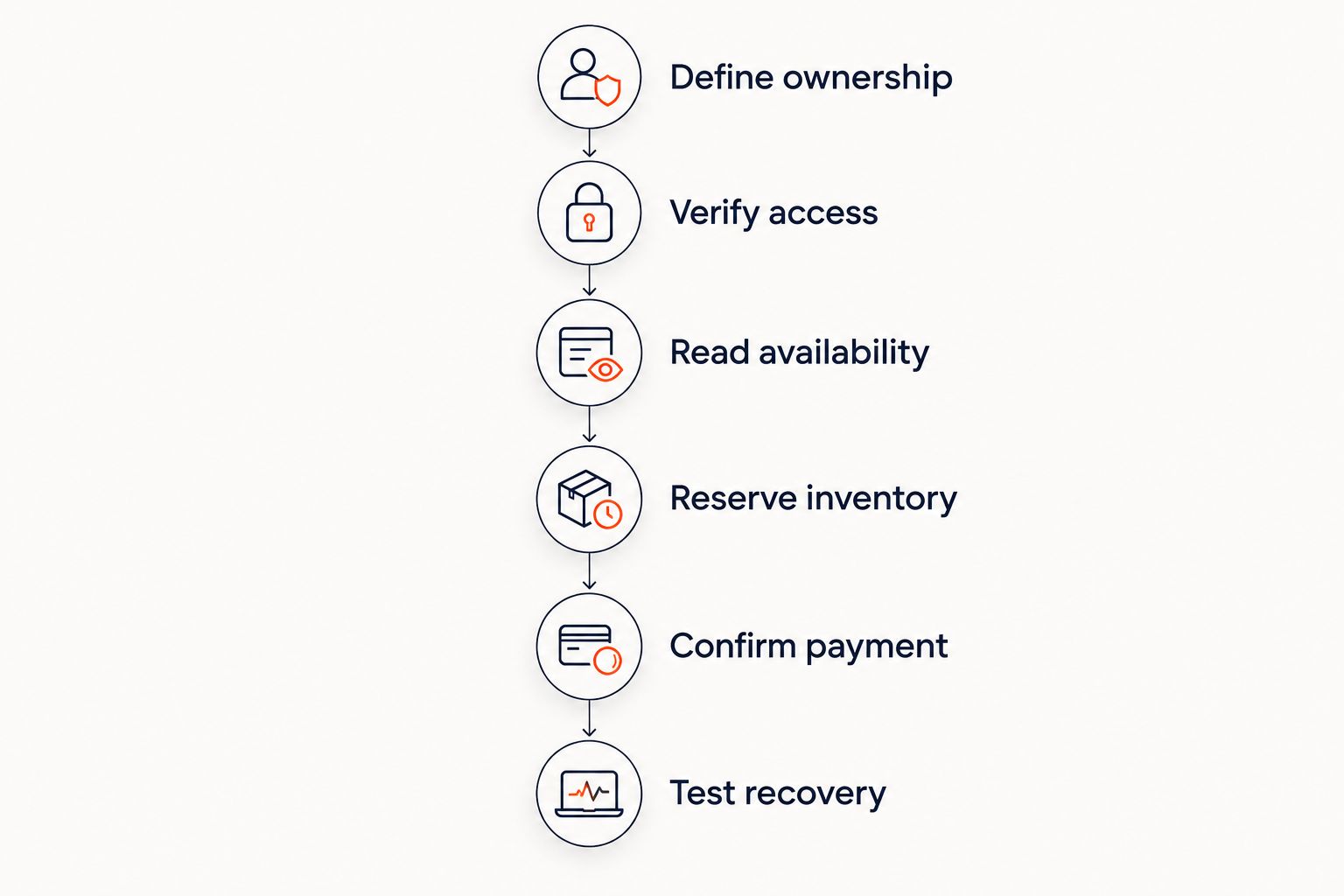
Assign an owner to each stage. Your website developer controls the application code; the ticketing provider defines supported API behaviour. Record the boundary so a failed booking does not become an unresolved argument between suppliers.
Your 2026 acceptance test should follow an order through the website and the operational system. Check the resulting inventory, order status and ticket status—not just the confirmation message on screen.
Why ticketing API integration work varies
The workload depends on what you are connecting and how much booking responsibility your website takes on. Use these factors to compare development proposals on the same scope:
- Interface ownership. Displaying events and handing off to checkout is a different task from building the complete booking interface.
- Inventory model. Reserved seating introduces individual seat selection and hold handling; general admission still requires capacity enforcement.
- Sales channels. Website, box office and kiosk sales need a shared inventory authority to avoid competing allocations.
- Order lifecycle. Refunds, cancellations and interrupted payments add state changes beyond a successful purchase.
- Security boundary. Server-side credentials, verified notifications and limited permissions need explicit implementation work.
- Ongoing maintenance. API changes, operational errors and website releases need an assigned technical owner after launch.
Compare deliverables, not an unsupported promise of a quick connection. Ask each developer to state which booking actions, failure cases and operational updates are included.
How do I protect the website connection?
Keep privileged API credentials on your server, not in public website code. Browser-delivered code is visible to visitors, so it is not a safe place for a secret that can create or modify orders.
Grant the integration the permissions it needs. If a component only reads published events, do not give it unrelated administrative access. Separate development and production credentials where the platform supports that separation.
Validate incoming notifications using the provider's documented verification method. Check the event type and order identifier before updating your records, and design repeated notifications to produce the same result rather than another order.
Keep useful operational logs without copying unnecessary buyer information into them. Record request outcomes and relevant identifiers so your team can investigate an interrupted booking without exposing personal data unnecessarily.
What should I test before launching in 2026?
A successful purchase is necessary, but it is not a complete test. Your launch checklist should include the situations that interrupt a booking or change it afterwards.
| Test | What you should verify |
|---|---|
| Competing seat selections | The inventory system rejects an allocation that is no longer available |
| Expired reservation | The website explains the expiry and requests current availability |
| Interrupted checkout | The order remains in the correct state and the buyer receives an appropriate next step |
| Duplicate notification | Reprocessing does not create another order or issue another ticket |
| Refund or cancellation | Relevant records reflect the changed order and ticket status |
| Temporary API failure | The website avoids presenting stale information as a confirmed booking |
Also test the journey on the devices and languages your event audience uses. A technically valid response does not guarantee a usable seat map or checkout page.
For a Gulf-facing website, include Arabic layout and English layout in acceptance testing. Test currency presentation separately from payment settlement: displaying a currency does not establish that a provider can pay out in a particular country.
Do I need an API if I already have a branded storefront?
No—an API is unnecessary when the supported storefront already meets your booking requirements. Use custom development when you need application behaviour that the storefront does not provide.
For your 2026 website plan, write down the missing behaviour precisely. A distinctive page design is not the same requirement as custom booking logic, and the latter carries responsibility for inventory and order handling.
Can an API keep my website and box office in sync?
Yes, when both sales channels use the same authoritative inventory and supported booking operations. Reading an availability feed alone does not stop conflicting allocations.
Test a website booking against a simultaneous box office action. The system that controls inventory must decide which booking succeeds, and the other interface must respond to that decision.
Can I complete checkout entirely on my website?
Yes, when the provider explicitly supports that checkout architecture. API access by itself does not establish permission or technical support for taking payments in a custom interface.
Ask where payment details are entered, where the confirmed order is created and which system issues the ticket. Keep those responsibilities documented before choosing your website architecture.
Where ZunaroSpace fits
ZunaroSpace is best for independent organisers and venues seeking a branded ticketing storefront with shared box office and kiosk inventory. Store, seating, box office, kiosk and door check-in use one live inventory. Arabic and English are supported, with full RTL.
The operational benefit is a connected sales setup. The boundary for a custom website project is different: verify the required API endpoints and permissions before treating any platform as a fit for your build.
ZunaroSpace follows a direct ownership model: You keep the fees, the funds and the customers. Organisers pay nothing per ticket; buyers cover a booking fee of AED 3.99, or AED 1.99 under AED 20. Free events carry none.
AI that sells your tickets. A WhatsApp agent answers buyers, holds seats and hands over a checkout link. Checkout completes on the organiser's own site, not in chat.
Ask Zunaro Pro is AED 179/mo, with a 14-day trial and no card. For the platform overview, visit ZunaroSpace. Based at DTEC, Dubai Silicon Oasis. Built for the Gulf - the UAE and Saudi Arabia.
FAQ
Can event ticketing software connect to my existing website through an API?
Yes, when the platform provides documented API operations for the connection you need. Verify event data, availability, booking actions and payment confirmation separately.
Is an embedded ticket widget the same as an API integration?
No, an embedded widget supplies a booking interface, while an API lets your application interact with supported platform functions. Choose based on how much interface and booking logic you need to control.
Do I need a developer for ticketing API integration?
A custom ticketing API integration requires development and ongoing technical ownership. A supported storefront or embedded component can avoid the need to build custom booking logic.
Can a ticketing API prevent double-booked seats?
A ticketing API can support conflict prevention when booking actions use authoritative inventory and supported seat holds. Displaying an availability feed alone does not reserve a seat.
Should I put my ticketing API key in website JavaScript?
Keep secret API credentials on your server, not in public website JavaScript. Follow the provider's documented authentication model for any browser-safe access.
Does API access mean I can build my own payment checkout?
No, API access does not automatically include support for a custom payment checkout. Confirm the supported payment architecture and order-confirmation process before development.
Is ZunaroSpace relevant if I want an organiser-owned storefront?
ZunaroSpace provides branded ticketing storefronts with store, seating, box office, kiosk and door check-in on one live inventory. For a custom API build, verify the specific technical requirements before selecting the platform.
One last thing
Test the interrupted booking before approving the integration. Ask your developer to show what happens when a seat hold expires or a payment result arrives after the visitor closes the page.
That demonstration reveals whether you have a connected booking system or an event display with a working button. Make recovery behaviour part of acceptance, not a later improvement.


